User Options
68
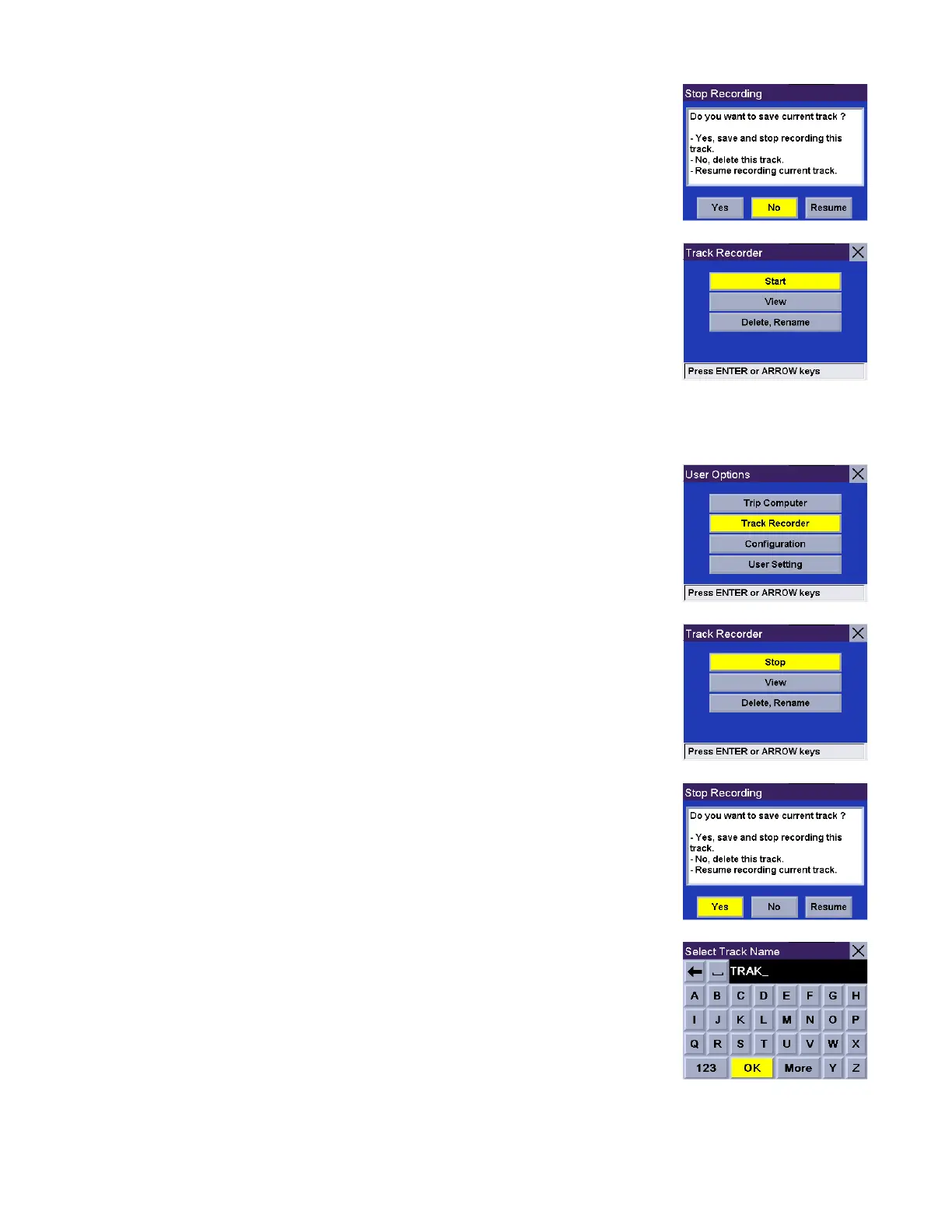
A dialog box will appear asking you if you wish to stop the track and save it, stop
the track and not save it, or resume recording the track. Select No.
The track recorder is stopped and you are returned to the Track Recorder screen.
Save Track Record
From any screen press the Option button and select Track Recorder.
Select Stop.
A dialog box will appear asking you if you wish to stop the track and save it, stop
the track and not save it, or resume recording the track. Select Yes.
You will be prompted to enter a name for your track. When you are finished, select
OK.










 To Next Page