Selecting Destinations
57
Selecting a Destination Using “Intersection”
Intersections are very common markers for routing when you don’t know the actual address. The Magellan RoadMate
can route you to an intersection of two streets contained within the active detailed map.
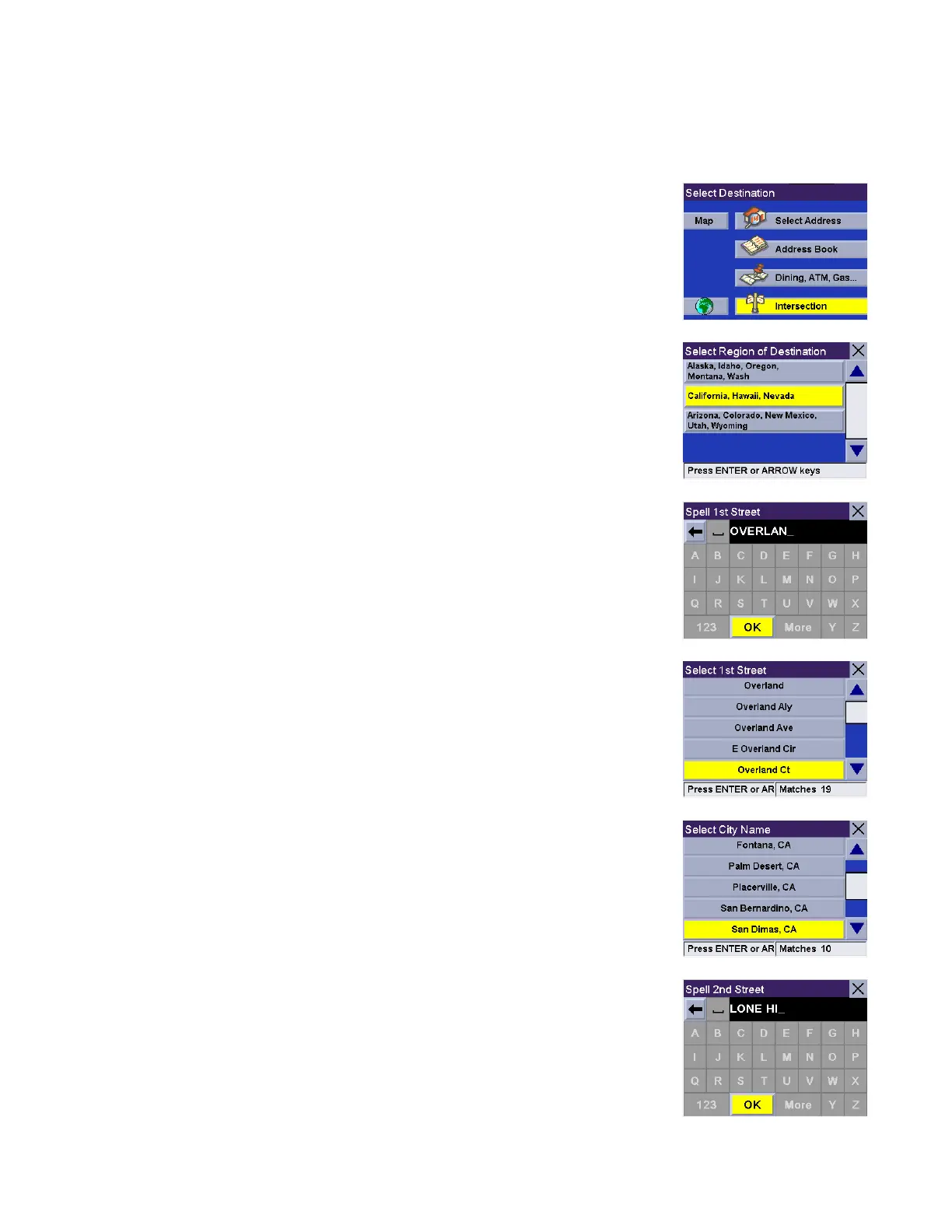
From the Select Destination screen, select Intersection.
If more than one region is active, you will be asked to select the region from which
to search.
Enter the first few characters for the first street. After you have selected the
characters, select OK.
Use the navigation key to scroll the list up or down and select the desired street.
Select the city that the street is in. If the street is in only one city, this screen will
not appear.
Enter the first few characters for the second street. After you have selected the
characters, select OK. It is possible to enter an non-intersecting street. In that
case, a warning screen will appear. Press the Cancel key to go back and re-enter
the street name.










 To Next Page