User Options
83
The user name is enabled.
.
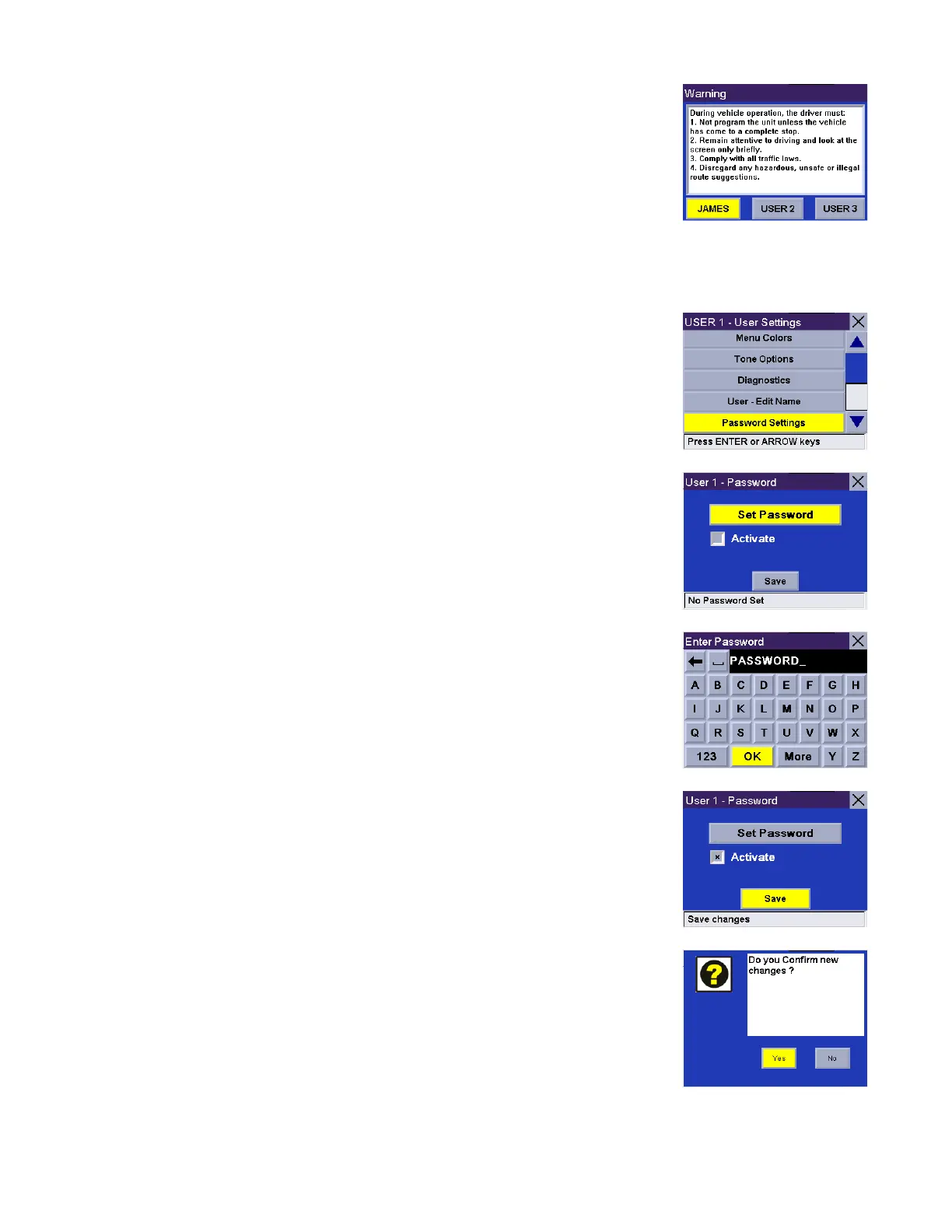
Password Settings
You can set a password for your user profile to protect your settings and to prevent
unauthorized usage. Select Password Settings.
Select Set Password.
Enter the password you wish to use for your profile and select OK.
Select Activate. The box is checked indicating that the feature is active. Select
Save.
Confirm password protection activation by selecting Yes.
Password protection is now active. When you select your User profile at startup,
you will be asked for your password in order to continue.










 To Next Page