Selecting Destinations
54
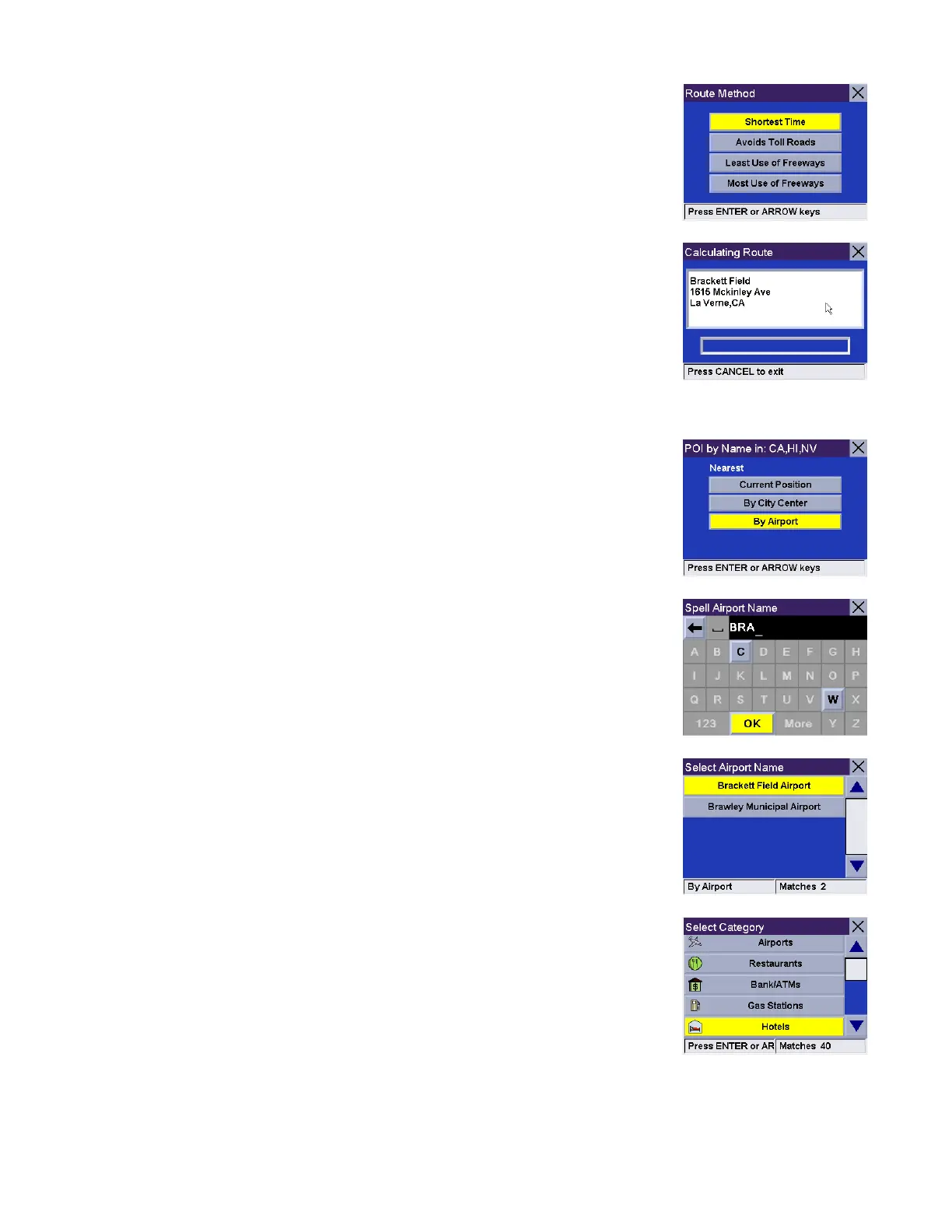
Select the desired Route Method.
The Magellan RoadMate will calculate the route. When the calculations are
complete, the Map screen will be displayed
By Airport
This option lets you route to a specific point of interest closest to a chosen airport.
From the Select By Airport.
Enter the first few characters for the Airport name. After you have selected the
characters, select OK. If you wish, you may enter the entire Airport name.
Use the navigation key to scroll the list up or down and select the desired Airport.
Select the POI category (if available, select the sub-category).










 To Next Page