Selecting Destinations
40
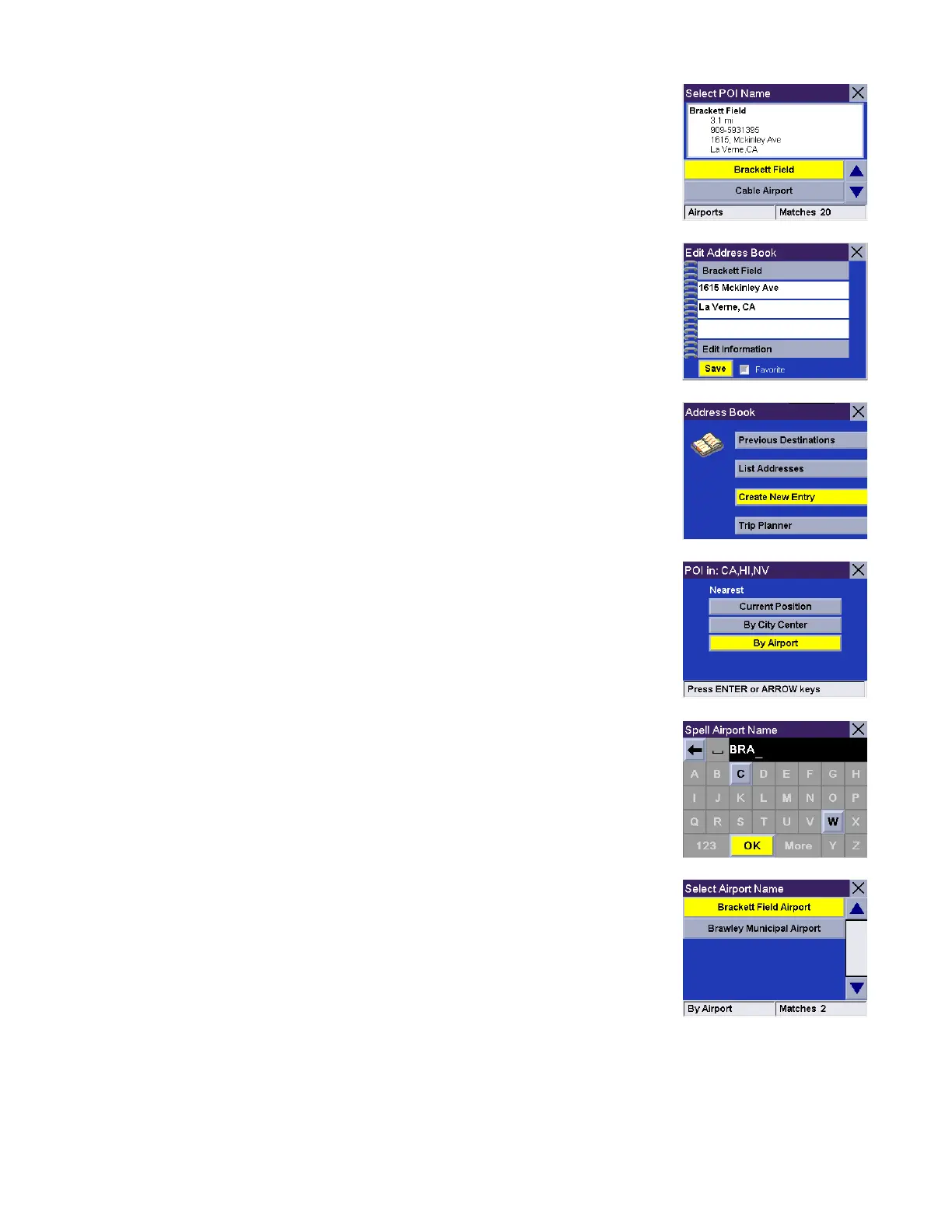
Use the navigation key to scroll the list up or down and select the desired POI.
A dialog box will appear prompting you to edit the information. You can choose to
keep the default name. If you wish, you can select Favorite to add this address to
your Favorites list. Select Save.
You are returned to the Address Book screen.
By Airport. This option lets you find a specific point of interest closest to a chosen
airport. Select By Airport.
Enter the first few characters for the Airport name. After you have selected the
characters, select OK.
Use the navigation key to scroll the list up or down and select the desired Airport.










 To Next Page