IMPULSE
®
•Link 5 Instruction Manual
April 2020
Page 13 of 47
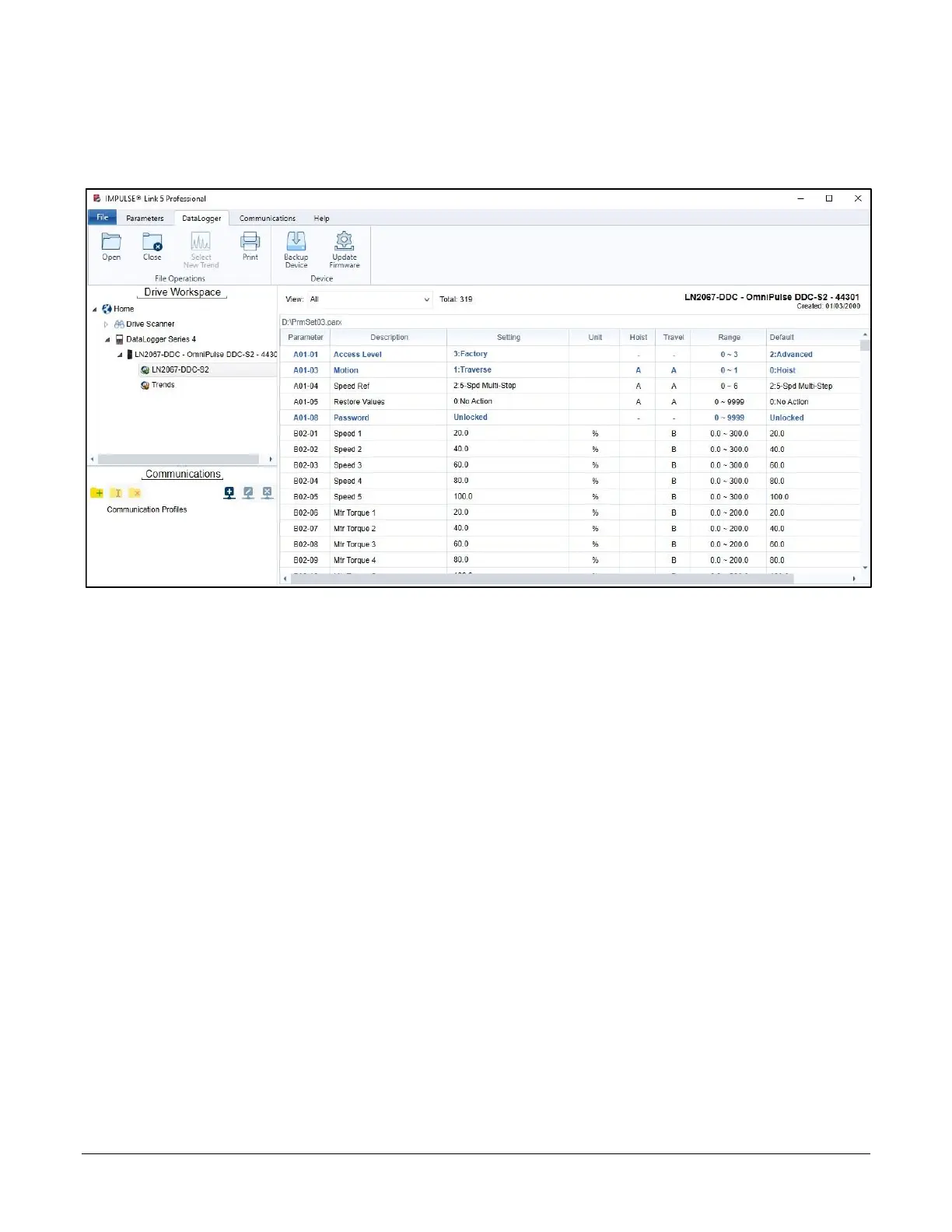
4.2.2. DataLogger Tab
The DataLogger tab is used to manage DataLogger Drive Events and Trend files as well as update DataLogger
firmware. These events and trends can be viewed when the Parameters or DataLogger tab is selected.
Figure 5: The DataLogger Tab and Workspace
Open – Opens a Parameter, Drive Event, or Trend file
Close – Closes an active Parameter, Drive Events, or Trend file
Select New Trend – Opens window to select a different Trend file
Print – Print the active data shown in the View Window when a trend is selected
Backup Device – Back up data from the DLS4 to a PC location (determined by the user)
Update Firmware – Used to update the DataLogger Series 4 firmware
Workspace – Displays data loaded when the DataLogger is connected to the PC’s USB port
View Window – Displays a list of parameters (shown), Drive Events, or Trend files


 To Next Page