IMPULSE
®
•Link 5 Instruction Manual
April 2020
Page 35 of 47
5.2.2. Drive Monitor
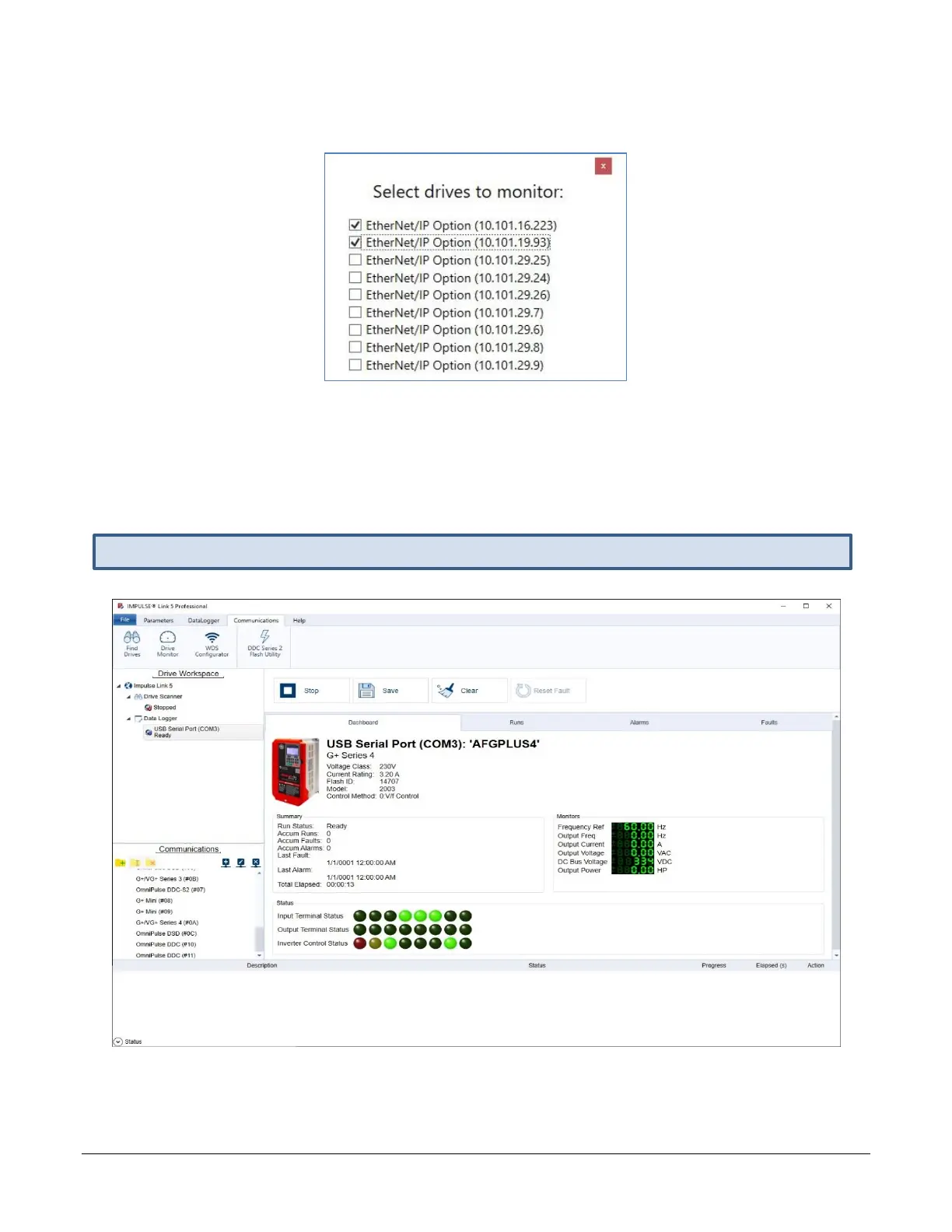
1. Select the Communications tab and click the Drive Monitor button.
• Displayed drives may be automatically discovered from the Find Drives feature.
• Users may also create Communication Profiles manually.
2. Check one or more of the boxes for the desired drive(s) to monitor.
3. Click the Start button.
4. If monitoring more than one drive, use Drive Workspace to click to another drive.
Figure 36: IMPULSE•Link 5 Professional Monitor Drive(s)


 To Next Page