IMPULSE
®
•Link 5 Instruction Manual
April 2020
Page 33 of 47
5. Professional Features
5.1. Start Screen
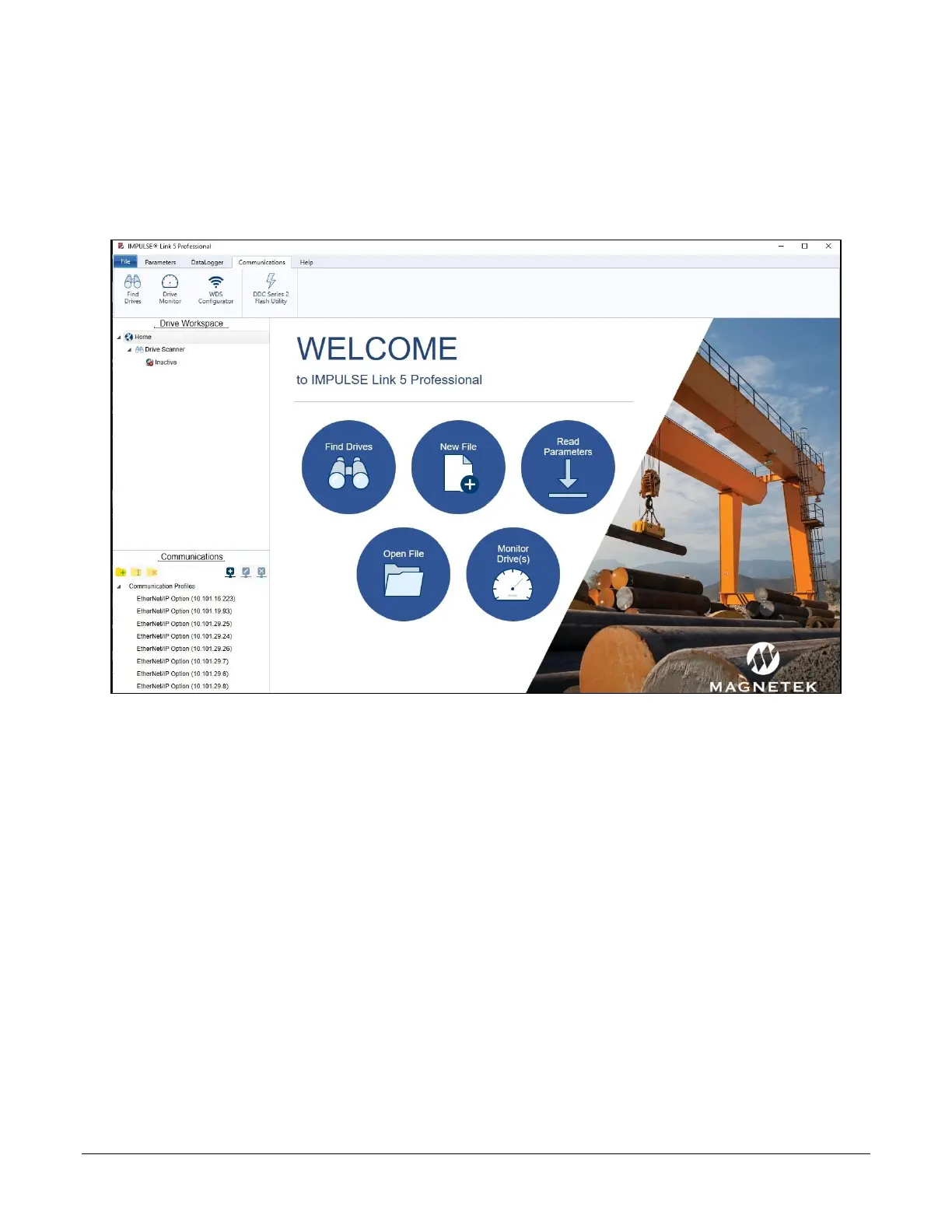
The IMPULSE•Link 5 Welcome screen appears on start-up to allow quick access to key features and
functions through single-click buttons. Clicking the Home button brings up the Welcome display, too.
Figure 34: IMPULSE•Link 5 Professional Start-up screen with USB dongle inserted
Users can automatically discover drives (Find Drives), create new Communication Profiles (New File), read
parameters, open a Parameter file, or monitor drives. The navigation toolbar also provides feature access.


 To Next Page