IMPULSE
®
•Link 5 Instruction Manual
April 2020
Page 38 of 47
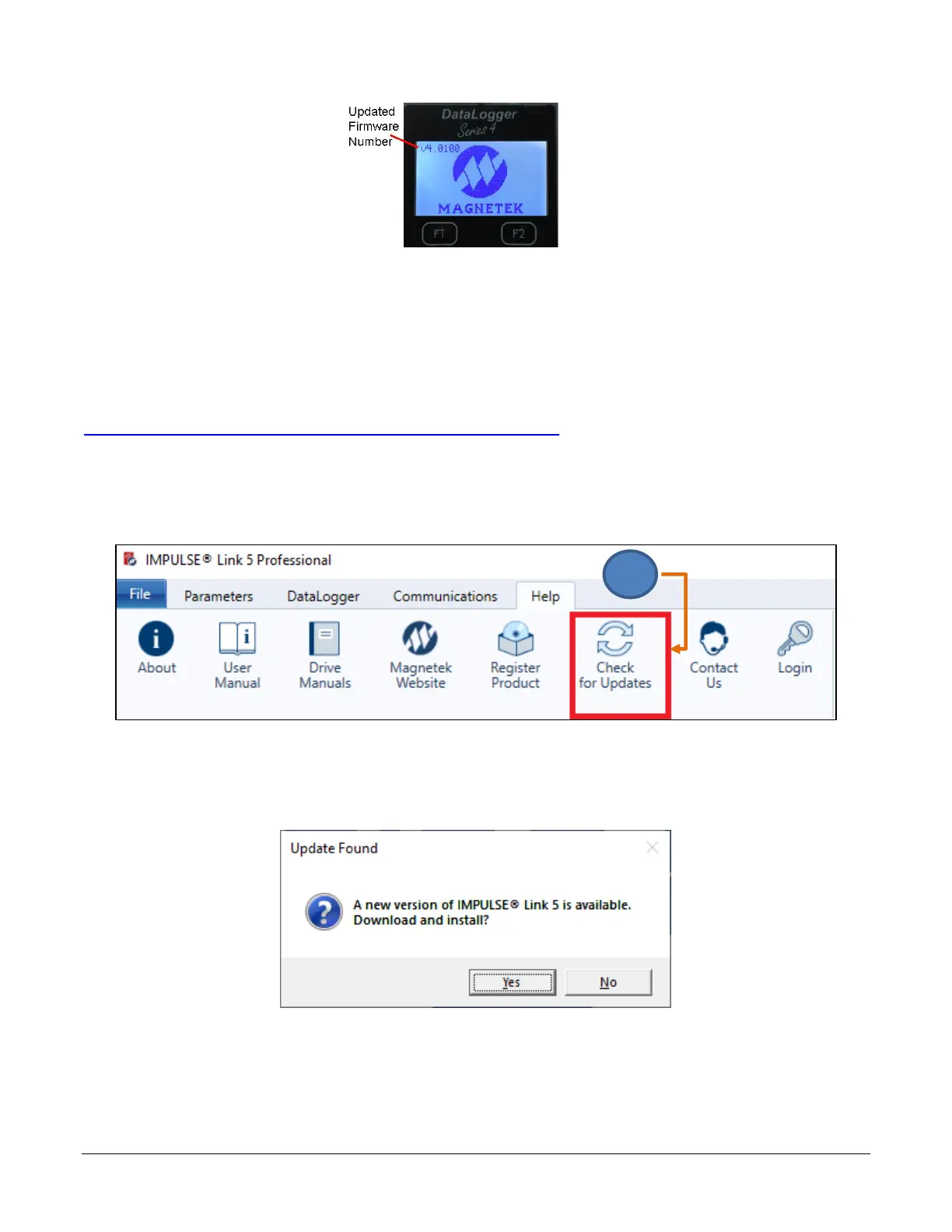
4. After the firmware is updated, the version will be displayed on the main screen of the DLS4.
Figure 40: DataLogger Series 4 Main Screen
7. Software Updates
Additional features and enhancements may be released without notice.
The software can be downloaded from the Magnetek Material Handling website at
http://www.magnetek.com/en/Material%20Handling/Downloads.aspx.
To check for updates after IMPULSE•Link 5 software has been installed:
1. Click the Check for Updates button under the Help tab.
If an update is available, it will prompt the user to install the update. The computer must have internet access.


 To Next Page