IMPULSE
®
•Link 5 Instruction Manual
April 2020
Page 17 of 47
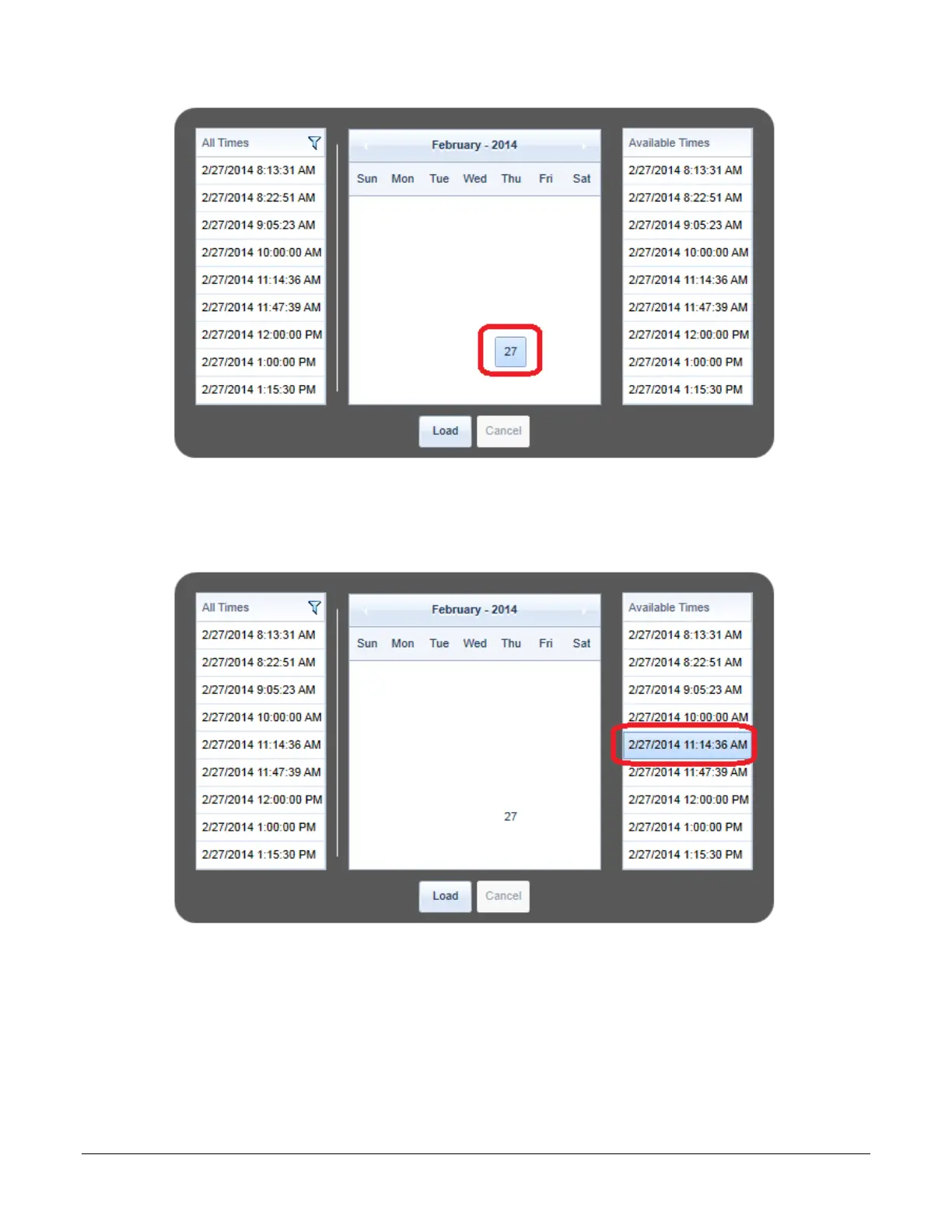
The Date Dialog Box is used to navigate to the time of the trend. Click on a date to show all trends for that day.
Figure 10: Selecting the Date
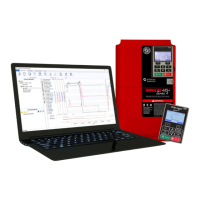
All the trends for this date will be shown under “Available Times” on the right. Click on the date/time to highlight
the trend to view and then choose “Load.”
Figure 11: Selecting the Desired Trend
NOTE: This may take several seconds to open depending on the trend length.
NOTE: Trends can also be found in the “Trend” folder in the DataLogger Series 4 internal memory. See
the DataLogger Series 4 manual for more information.


 To Next Page