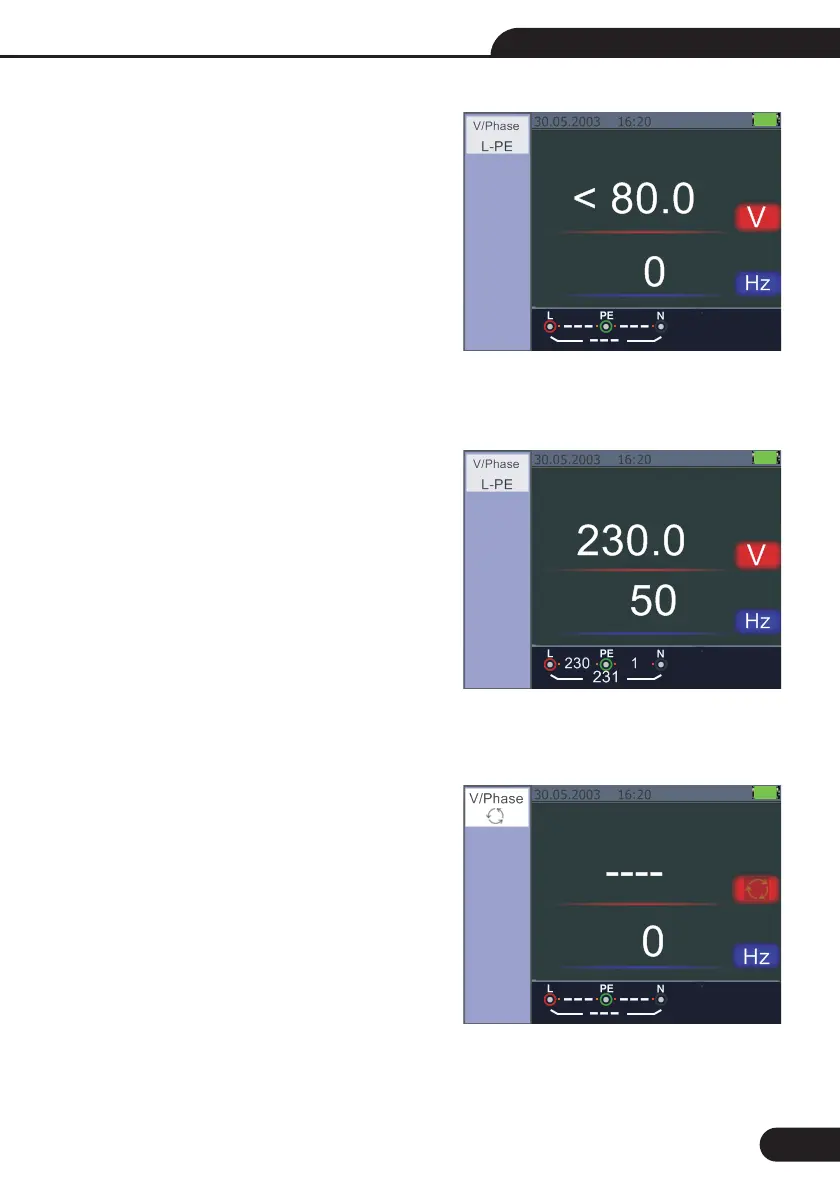
5.2.7-Using the VOLTAGE Function
Do not use on a circuit whose voltage either L-L
or L-N exceeds 550V Measuring the Voltage and
Frequency
Connect the test lead input terminal
Turn the rotary switch to the VOLTAGE position
Do not attempt to measure when the input voltage
is above 500V a.c.
Value at the top right hand corner represents the
Voltage, and the value in the right hand center
represents the frequency.
The display will appear without the TEST button
operated.
5.2.8-Using the Phase Sequence Function
Determining the Phase Sequence
Turn the rotary switch to the VOLTAGE position
Press F1 to make symbol is displayed
3 Connect the test leads L1, L2, L3 as shown on
the
When the instrument is energized the sequence
will be displayed automatically
WARNING!
1-
2-
1-
2-
-
Figure 22
-
2-
4
2-
Figure 20 Screen while measuring Voltage
and Frequency
Figure 21 Initial screen of the Phase
Sequence Measurement
25
Figuire 19 Standby screen for the Voltage
and Frequency
Multifunction Tester User Manual



 To Next Page