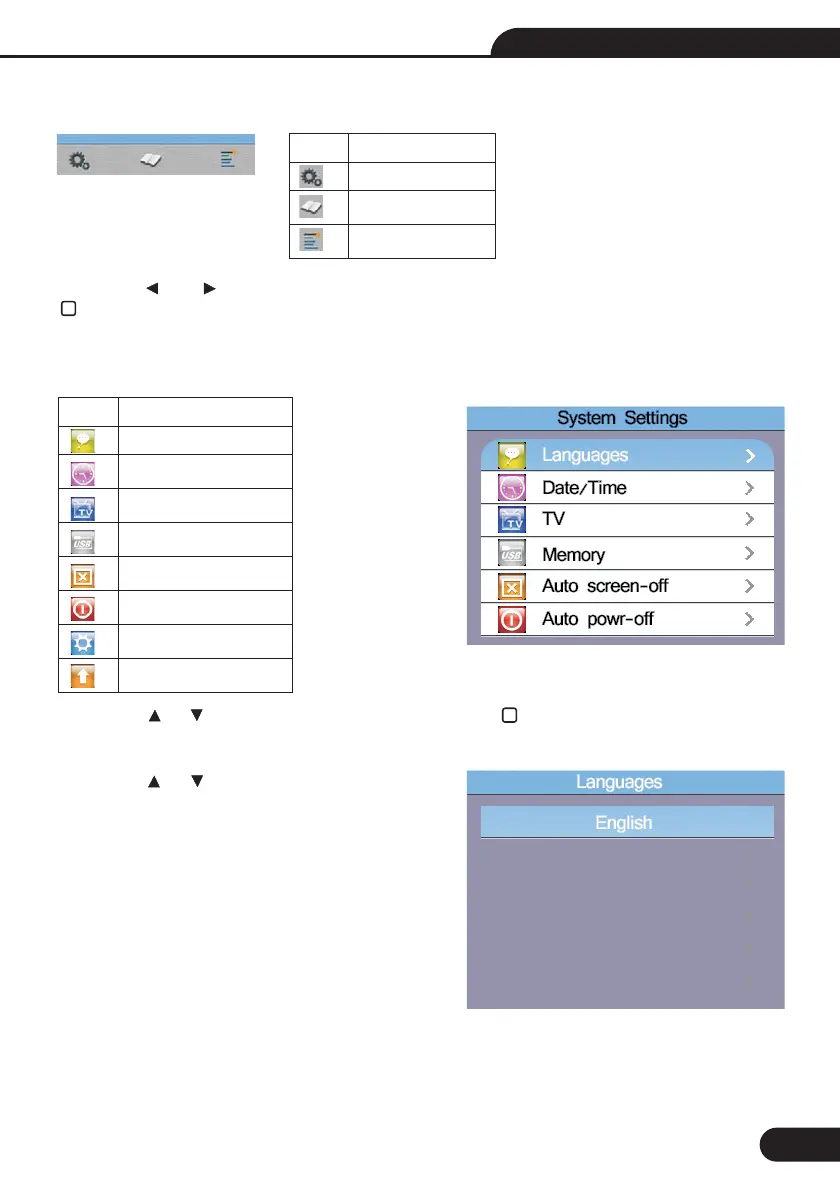
7-Menu
Press the and button to select the System Settings, Data Record or Run Settings. Then press the
button to enter.
Menu
System Settings
Data Record
Run Settings
Items
8-System Settings
Press the and button to select the Items, Then press the button to enter
Press the and button to select the language,
press ESC button to esc and save the select the
language.
8.1-Languages
Menu
Languages
Date/Time
TV
Memory
Auto screen-off
Auto power-off
System default settings
System upgrade
Items
31
Multifunction Tester User Manual



 To Next Page