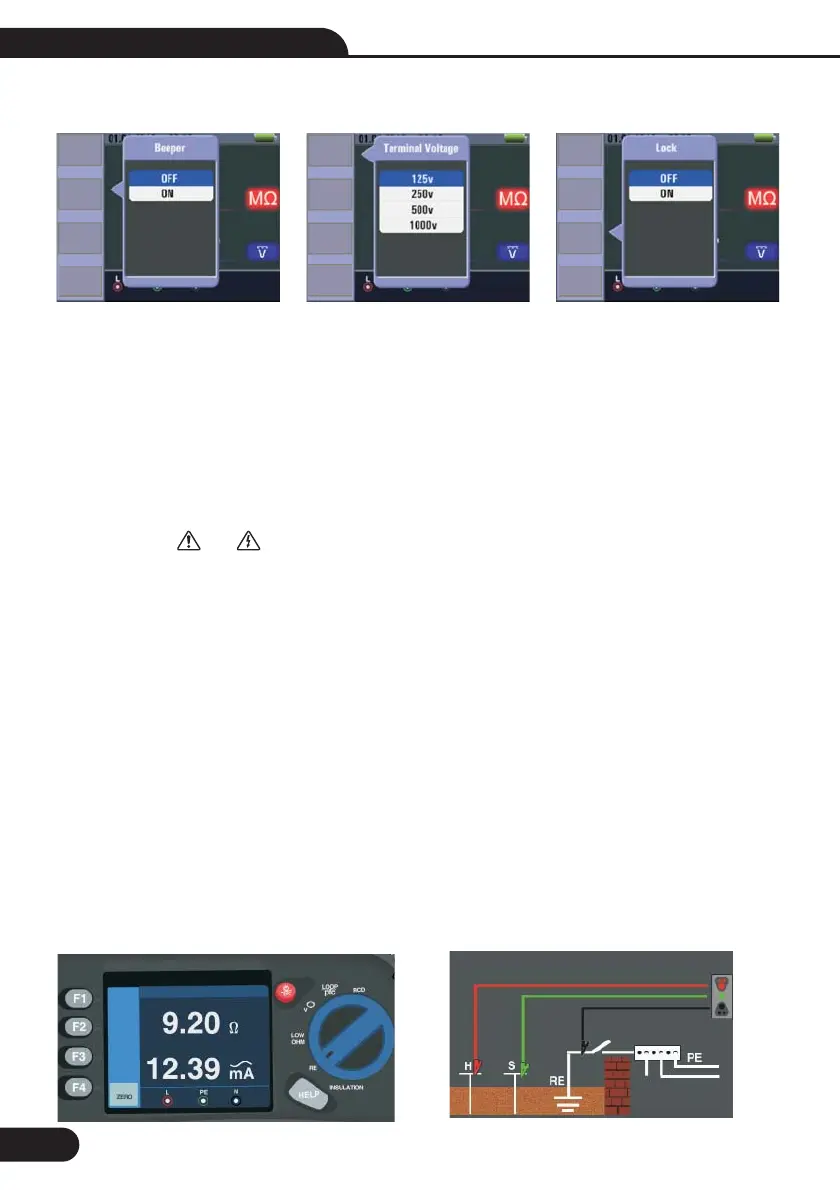
Menu Display
Pop-up and shutdown Insulation menu , Shutdown mode is activated when the user selects.
Pop-up and shutdown Insulation menu , Shutdown mode is activated when the user selects.
Pop-up and shutdown Insulation menu , Shutdown mode is activated when the user selects.
Pop-up and shutdown Insulation menu , Shutdown mode is activated when the user selects.
Up menu to select the current active sub-options.
Down menu to select the current active sub-options.
Confirm the user select mode.
Turn the rotary switch to the position.
2 Use the L and N (red and black) terminals for this test.
Press F4 and set limit value (optional).
4 Use the F1 to select the test voltage. Most insulation testing is performed at 500 V, but observe local test
requirements.
5 Press and hold TEST button until the reading settles and the tester beeps.
Testing is inhibited if voltage is detected in the line.
The primary (upper) display shows the insulation resistance.
The secondary (lower) display shows the actual test voltage.
For normal insulation with high resistance, the actual test voltage (UN) should always be equal to or higher
than the programmed voltage. If insulation resistance is bad, the test voltage is automatically reduced to limit
the test current to safe ranges.
F1 Button:
F2 Button:
F3 Button:
F4 Button:
Up Button:
Down Button:
Enter Button:
6.2-Insulation Resistance Display/Switch and Terminal Settings
Measurements should only be performed on de-energized circuits.
To measure insulation resistance
INSULATION
6.3-Using the RE Function
1-
-
3-
-
-
Note
Note
6.2-
6.2-
3-
WARNING!
28
Termi...
125V
Beeper
OFF
Lock
OFF
Reference
0.125M
Termi...
125V
Beeper
OFF
Lock
OFF
Reference
0.125M
Termi...
125V
Beeper
OFF
Lock
OFF
Reference
0.125M
Multifunction Tester User Manual



 To Next Page