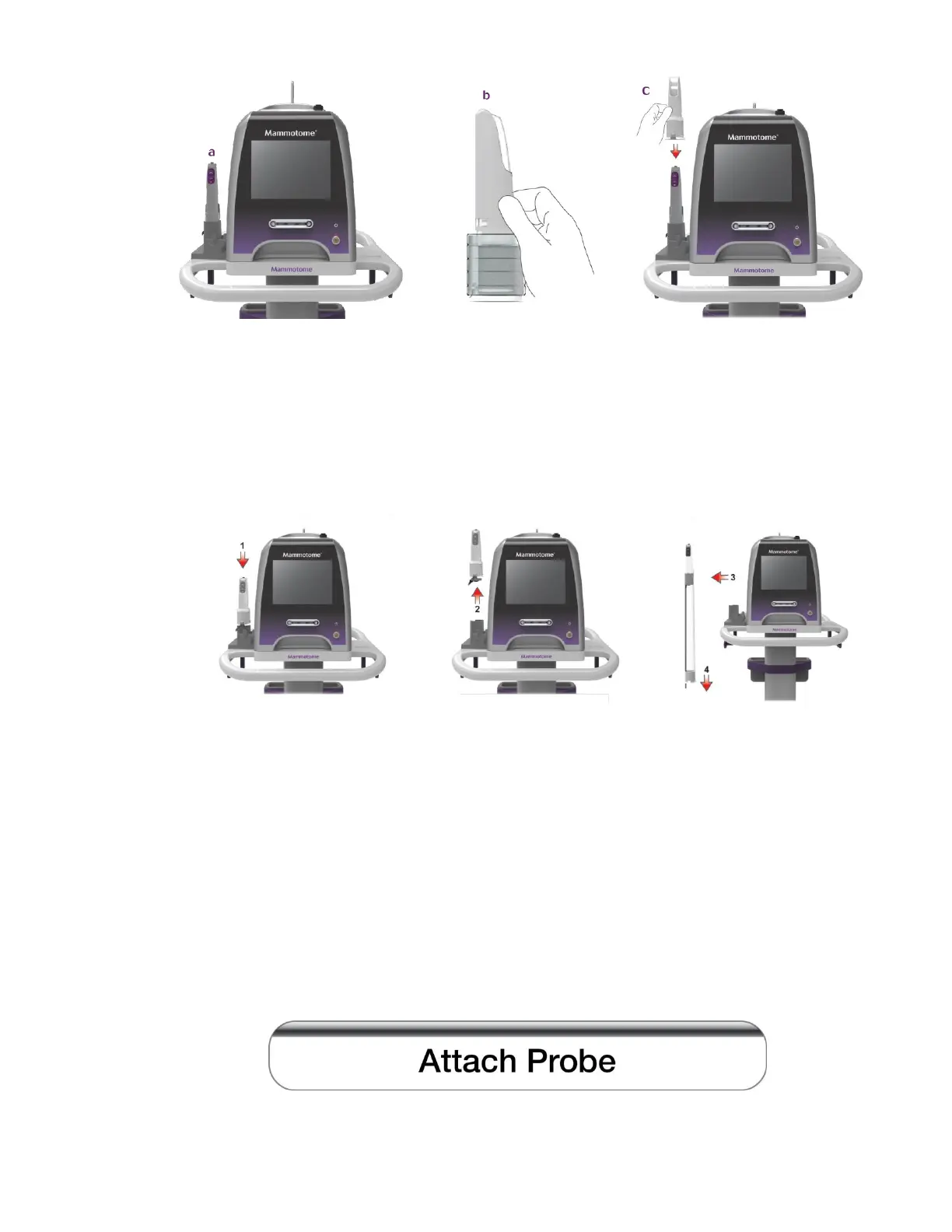
3-8
d. When the sleeve is fully engaged with Mammotome revolve EX Holster, vertically lift them off the
docking station. With the second hand, pull the assembly collar down the length of the
Mammotome revolve EX Holster cable until the folded material on the collar has reached its full
length, partially down the EX Holster cable.
NOTE: Ensure that the sleeve extends as far down the cable as its length allows.
NOTE: Ensure that the holster-probe assembly does not touch the cart during undocking and
docking.
NOTE: If the holster portion of the EX docking station (holder) is not used to attach the sleeve to the
holster and the attachment is performed by two hands, take care to prevent the holster from
being dropped. Dropping the holster may damage the holster.
8. Loading the Mammotome revolve Probe onto the Mammotome revolve Holster
Note: Prior to use, inspect the protective packaging and device to verify that neither was
damaged during shipment. If it appears the device has been compromised, do not use it.
If a probe has been attached, the control module recognizes the device and proceeds to the system initialization
screen. If no probe has been attached, the touchscreen interface displays a prompt:
• At this point, the user must attach a probe to the attached holster to proceed.



 To Next Page