8-1
Chapter 8 SOFTWARE DESCRIPTION
Touchscreens and Screen Button Functions
The Mammotome revolve Dual Vacuum-Assisted Biopsy System software guides users through the following
functions using touchscreens via Graphic User Interface (GUI) on the control module.
Device Confirmation and Initialization Screens
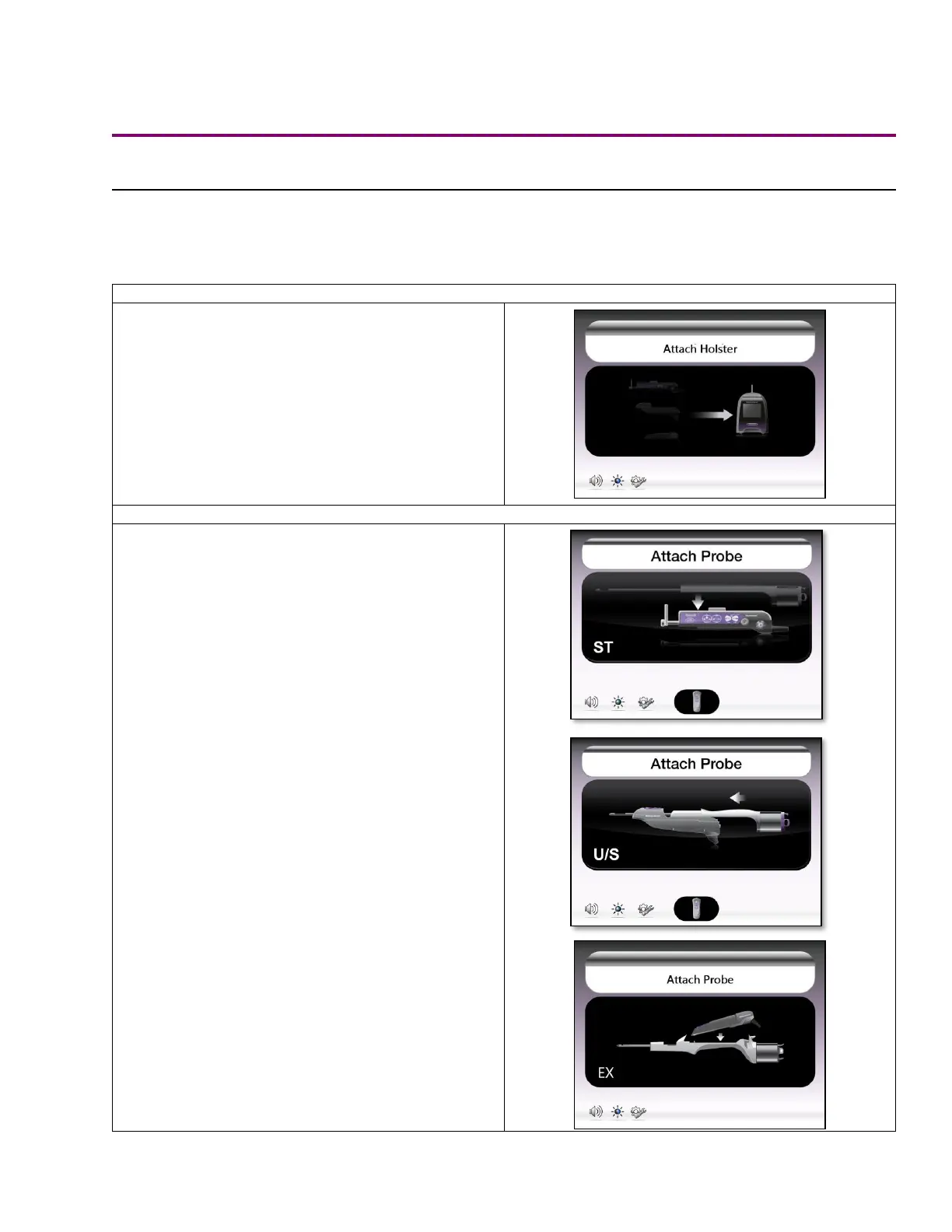
Searching for Holster Screen
• This screen is displayed when the control module
has been turned on but a holster is not detected.
A holster must be attached via the holster
connection port to progress past this screen.
• If a remote input device is detected, such as a
remote footswitch or remote keypad, it appears at
the bottom of this screen.
Searching for Probe Screen
• This screen is displayed when the control module
has been turned on and the system detects a
holster, but no probe is attached. The user must
attach a probe to the connected holster to
proceed.
• This is also a standby state that confirms which
devices are connected to the control module. If a
remote input device is detected, its icon appears
at the bottom of this screen.
• The holster description appears in the lower left-
hand corner to confirm the type of holster that has
been attached (ST or U/S or EX).



 To Next Page