6-2
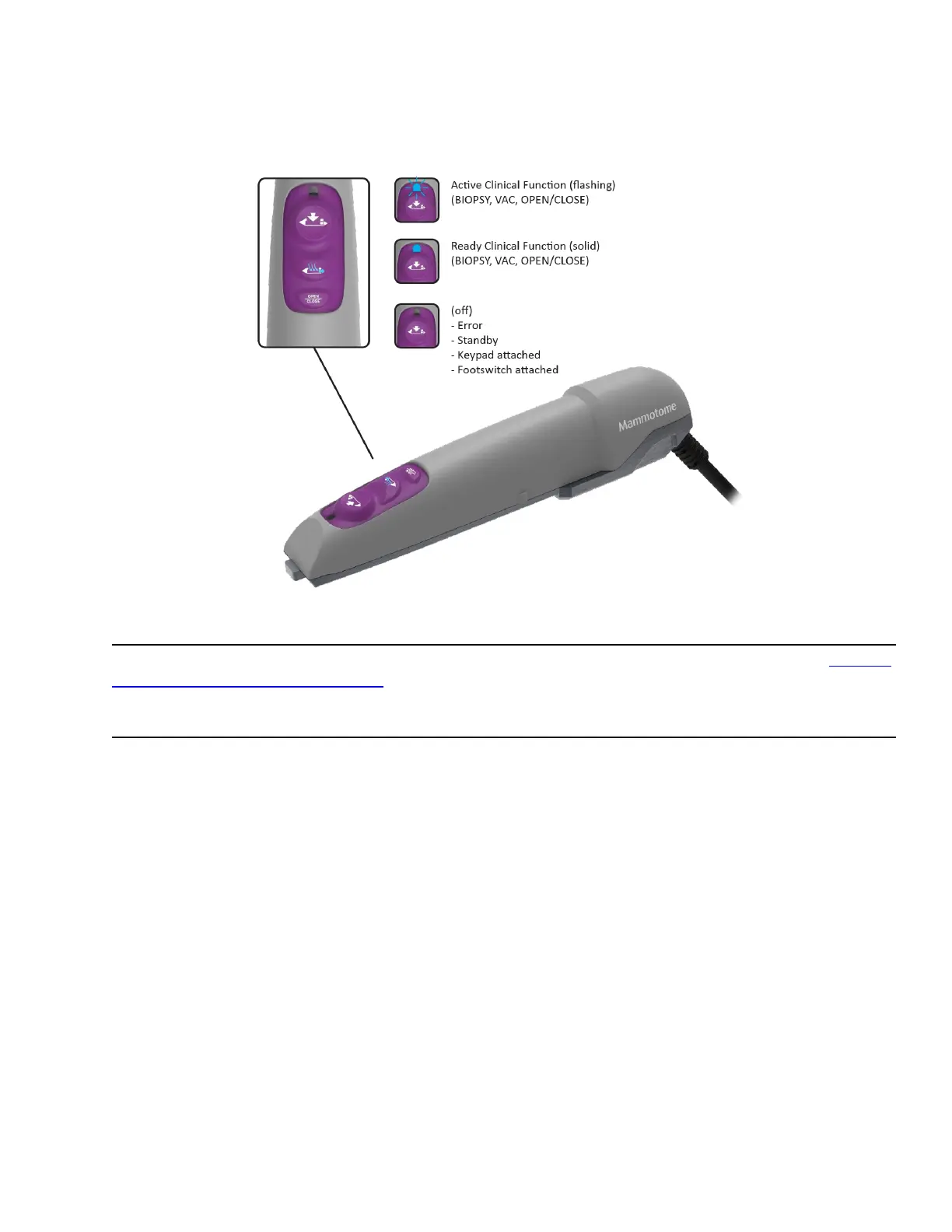
Figure 23. EX HOLSTER LED Functions
NOTE: If a remote input device is attached (e.g. remote footswitch, remote keypad), the blue LED on the EX
holster illuminates in the Active (flashing) state only.
Preparation for Use
To prepare the Mammotome revolve Dual Vacuum-Assisted Biopsy System for tissue sampling, refer to Chapter
3: Initial Installation and Getting Started.
Instructions for Use
Steps for Tissue Sampling
1. Prepare the percutaneous site in accordance with standard surgical technique prior to insertion of the
probe. Incise the selected area adequately to accommodate the trocar shaft.
NOTE: Ensure that you incise the selected area before penetrating the breast with the probe.
NOTE: Ensure that the patient and the probe are in the correct location for tissue biopsy.
PRECAUTION: Avoid positioning the aperture too close to the patient’s skin.
PRECAUTION: Take care to avoid inadvertently hitting a blood vessel or vein.
2. Without lifting off the docking station, remove the tip protector (protective sleeve) from the probe tip
by grasping the holster and probe assembly in the grip area and pulling the device out in line with the
tip protector.



 To Next Page