3-17
on the left-hand side.
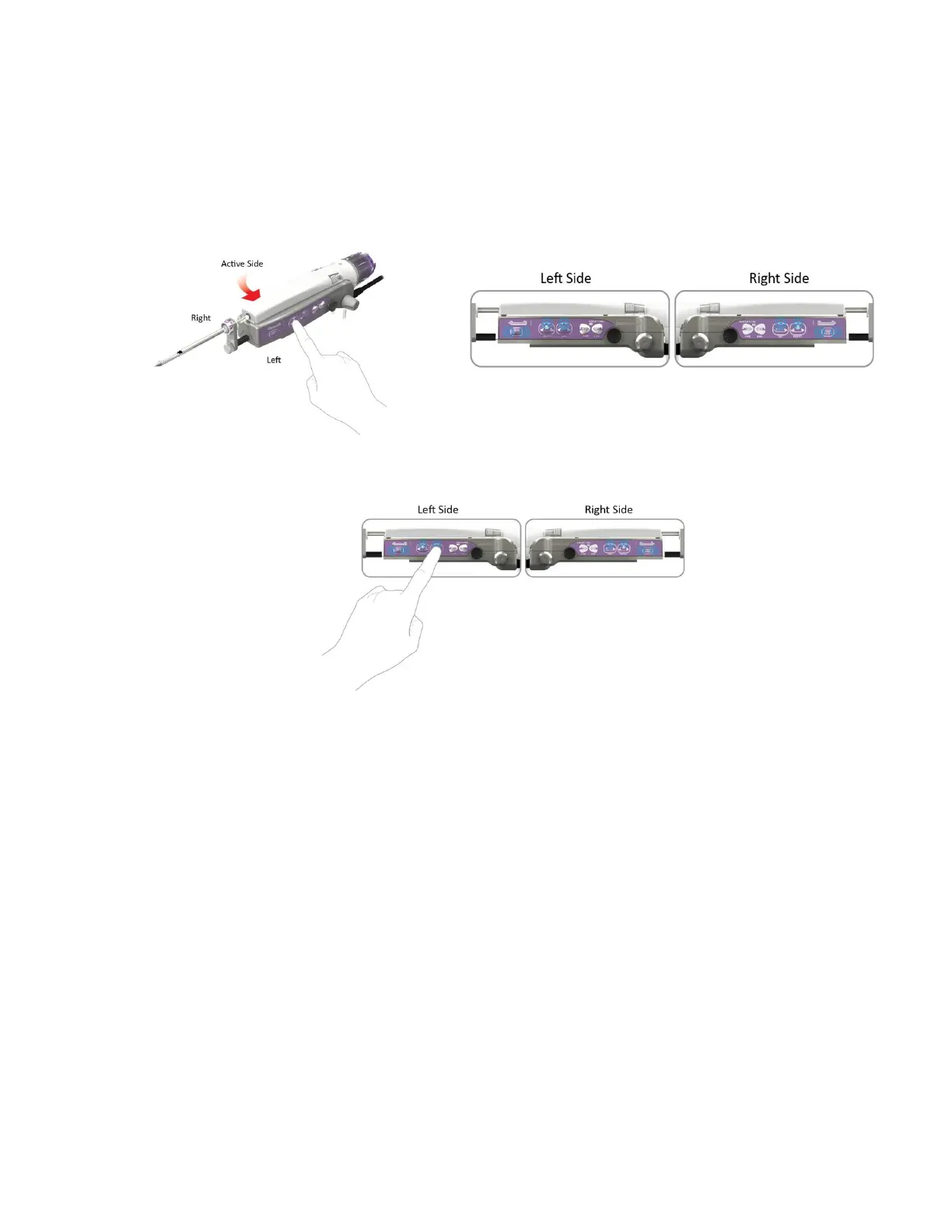
To change the selected operating side of the ST holster:
a. Press and hold (~2 seconds) any button on the opposite side of the holster to prompt the system to
change sides. The blue LEDs on both sides of the holster flash slowly, prompting the user to touch
any button on either side of the holster to identify the desired operating side.
USER ACTION ST HOLSTER RESPONSE (flashing LEDs)
b. Press and hold (~ 2 seconds) any illuminated (flashing) button on the desired operating side of the
holster to continue.
NOTE: After the ST probe has been loaded onto the ST holster and initialization has completed, take
care to avoid the buttons on the holster until you are ready to perform the tissue sampling
procedure.
Once a side of the holster is selected (ST only), the touchscreen interface on the control
module displays the Ready Screen (ST, U/S, and EX):
• These screens are displayed on the control module when the system is fully initialized and ready to
perform clinical functions. During tissue sampling or other clinical functions, the image on the screen
graphically reflects the active function being performed by the system.



 To Next Page