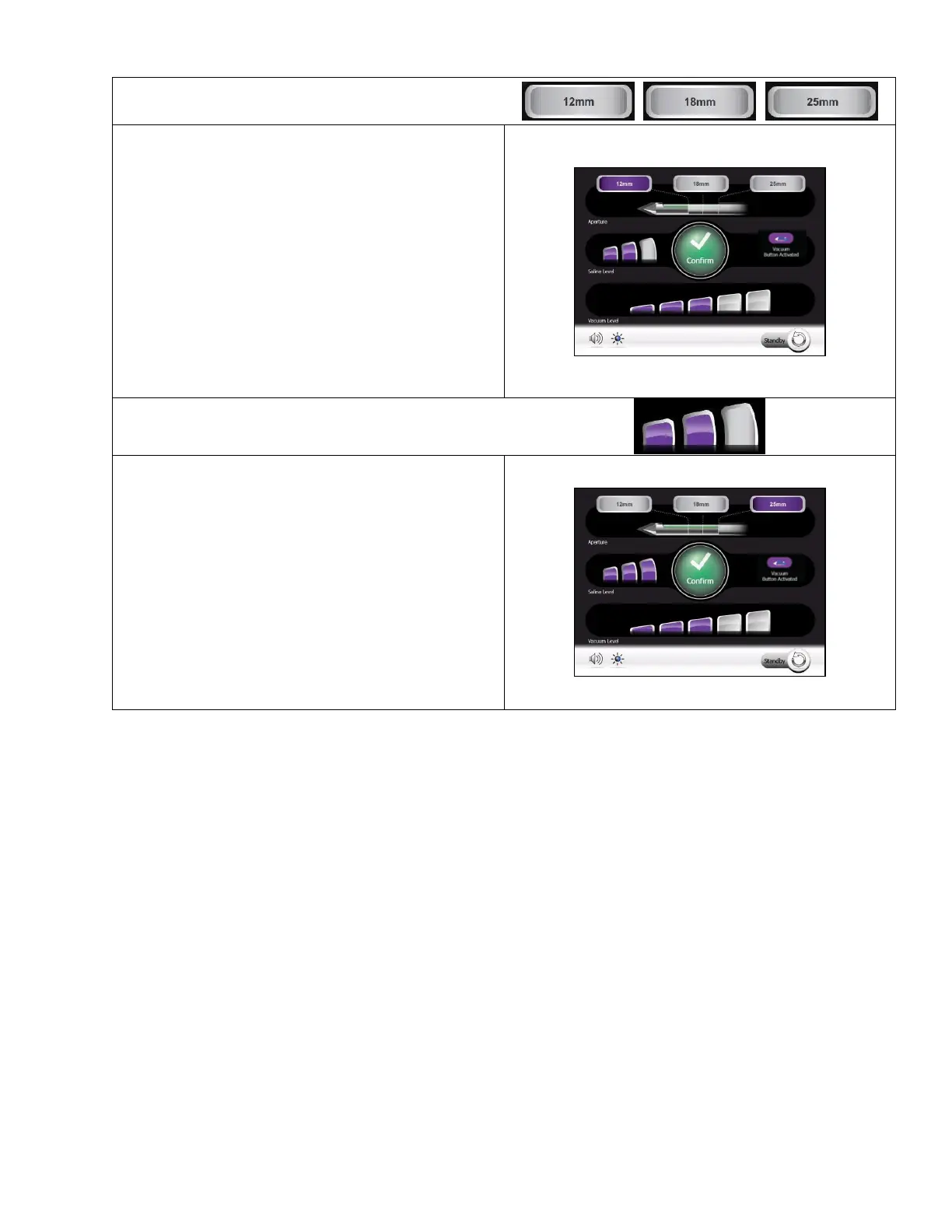
• On this Confirm Selection Screen, the user can
select one of three options for the length of the
sample aperture:
o 12 mm
o 18 mm
o 25 mm (Full Aperture)
• To adjust the setting: First, touch the aperture size
desired. Then touch the Confirm button shown on
the screen.
• The Aperture length returns to the default setting
after initialization of a probe.
• Default Setting: 25 mm (Full Aperture)
• The user can select one of three levels for usage
during Biopsy:
o Low
o Medium
o High
• This setting adjusts the amount of saline to be
used during the Biopsy cycle. A higher level
provides more saline during sampling.
• The Saline Level returns to the default setting
after initialization of a probe.
Default Setting: Low



 To Next Page