EasyManua.ls Logo

Manusa VECTOR - User Manual

Manusa VECTOR
48 pages
Print Icon
To Next Page IconTo Next Page
Loading...
Installation Manual
VECTOR Operator

Table of Contents

Questions and Answers

Summary

Product Identification

Product Description

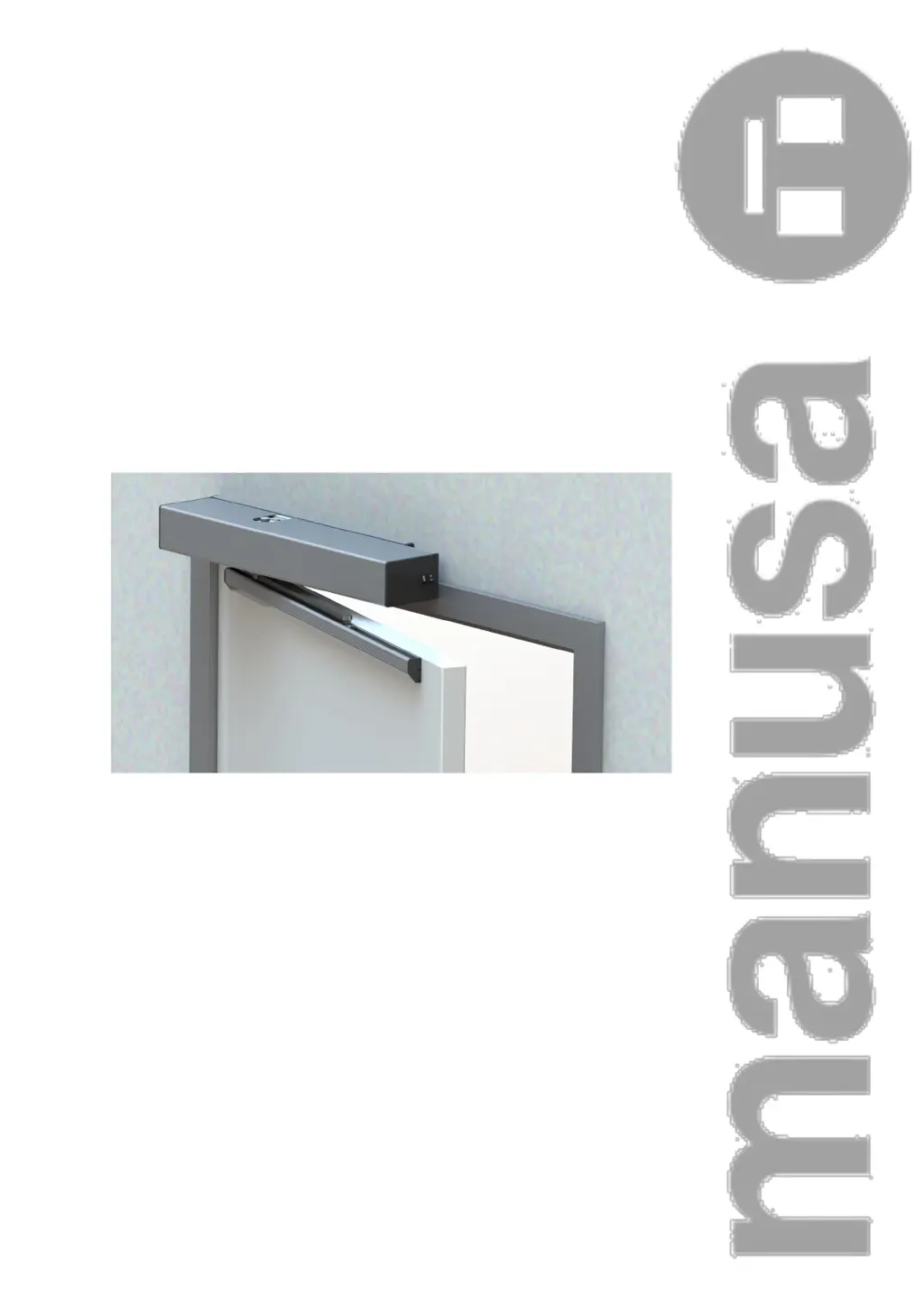
Detailed overview of the manusa VECTOR swing operator's features and purpose.

Symbol Description

Explanation of symbols used in the manual and on the machine for safety and information.

Accessories

List of compatible accessories for the manusa VECTOR operator, including detection and control options.

Technical Data

General Dimensions

Provides the physical dimensions of the VECTOR operator unit.

Technical Specifications

Details mechanical and electrical features, performance limits, and applicable standards.

Operation

Describes operating modes, ON-OFF switch, and mode selection switch functions.

Application Limits

Defines the maximum weight and width for correct operator function and intended use.

Pre-Installation

Training Requirements for Installation Technicians

Specifies the qualifications and knowledge required for installation technicians.

Physical and Environmental Requirements

Outlines the necessary site conditions for installing the VECTOR swing operator.

Electrical Pre-Installation Requirements

Details the necessary electrical wiring and switch requirements before operator installation.

Installation

Type of Arm that Can Be Installed

Explains the different types of arms (Rigid, Articulated) and their applications.

Installing the Operator

Step-by-step instructions for physically mounting the main operator unit.

Extendable Rigid Arm Installation

Detailed guide for installing the extendable rigid arm and its guide profile.

Installing the Pushing Articulated Arm

Instructions for attaching and installing the pushing articulated arm to the door leaf.

Spring Adjustment

Guidance on adjusting the spring strength according to leaf width and EN class.

Connecting to the Power Supply

Instructions for safely connecting the operator to the mains power supply.

VECTOR Electronic Card

Identifies the main components and connectors on the electronic control card.

Connecting the Controls;Inputs

Explains the wiring and function of various input signals like KEY, START, SAFE.

Installing and Acquiring the Sensors

Guide on connecting and configuring safety and detection sensors for automatic operation.

Dip-Switch Management

Configuration options for basic operations using the dip-switch settings.

Display Management

How to navigate and modify operator parameters using the built-in display and buttons.

Commissioning

Start-up

Steps for initial power-up, sensor acquisition, and basic configuration of the operator.

Operational Logic Settings

Defines logic settings for door operation, safety, and special modes like LOW-ENERGY and PUSH&GO.

Management of Electronic Locks

Configuration and operation details for different types of electronic locks.

Double Vector Connection and Use

Instructions for connecting two VECTOR operators for a double leaf door.

Interlocking Connection and Use

Details on connecting operators for interlocking functionality, with priority settings.

Connection to a PC

Information on connecting the operator to a PC for advanced adjustments and diagnostics.

Safety

General Safety Instructions

Essential safety guidelines for working with the operator and its environment.

Required Personal Protection Equipment

Lists the necessary PPE for safe installation and maintenance tasks.

Identifying Dangerous Areas in the Machine

Highlights hazardous zones within the machine and door area (Opening, Closing, Operator Areas).

Risk Assessment

Outlines potential mechanical and electrical hazards and risk minimization measures.

Safety Regulations

Details the built-in safety features and design principles of the manusa unit.

Maintenance and Inspection

General Maintenance to Be Performed by the User

Specifies basic maintenance tasks the user can perform, primarily keeping the area clean.

Maintenance Tasks Exclusively Reserved for the Manufacturer

Defines tasks that must be performed by authorized technical staff only.

Troubleshooting

Error Signal Interpretation

Explains the meanings of different error signals (E1, E2, E3/E4, E6, E8) displayed by the operator.

Appendixes

CE Declaration of Conformity

Official declaration of the product's compliance with European directives and harmonized standards.

Installation Checklist

A checklist to ensure all mechanical, electrical, safety, and documentation requirements are met.

Action Frequency

Defines the recommended frequency (12 months) for maintenance actions.

Actions Log

Sections for recording dates, PSV numbers, and signatures for maintenance activities.

Summary

Product Identification

Product Description

Detailed overview of the manusa VECTOR swing operator's features and purpose.

Symbol Description

Explanation of symbols used in the manual and on the machine for safety and information.

Accessories

List of compatible accessories for the manusa VECTOR operator, including detection and control options.

Technical Data

General Dimensions

Provides the physical dimensions of the VECTOR operator unit.

Technical Specifications

Details mechanical and electrical features, performance limits, and applicable standards.

Operation

Describes operating modes, ON-OFF switch, and mode selection switch functions.

Application Limits

Defines the maximum weight and width for correct operator function and intended use.

Pre-Installation

Training Requirements for Installation Technicians

Specifies the qualifications and knowledge required for installation technicians.

Physical and Environmental Requirements

Outlines the necessary site conditions for installing the VECTOR swing operator.

Electrical Pre-Installation Requirements

Details the necessary electrical wiring and switch requirements before operator installation.

Installation

Type of Arm that Can Be Installed

Explains the different types of arms (Rigid, Articulated) and their applications.

Installing the Operator

Step-by-step instructions for physically mounting the main operator unit.

Extendable Rigid Arm Installation

Detailed guide for installing the extendable rigid arm and its guide profile.

Installing the Pushing Articulated Arm

Instructions for attaching and installing the pushing articulated arm to the door leaf.

Spring Adjustment

Guidance on adjusting the spring strength according to leaf width and EN class.

Connecting to the Power Supply

Instructions for safely connecting the operator to the mains power supply.

VECTOR Electronic Card

Identifies the main components and connectors on the electronic control card.

Connecting the Controls;Inputs

Explains the wiring and function of various input signals like KEY, START, SAFE.

Installing and Acquiring the Sensors

Guide on connecting and configuring safety and detection sensors for automatic operation.

Dip-Switch Management

Configuration options for basic operations using the dip-switch settings.

Display Management

How to navigate and modify operator parameters using the built-in display and buttons.

Commissioning

Start-up

Steps for initial power-up, sensor acquisition, and basic configuration of the operator.

Operational Logic Settings

Defines logic settings for door operation, safety, and special modes like LOW-ENERGY and PUSH&GO.

Management of Electronic Locks

Configuration and operation details for different types of electronic locks.

Double Vector Connection and Use

Instructions for connecting two VECTOR operators for a double leaf door.

Interlocking Connection and Use

Details on connecting operators for interlocking functionality, with priority settings.

Connection to a PC

Information on connecting the operator to a PC for advanced adjustments and diagnostics.

Safety

General Safety Instructions

Essential safety guidelines for working with the operator and its environment.

Required Personal Protection Equipment

Lists the necessary PPE for safe installation and maintenance tasks.

Identifying Dangerous Areas in the Machine

Highlights hazardous zones within the machine and door area (Opening, Closing, Operator Areas).

Risk Assessment

Outlines potential mechanical and electrical hazards and risk minimization measures.

Safety Regulations

Details the built-in safety features and design principles of the manusa unit.

Maintenance and Inspection

General Maintenance to Be Performed by the User

Specifies basic maintenance tasks the user can perform, primarily keeping the area clean.

Maintenance Tasks Exclusively Reserved for the Manufacturer

Defines tasks that must be performed by authorized technical staff only.

Troubleshooting

Error Signal Interpretation

Explains the meanings of different error signals (E1, E2, E3/E4, E6, E8) displayed by the operator.

Appendixes

CE Declaration of Conformity

Official declaration of the product's compliance with European directives and harmonized standards.

Installation Checklist

A checklist to ensure all mechanical, electrical, safety, and documentation requirements are met.

Action Frequency

Defines the recommended frequency (12 months) for maintenance actions.

Actions Log

Sections for recording dates, PSV numbers, and signatures for maintenance activities.

Manusa VECTOR Specifications

General IconGeneral
Power Supply230V AC, 50/60 Hz
Operating Temperature-15°C to +50°C
Noise Level<60 dB
TypeAutomatic sliding door system
ApplicationCommercial
ComplianceEN 16005
Opening WidthAdjustable up to max. door width
Opening SpeedAdjustable
Power Consumption150W
Control OptionsPush buttons, access control systems

Related product manuals