Front panel Display Rear panel IndexRemote
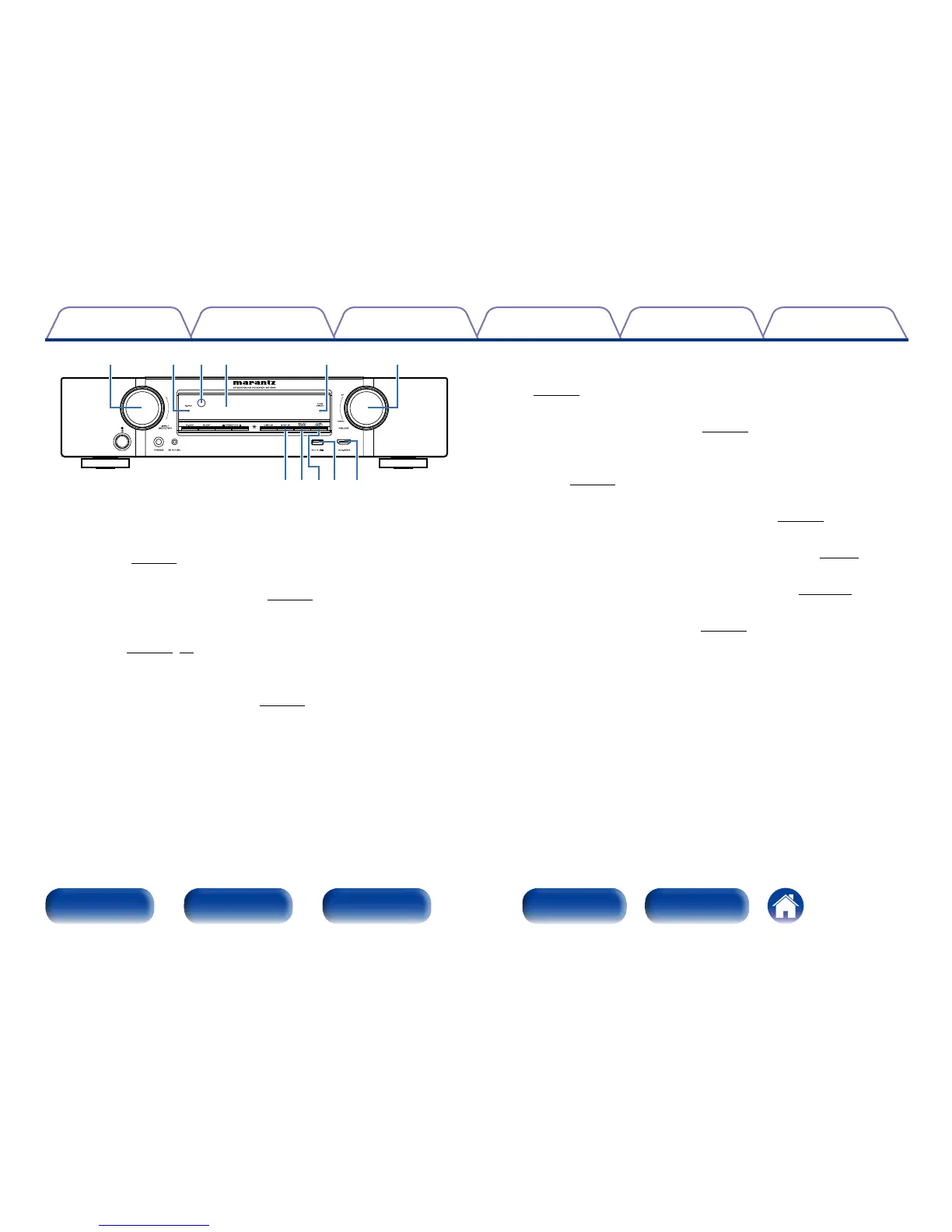
o STATUS button
Each press of this switches the status information that is shown on the
display (vpage48).
Q0 SOUND MODE button
This switches the sound mode (vpage95).
Q1 PURE DIRECT button
This switches the sound mode between DIRECT, PURE DIRECT and
AUTO (vpage96, 97).
Q2 USB port
Used to connect USB storages (such as USB memory devices) and the
USB cable supplied with iPod (vpage34).
Q3 AUX-HDMI connector
Used to connect devices such as video camcorders and game consoles
(vpage33).
Q4 VOLUME knob
This adjusts the volume level (vpage45).
Q5 PURE DIRECT indicator
This lights when the PURE DIRECT mode is selected as the sound
mode (vpage96).
Q6 Display
This displays various pieces of information (vpage13).
Q7 Remote control sensor
This receives signals from the remote control unit (vpage7).
Q8 M-DAX indicator
This lights when the M-DAX mode is selected (vpage124).
Q9 INPUT SELECTOR knob
This selects the input source (vpage44).
o Q2Q0Q1 Q3
Q4
Q8 Q7
Q5Q9 Q6

















 To Next Page