66
Connections (Advanced connection)
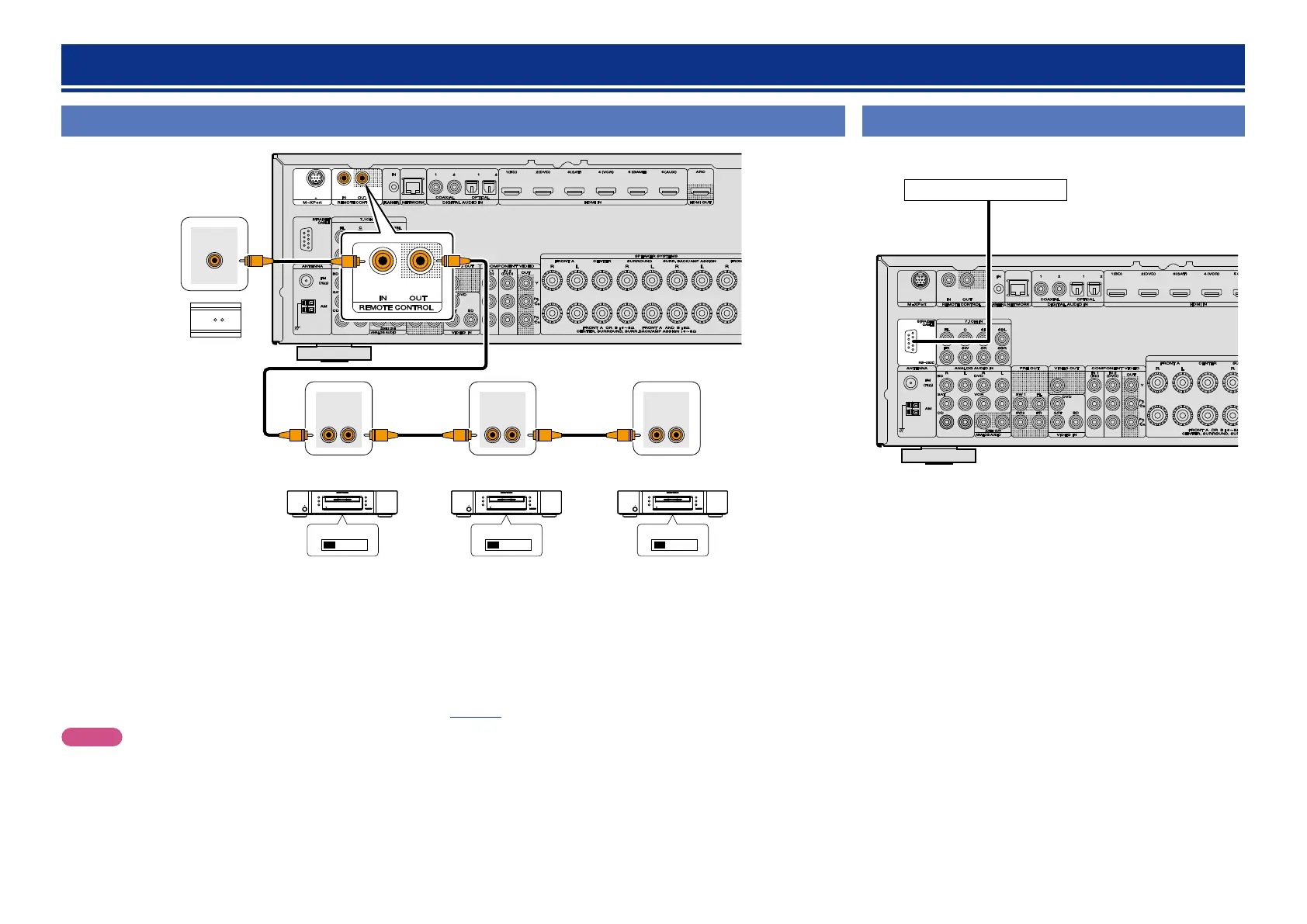
Connecting the remote control connectors
EXTERNAL INTERNAL EXTERNAL INTERNAL EXTERNAL INTERNAL
REMOTE
CONTROL
OUTIN
REMOTE
CONTROL
OUTIN
REMOTE
CONTROL
OUTIN
RC OUT
w
q
IR receiver
CD recorder DVD player CD player
q You can control other marantz products through this unit with the remote control unit by connecting the REMOTE CONTROL connectors on
each unit.
•The signal transmitted from the remote control unit is received by the remote sensor on this unit. Then the signal is sent to the connected
device through REMOTE CONTROL connector. Therefore you need to aim the remote control only at the this unit.
•Set the remote control switch located on the rear panel of the connected audio component to “EXTERNAL” or “EXT.” to use this feature.
•If a marantz power amplifier (excluding certain models is connected to any of these connectors, the power of the power amplifier switches
to on/standby in conjunction with the ON/STANDBY button of the this unit.
w Whenever external infrared sensors or similar devices are connected to REMOTE CONTROL IN connector of the this unit, be sure to
always disable operation of the infrared sensor on the this unit (vpage111 “Remote control settings”).
NOTE
Be sure to set to “enable” when external infrared sensors or similar devices are not connected. Otherwise, the unit will be unable to receive
remote control commands.
Connecting the RS-232C connector
When you connect an external control device, you can control this unit
with the external control device.
External serial controller
Perform the operation below beforehand.
q Turn on the power of this unit.
w Turn off the power of this unit from the external controller.
e Check that the unit is in the standby mode.



 To Next Page