69
Convenient functions
Adjusting the volume of the speakers
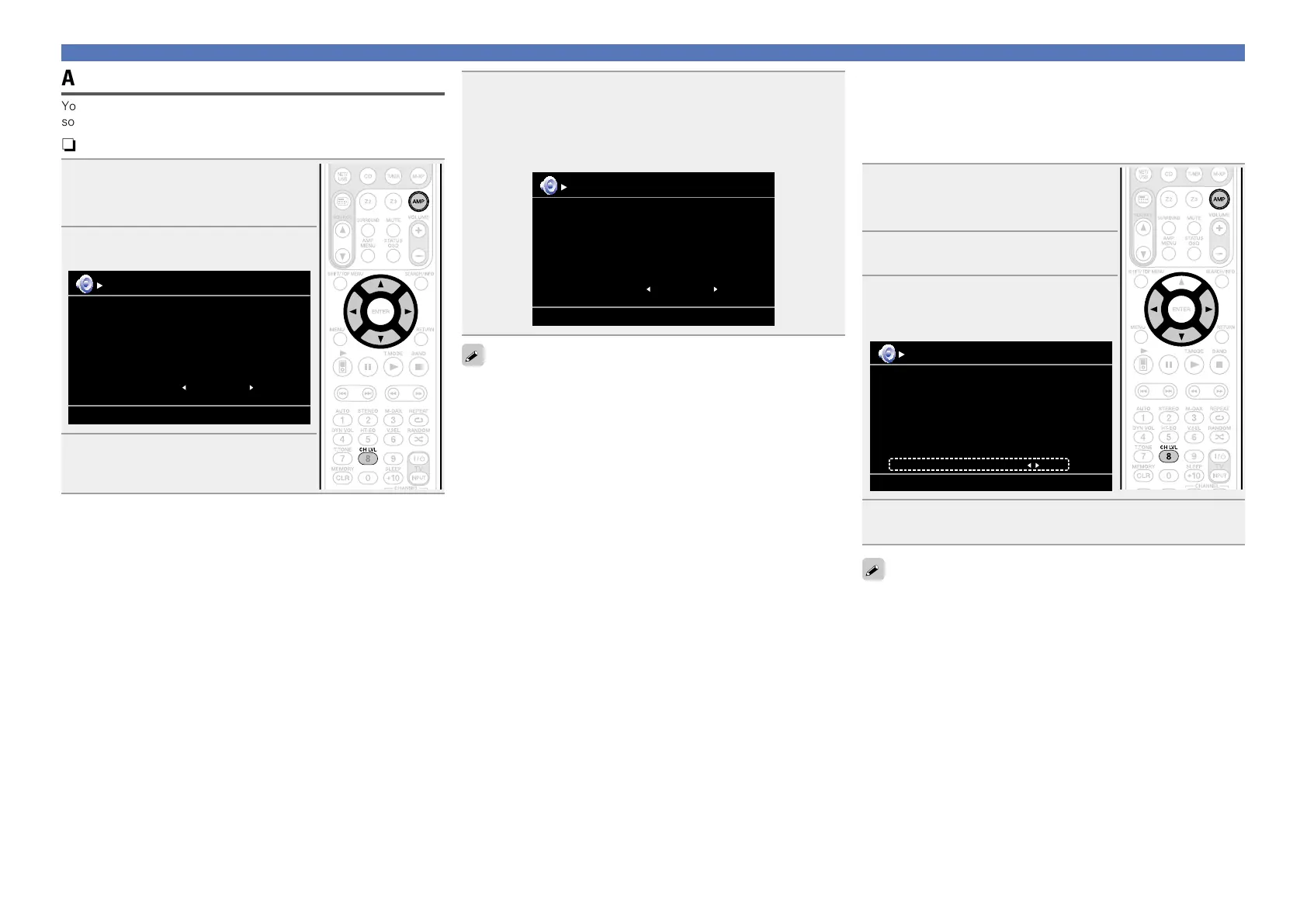
You can adjust the channel level either according to the playback
sources or to suit your taste, as described below.
nAdjusting the volume of the different speakers
1
Press AMP to set the remote
control unit to AMP-operation
mode.
2
Press CH LVL.
Channel Level
ON
Front L
Front R
Subwoofer
Subwoofer
-8.5dB
-11.5dB
0.0dB
3
Use ui to select the speaker.
The speaker that can be set switches
each time one of the buttons is pressed.
4
Use o p to adjust the volume.
•You can directly turn “OFF” the subwoofer outputs during
2-channel playback in DIRECT or STEREO mode.
Select “Subwoofer” and use o p to select “ON” or “OFF”.
Channel Level
OFF
Front L
Front R
Subwoofer
-8.5dB
-11.5dB
•When a headphone jack is inserted, the headphone channel level
can be adjusted.
•When the input mode setting is “7.1CH IN”, you can adjust the
channel level while the 7.1CH IN connector is being used.
nAdjusting the volume of groups of speakers
(Fader function)
This function lets you adjust (fade) the sound all at once from the
front (front speaker / front height speaker / center speaker) or rear
(surround speaker / surround back speaker).
1
Press AMP to set the remote
control unit to AMP-operation
mode.
2
Press CH LVL.
3
Press i to select “Fader”, then
select the item to be adjusting
using o p.
Channel Level
FrontFader Rear
Front L
Front R
Center
Subwoofer
Surround L
Surround R
-1.0dB
-1.0dB
-1.0dB
+0.5dB
0.0dB
0.0dB
4
Use o p to adjust the volume of the speakers.
(o : front, p: rear)
•The fader function does not affect the subwoofer.
•The fader can be adjusted until the volume of the speaker is adjusted
to the lowest value of –12 dB.



 To Next Page