105
Input Setup
Perform settings related to input source playback.
•You do not have to change the settings to use the unit. Make settings when needed.
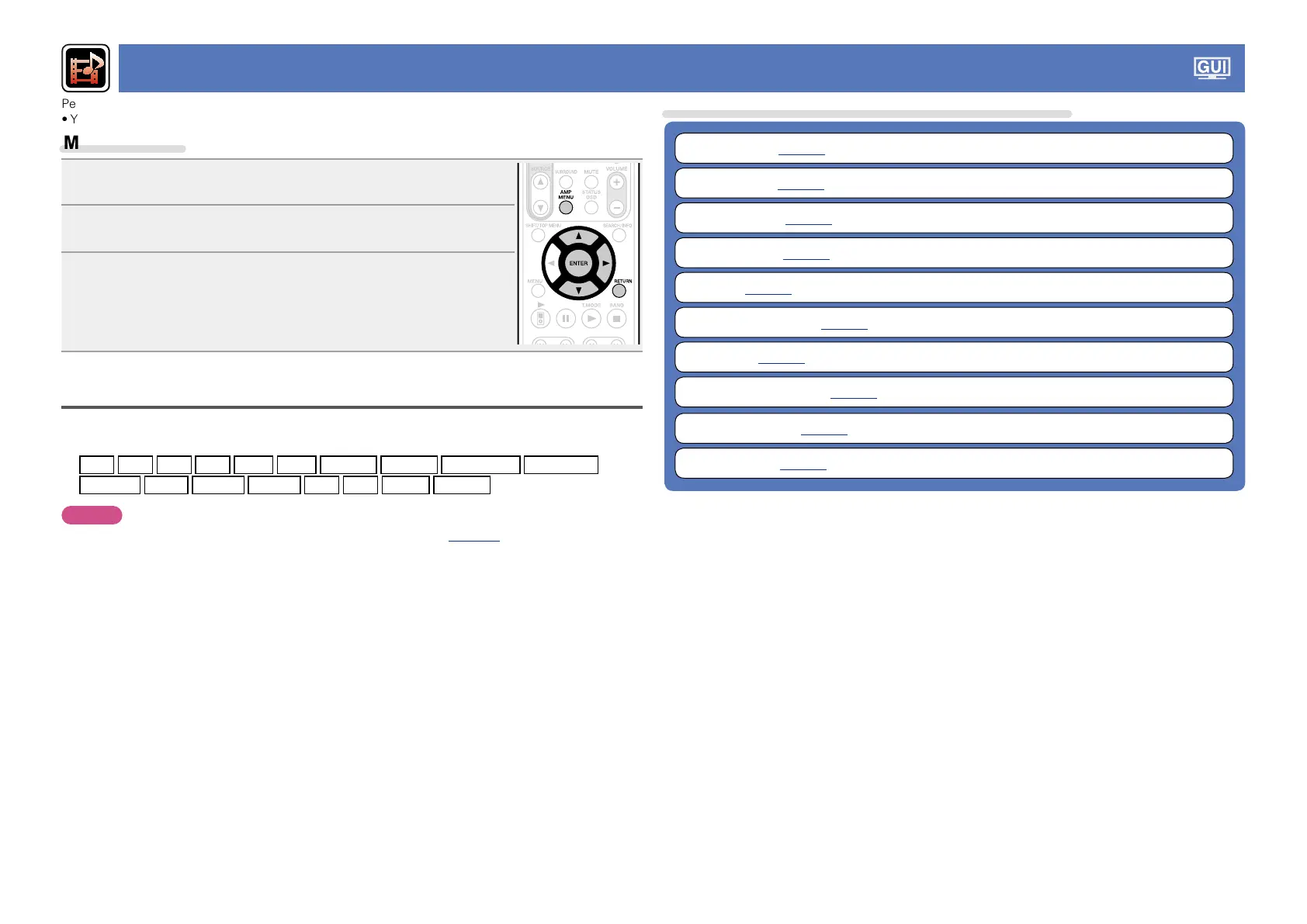
Menu operation
1
Press AMP MENU.
The menu is displayed on the TV screen.
2
Use ui to select the menu to be set or operated.
3
Press ENTER or p to enter the setting.
•To return to the previous item, press RETURN.
•Exiting the Menu, press AMP MENU while the menu is displayed.
The menu display disappears.
Important information
nAbout the display of input sources
In this section, the configurable input sources for each item are shown as follows.
BD
DVD
VCR
SAT
GAME
AUX
NET/USB
Favorites
Internet Radio
Media Server
USB/iPod
Flickr
Last.fm
Napster
TV
CD
TUNER
M-XPort
NOTE
Input sources that have been set to “Delete” at “Source Delete” (vpage101) cannot be selected.
Items that can be set with the “Input Setup” procedure
Auto Preset (vpage106)
Preset Skip (vpage106)
Preset Name (vpage106)
Input Assign (vpage107)
Video (vpage108)
Input Mode (Audio) (vpage109)
Rename (vpage109)
Source Level (Audio) (vpage109)
Playback Mode (vpage110)
Still Picture (vpage110)



 To Next Page