76
Convenient functions
nRemembering set details (Backup)
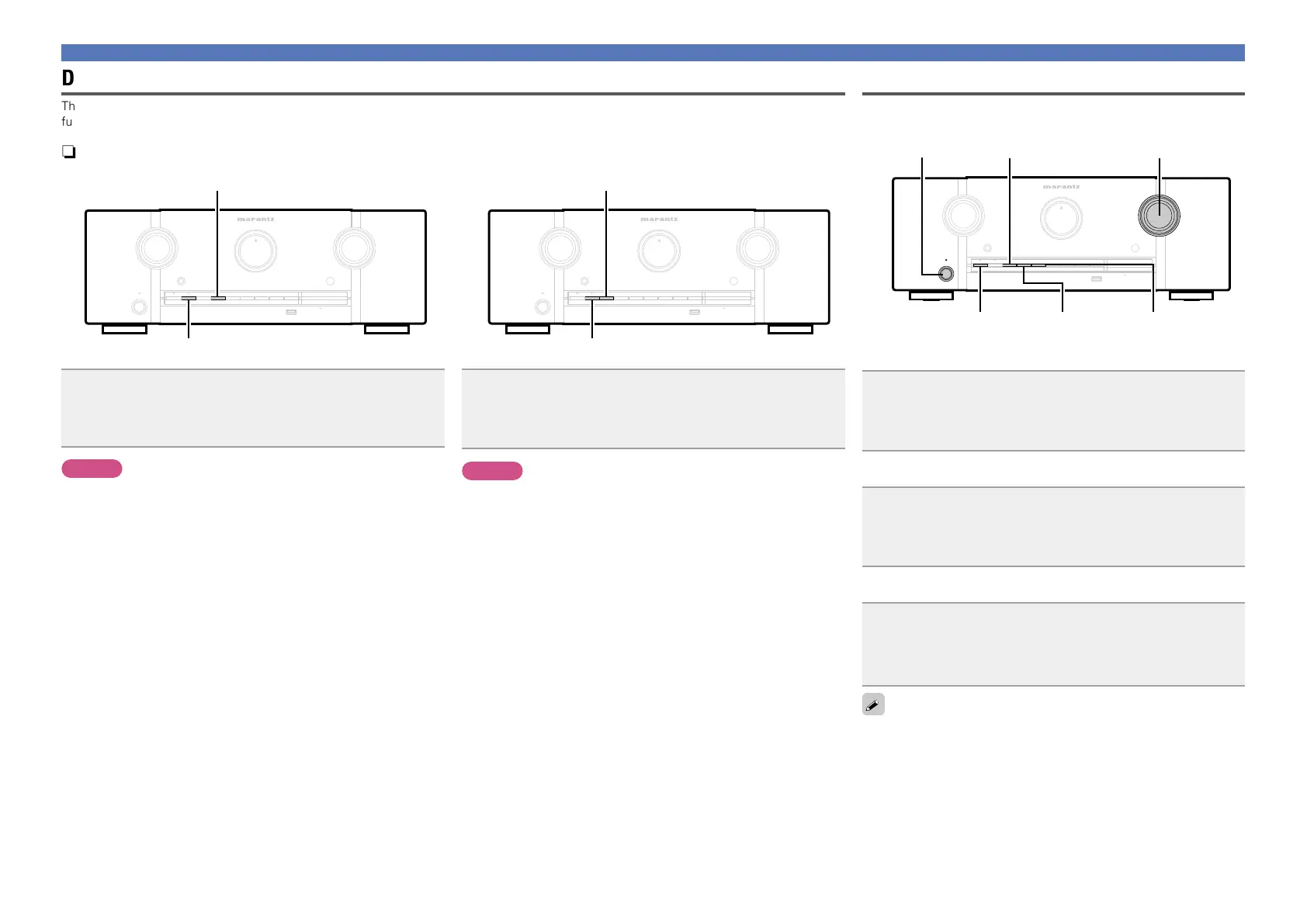
M-DAX
Set the unit in the state you want remembering, and press
and hold M-DAX and STATUS for at least 3 seconds.
“MEMORY SAVING” is shown in the display, and the setting details
are remembered.
NOTE
•The volume is not remembered.
•If remembered details are overwritten, the previously remembered
contents are deleted.
nRecalling remembered details (Recovery)
M-DAX
Press and hold M-DAX and DISPLAY together for at least
3 seconds.
“MEMORY LOAD” is shown in the display, and the remembered
details are recalled.
NOTE
•If there is no remembered data, “NO BACKUP” is shown in the
display, and no remembered details are recalled.
•As the volume cannot be recalled, it returns to the factory setting
volume.
Panel lock function
To prevent accidental operation of this unit, you can disable operation
of the buttons on the front panel.
ON/STANDBY
DISPLAY
PURE DIRECT
VOLUME
STATUS ZONE SELECT
nDisabling all key button operations
Press ON/STANDBY while you press and hold PURE
DIRECT
and DISPLAY with the unit in standby mode.
“FP Lock!” appears on the display and all button operations except
ON/STANDBY are disabled.
nDisabling all button operations except VOLUME
Press ON/STANDBY while you press and hold PURE
DIRECT
and STATUS with the unit in standby mode.
“FP Lock!” appears on the display and all button operations except
ON/STANDBY and VOLUME are disabled.
nCanceling the Panel lock function
Press ON/STANDBY while you press and hold PURE
DIRECT
and ZONE SELECT with the unit in standby
mode.
The Panel lock function is canceled.
Even when the Panel lock function is set, you can operate the unit
using the remote control unit.
Dual backup memory function
The unit stores settings information in nonvolatile memory even when the main power supply is turned off. Using the Dual Backup Memory
function, you can write settings information to another memory area to back up saved settings for recovery anytime as needed.



 To Next Page