6. Mr.Bulletfeeder Installation and Setup (Not included in standard package)
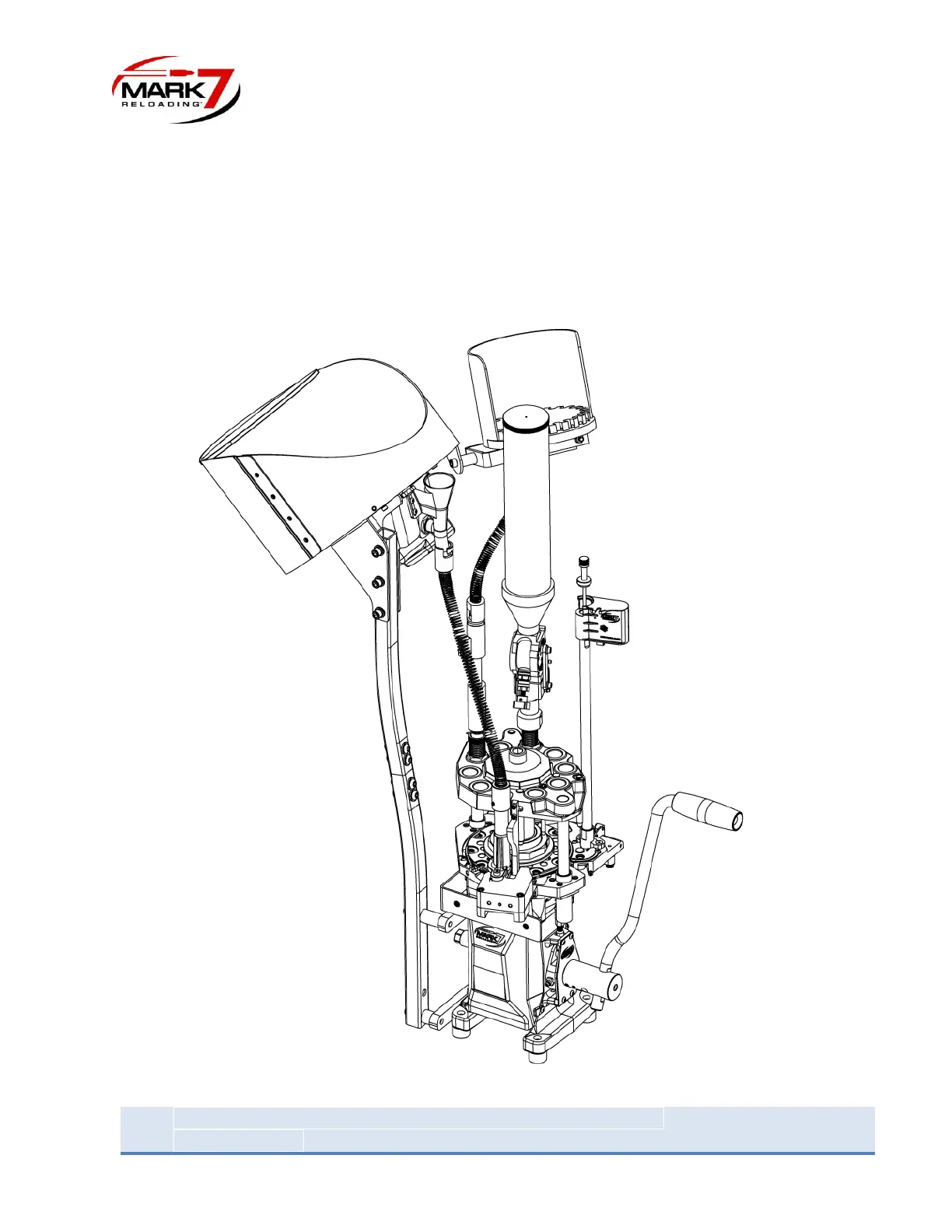
Install the Bullet Feeder on the side of the Case Feeder with the bowl opening towards the press as
shown below. There is also a mounting bracket on the side of the Case Feeder that can be used for this
purpose. Use the supplied 1” spacer between the bracket and the feeder as shown. The Bullet Feeder
should be installed at approximately a 45-degree angle. Refer to the Mr.Bulletfeeder for specific
instructions on mounting. Install the bullet drop tube assembly in station #8. The spring may be required
to be cut down for proper bullet feeding.
Figure 14: APEX 10 with Mr.Bulletfeeder installed


 To Next Page