3. Case Feeder Installation
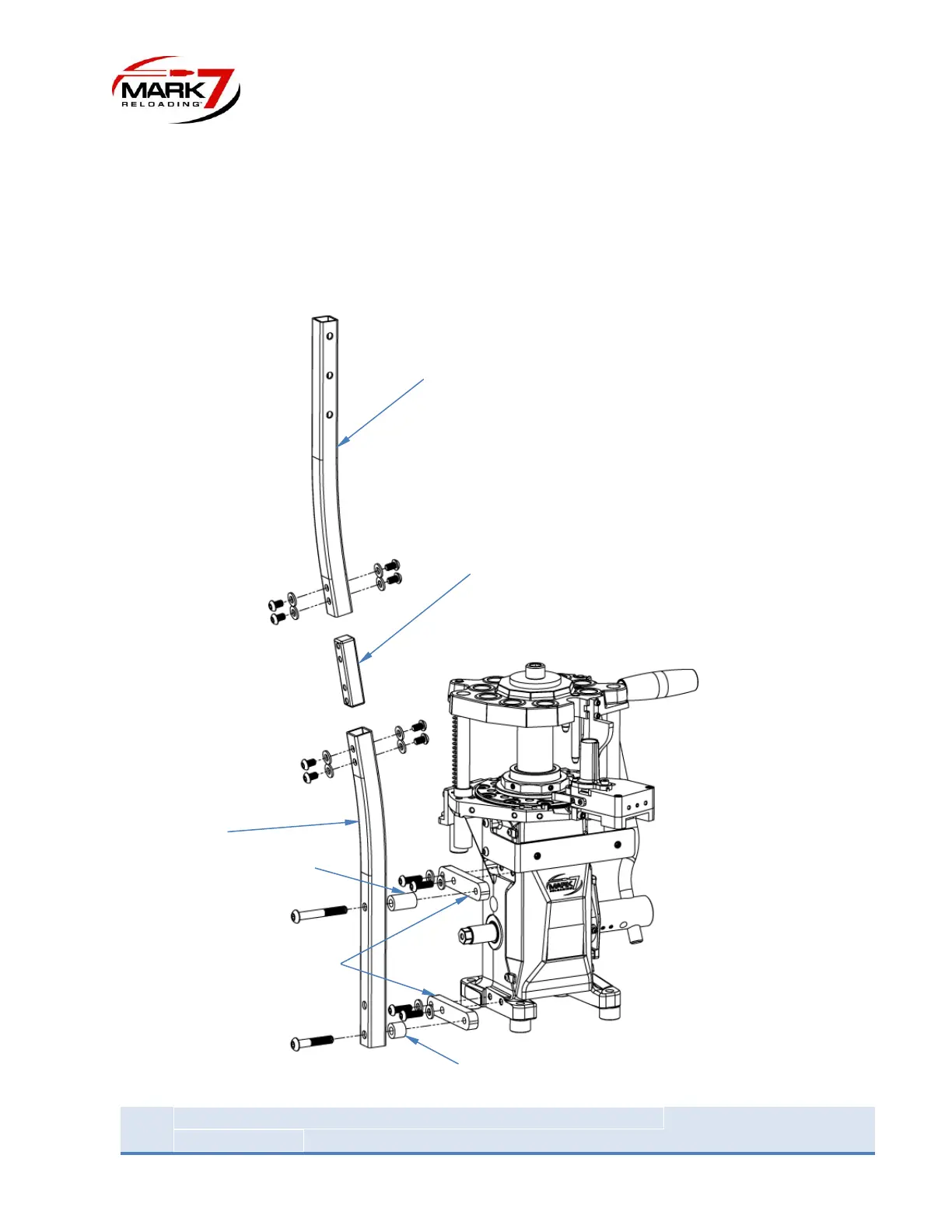
Remove the poles and associated hardware from the packaging. Start with installing the pole
brackets to the APEX 10 Press (Qty 2). Then install the lower pole to the brackets with the 3/8” screws
and 1 ¼” and 5/8” spacers as shown in figure below. Using the pole connector join the two poles together.
Wait until the entire assembly is together before doing the final tightening.
Figure 5: Case Feeder Pole Mounting Hardware


 To Next Page