2. Mounting to workbench and Handle installation
Next determine the location to mount the press on your reloading workbench. We recommend
installing the handle first and lower the Tool Head to the down position to make sure the handle clears
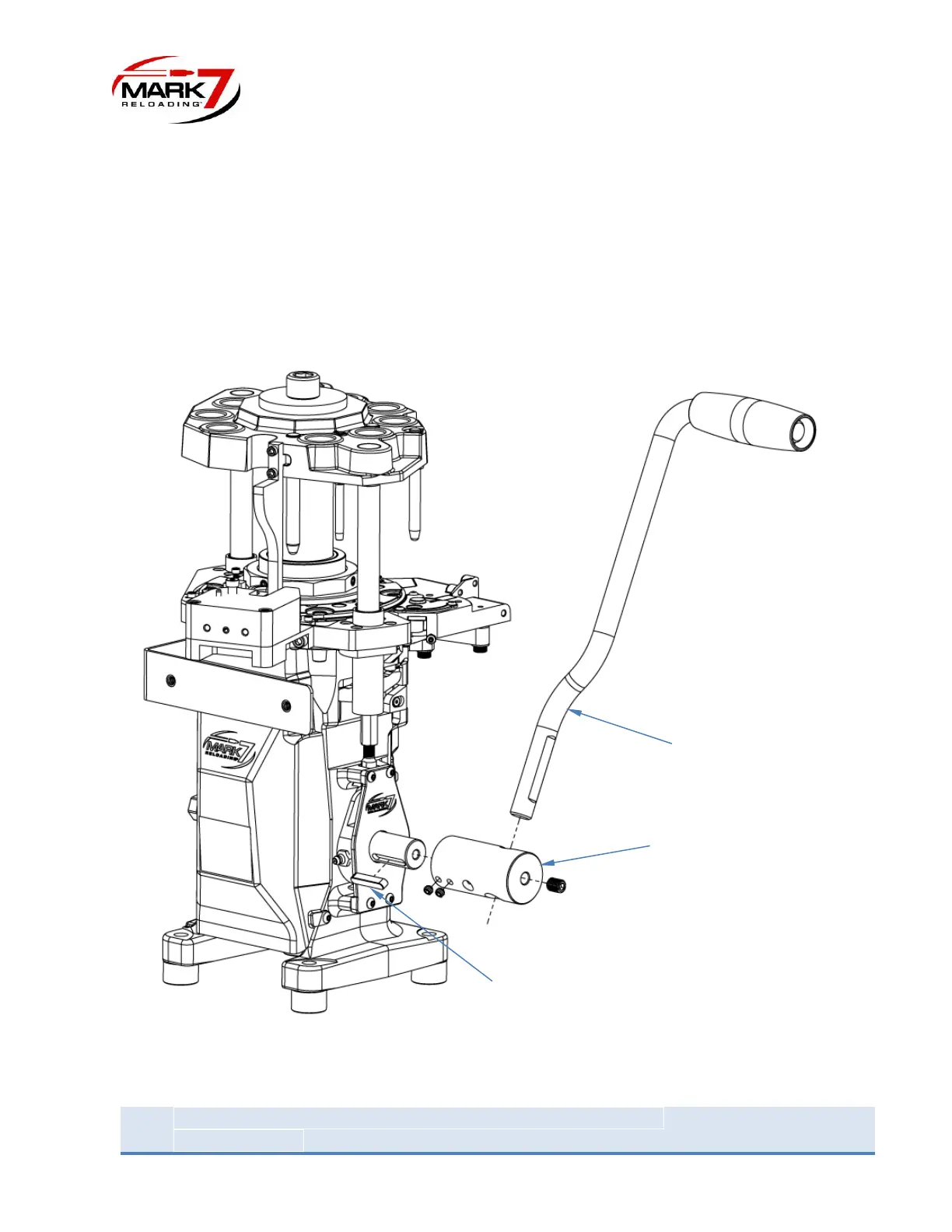
the leading edge of the bench. To install the handle first insert the shaft key as shown in the figure
below then slide on the handle shaft adapter and lock in place with the 2 x ¼”-20 set screws. Insert the
handle and secure in position with the 3/8” Set screw. The handle can be installed on either the right
side or left side of the press.
Figure 3: Installing Handle Assy (Note: can be installed on either right or left side)


 To Next Page