5. Powder Measure Installation
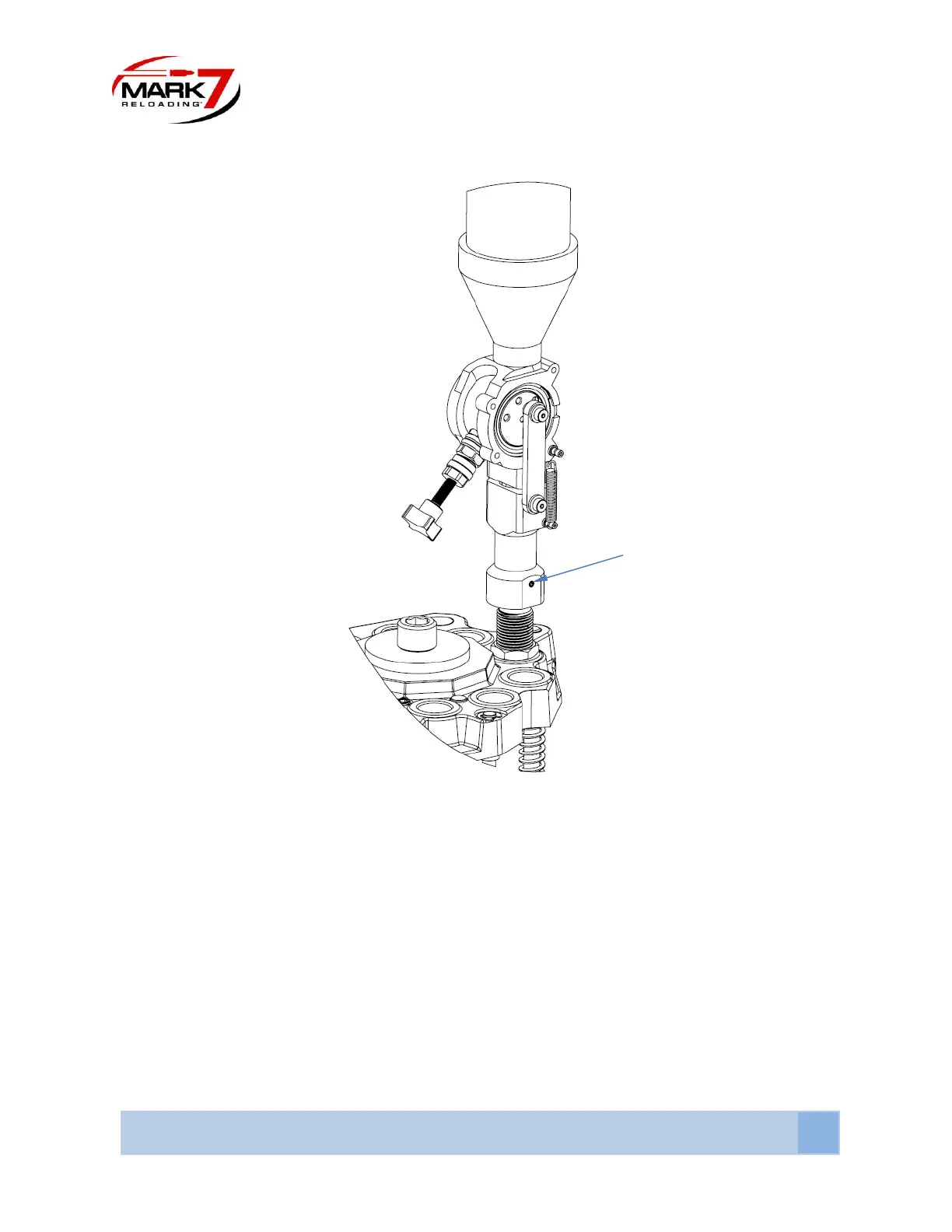
Figure 13: Installing the Powder Measure
Install the Powder Measure onto the Tool Head in station 6. The Powder Measure comes secured to
the die and can be threaded into the Tool Head as a complete assembly. Install the die about halfway into
the Tool Head and then loosen the set screw locking the lower housing to the die. Lock the die in place
and then rotate power measure so the charge adjustment lever is facing the center of the press as shown
in Figure 15. Final die adjustment and tightening will be performed later.


 To Next Page