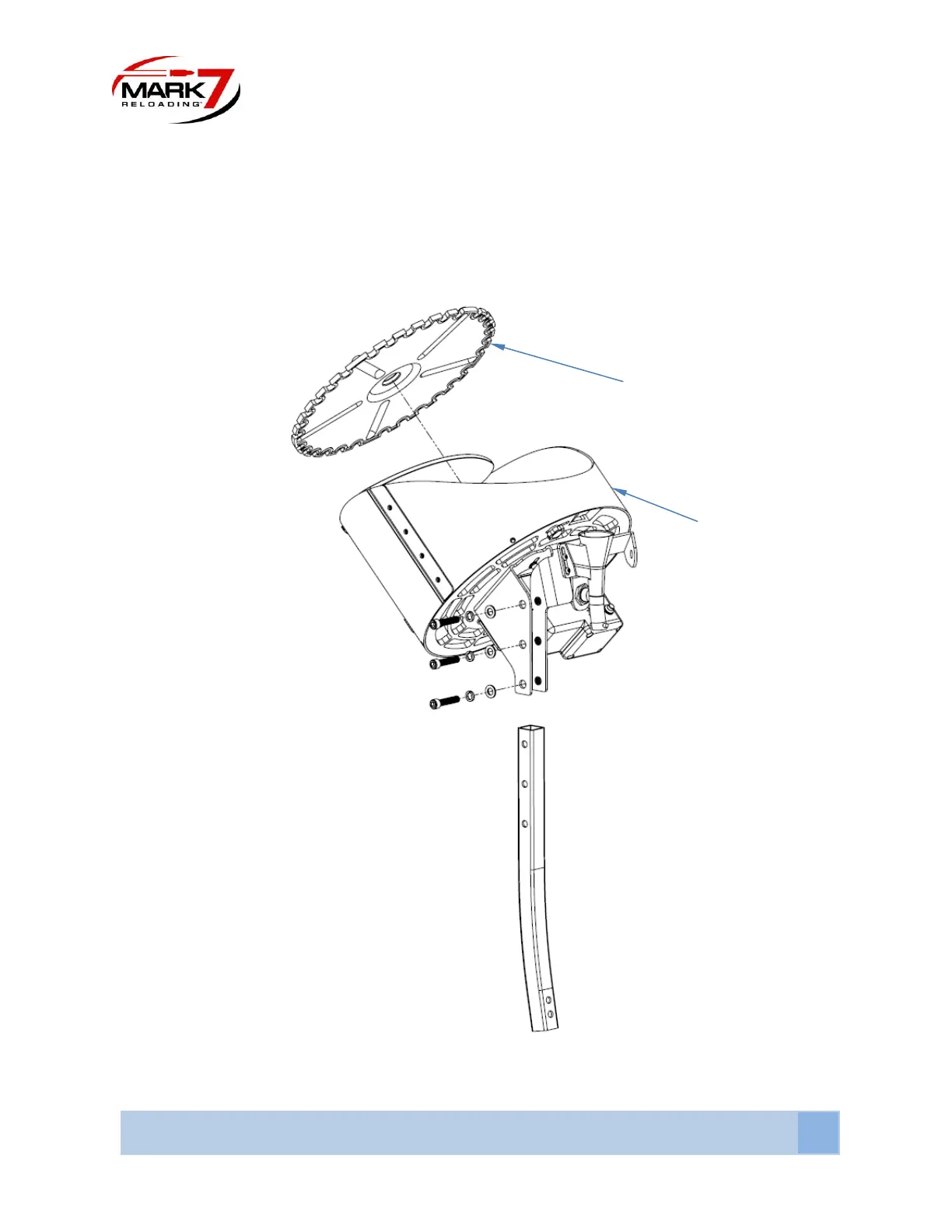
Slide the top of the pole into the mounting bracket on the Case Feeder and secure it with the 5/16”
screws. Insert the Case Feeder plate into the bowl and onto the motor shaft. Rotate the plate until the
pins on the motor shaft engage the slots in the bottom of the Case Feeder Plate. There are 4 Case Feeder
plates SM P, LG P, SM R, LG R – confirm the correct plate is included for the machine’s caliber. Install the
top cover by sliding the three tabs into the openings at the back of the Case Feeder bowl. Install the power
cord into the side of the case feeder and into an appropriate power outlet.
Figure 6: Installing the Case Feeder and plate


 To Next Page