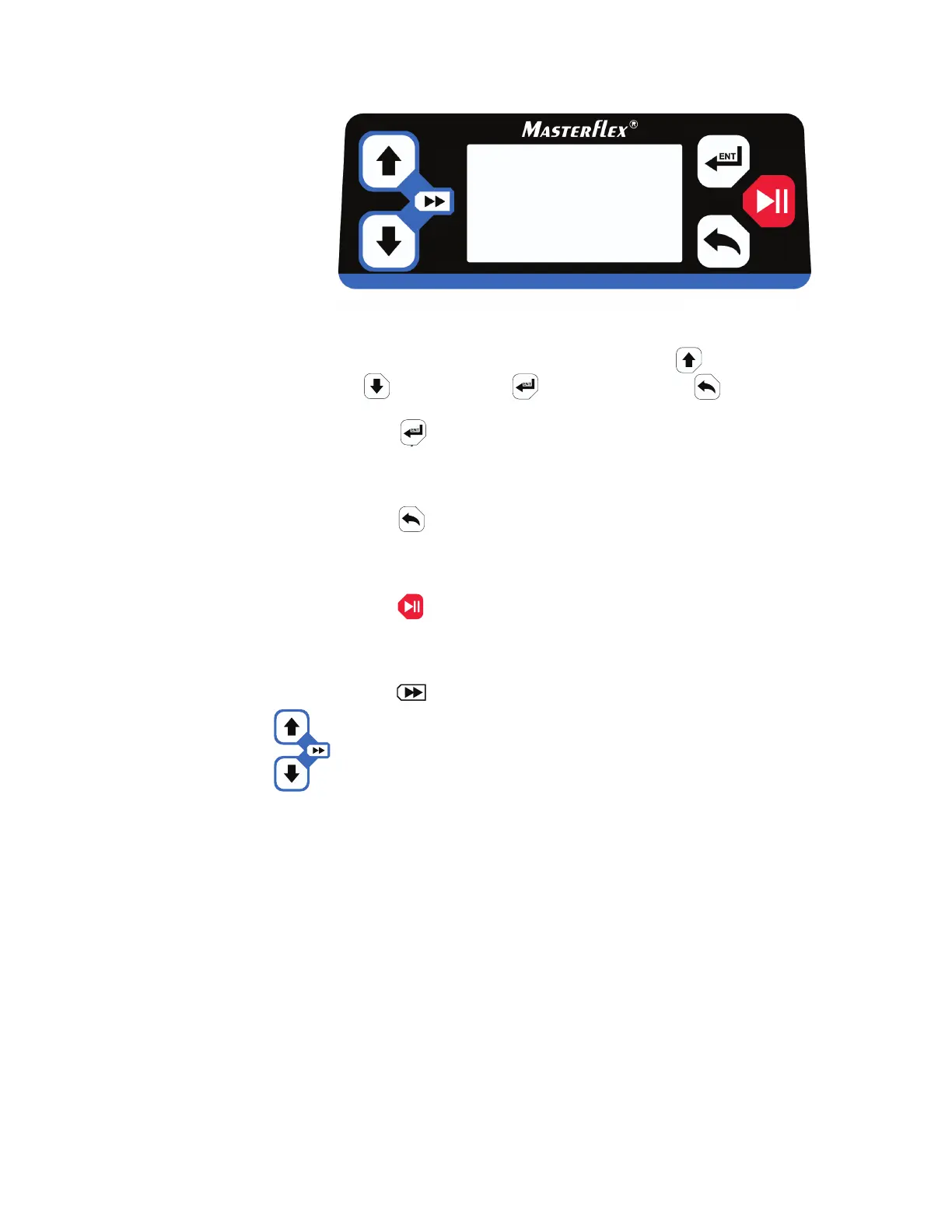
Figure 3-1. Control Panel.
• To navigate all menus on the drive use the (UP key),
• The key located on the top right of the control panel is used
to enter or select a highlighted field or option. is key is often
referred to as the ENTER key in this manual.
• The key located on the bottom right of the control panel is
used to go back to a previously selected highlighted field or screen.
is key is often referred to as the BACK key in this manual.
• The key located at the middle right of the control panel is
used to start and pause the drive. is key is often referred to as
the START/STOP key in this manual.
• The (PRIME) function located at the left of the control panel
is activated by pressing and holding the UP and DOWN keys
simultaneously. While the keys are pressed, these keys operate the
drive at the maximum allowed speed/flow rate and in the direction
shown on the display. When released, the drive returns to its
original speed or flow rate.
3-2 MASTERFLEX
®
Digital Pump Drive Operating Manual Masterflex
Section 3
Operation
Control Panel
(DOWN key), (ENTER key), and (BACK key).



 To Next Page