33MAXDATA Server PLATINUM 3200 I M7
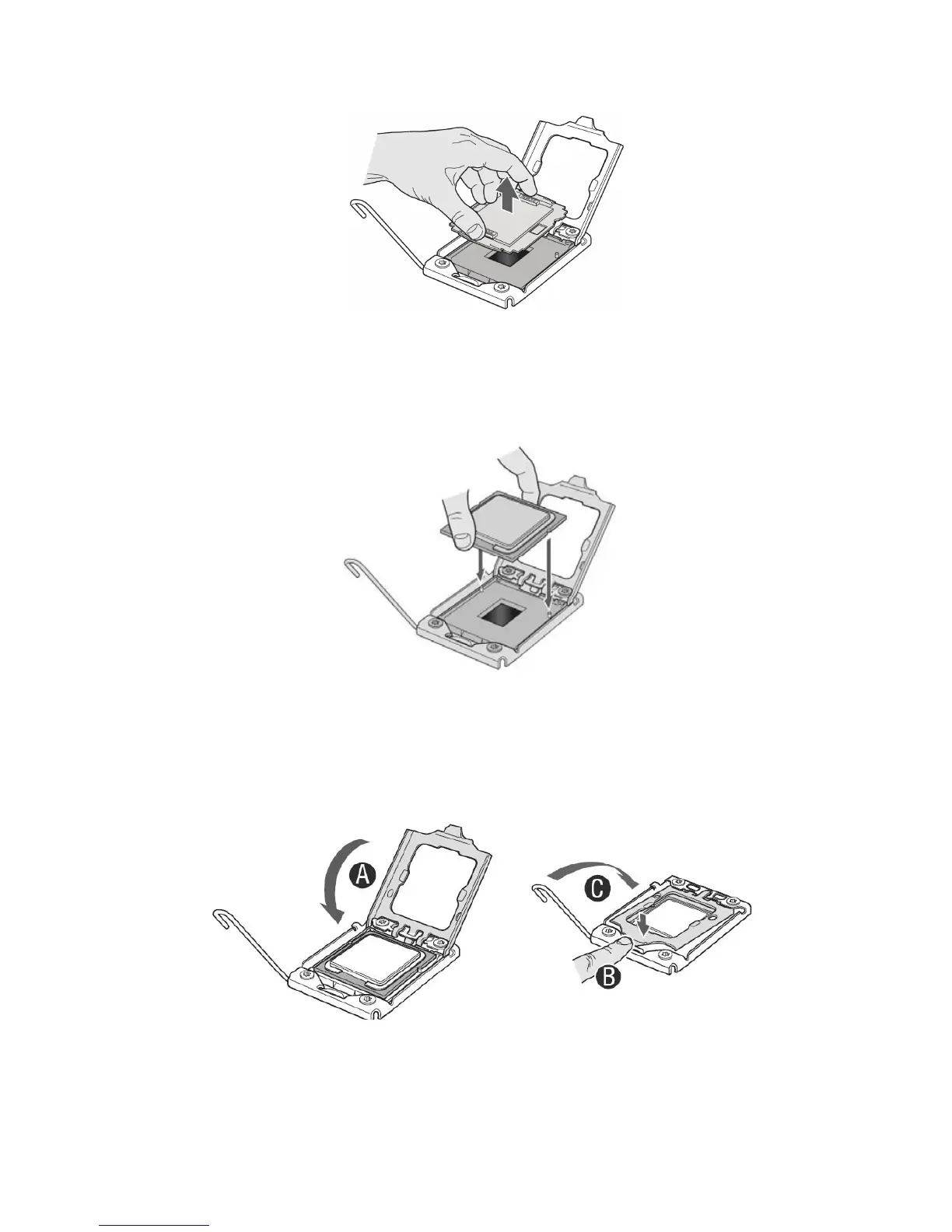
10. If there is a protective covering on the load plate, remove it and store it for later use.
Figure 26. Removing Protective Covering from the Load Plate
11. Take the processor out of the box and remove the protective shipping covering.
12. Align the processor with the socket in such a way that both notches match up with the
processor socket pins. Gently insert the processor into the socket.
Figure 27. Inserting the Processor
13. Replace the load plate.
14. Close the socket lever. Push down on the lever and, while holding it down, push it towards the
centre of the processor until it clicks into place under the hook on the processor socket.
Figure 28. Close and Lock Load Plate
15. Attach the heat sink (see next page).



 To Next Page