19
Setting up
Installation of the projector
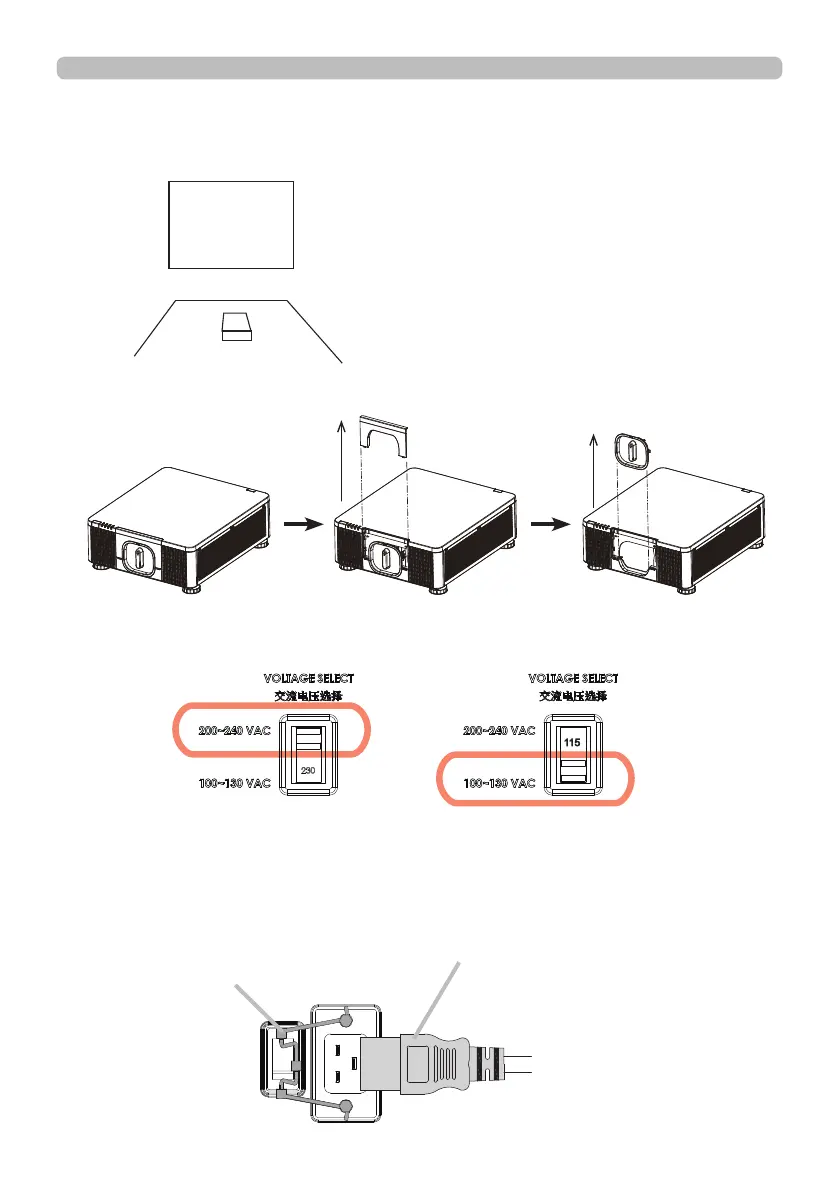
1. Installing the projector towards the screen
Screen
2. Removing the mount cap on the projector
3. Selecting the correct input voltage depending on your area
4. Connecting the power cord to the projector
Be sure that the power cord is not damaged and already connected to the power
outlet properly.
Select 200-240V
Select 100-130V
Secure the power plug by locking
the plug holder clamp.
Connect the female side of the
power cord to power input socket
of projector.















 To Next Page