26
Operating
INFO
NETWORK
INTERACTIVE
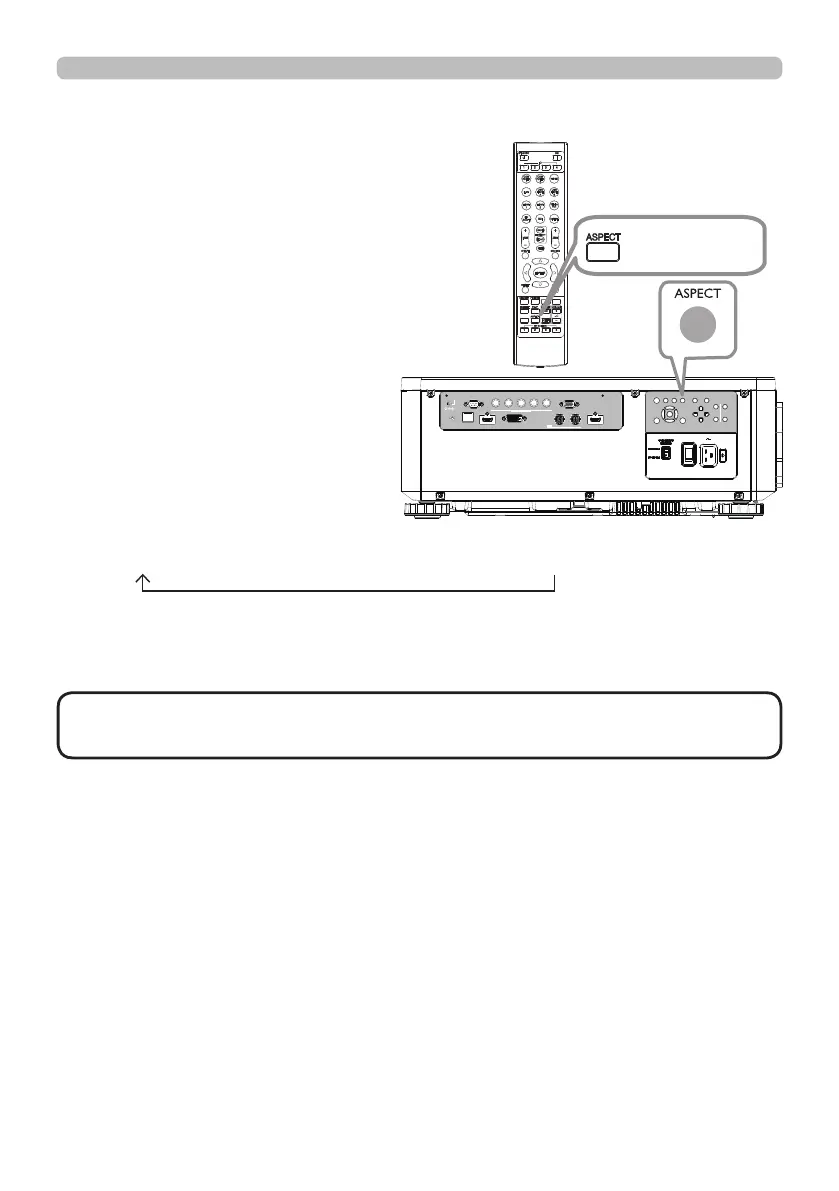
Selecting an aspect ratio
Press ASPECT button on the projector
or on the remote control.
Each time you press the button, the
projector switches the mode for aspect
ratio in turn.
• ASPECT button does not work when no proper signal is input.
• NORMAL mode keeps the original aspect ratio setting.
NOTE
If there is no signal
16:10 (xed)
NORMAL 4:3 16:9 16:10 ZOOM NATIVE
LAN
IN OUT
SDI
COMPUTER IN 2
REMOTE
CONTROL HDBaseT HDMI 1 DVI-D HDMI 2
CONTROL V H
B/Cb/Pb
G/Y R/Cr/Pr COMPUTER IN 1
EXITMENU
LENS
SHIFT
INPUT ASPECT BLANK
LENS
CENTERING
AUTO
FOCUS ZOOM
12V OUTPUT
(OPTION)
ASPECT button















 To Next Page