46
Operating
Using the menu function (continued)
Containing items of each menu
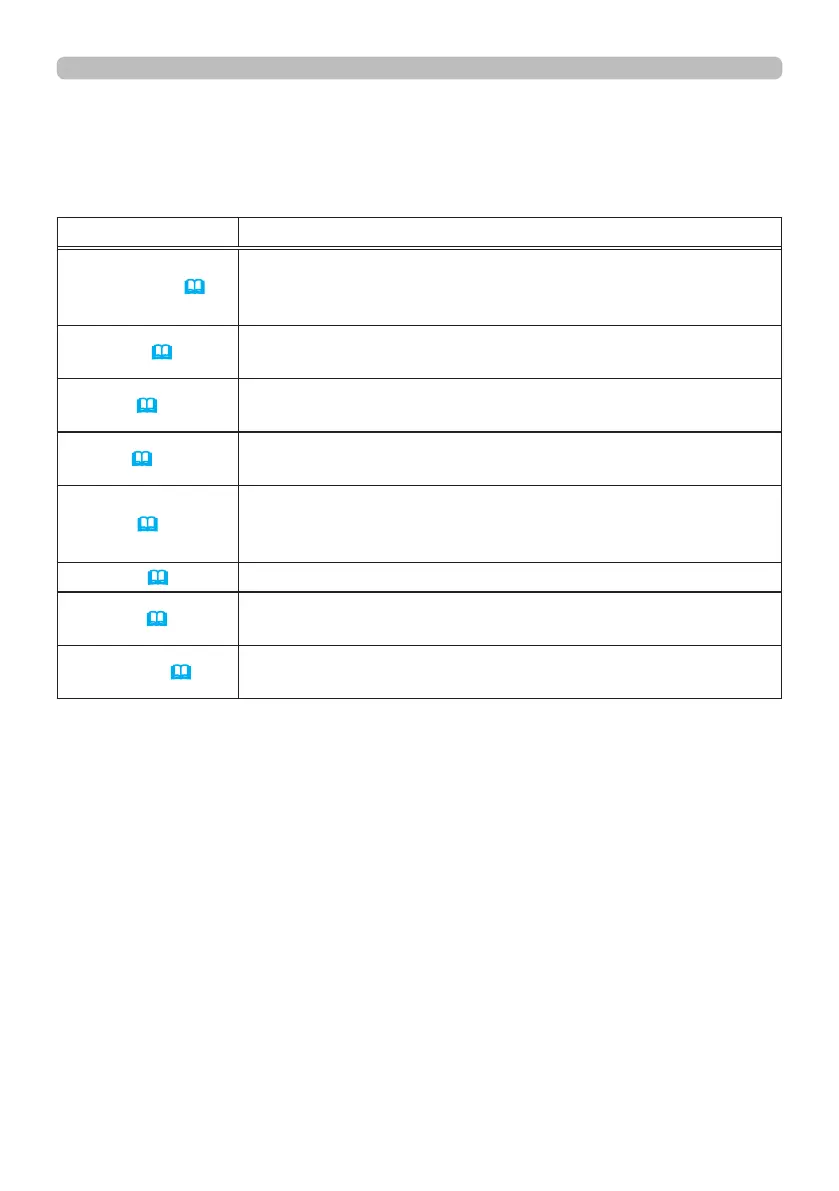
The items contained in the menus are as below;
Menu Items
EASY MENU (
47)
ASPECT, KEYSTONE, PERFECT FIT, PICTURE MODE,
ECO MODE, INSTALLATION, RESET, LANGUAGE,
ADVANCED MENU, EXIT
PICTURE(
48)
BRIGHTNESS, CONTRAST, COLOR, TINT, SHARPNESS,
DYNAMIC BLACK, PICTURE QUALITY, MY MEMORY
IMAGE (
52)
ASPECT, OVER SCAN, V POSITION, H POSITION, H PHASE,
H SIZE, AUTO ADJUST
INPUT (
53)
NOISE REDUCTION, COLOR SPACE, PbyP/PinP,
PinP POSITION, 3D FORMAT, 3D EYE SWAP, 3D DLP LINK
SETUP (
54)
GEOMETRY CORRECTION, ECO MODE, CUSTOM POWER,
PICTURE POSITION,
INSTALLATION, STANDBY MODE,
OSD MESSAGE
SCREEN(
57) LANGUAGE, MENU POSITION, START UP, TEMPLATE
OPTION (
58)
AUTO SEARCH, DIRECT POWER ON, AUTO POWER OFF,
MY BUTTON, SERVICE
NETWORK (
62)
NETWORK MODE, INFORMATION, SETUP,
EXTERNAL CONTROL















 To Next Page