30
Operating
INFO
NETWORK
INTERACTIVE
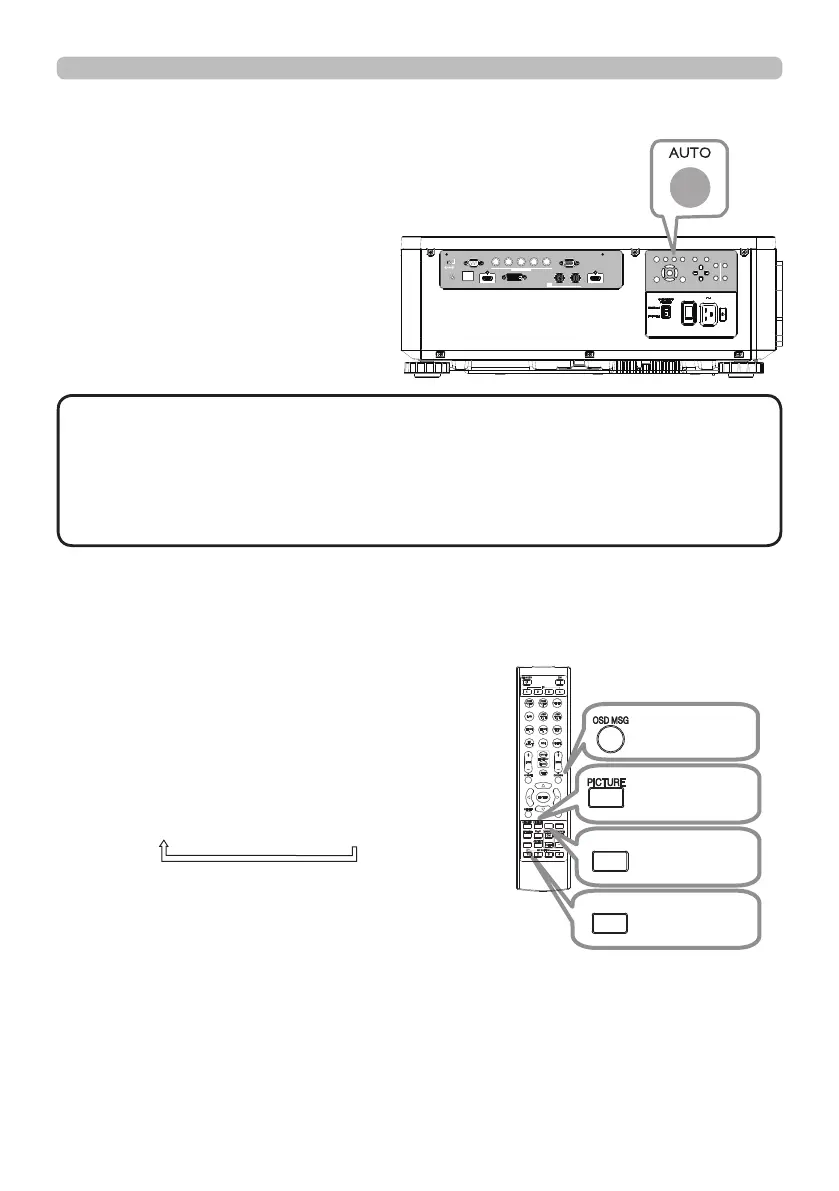
Using the automatic adjustment feature
Adjusts the signal synchronization
automatically.
LAN
IN OUT
SDI
COMPUTER IN 2
REMOTE
CONTROL HDBaseT HDMI 1 DVI-D HDMI 2
CONTROL V H
B/Cb/Pb
G/Y R/Cr/Pr COMPUTER IN 1
EXITMENU
LENS
SHIFT
INPUT ASPECT BLANK
LENS
CENTERING
AUTO
FOCUS ZOOM
12V OUTPUT
(OPTION)
• The automatic adjustment operation requires approx. 10 seconds. Also
note that it may not function correctly with some input.
• When this function is performed for a video signal, a certain extra such as a line
may appear outside a picture.
• When this function is performed for a computer signal, a black frame may be
displayed on the edge of the screen, depending on the computer model.
NOTE
Other buttons
OSD MSG: Displays the OSD MESSAGE
menu. When you press the key
for 3 seconds, the current OSD
MESSAGE setting is displayed.
Pressing the key while the setting is
displayed switches the setting in turn.
NORMAL
SILENT
INHIBIT
PICTURE: Displays the PICTURE QUALITY
menu.
INFO: Displays the INFORMATION menu.
NETWORK: Displays the NETWORK SETUP
menu.
OSD MSG
button
PICTURE
button
INFO
button
NETWORK
button















 To Next Page