25
Operating
Operating
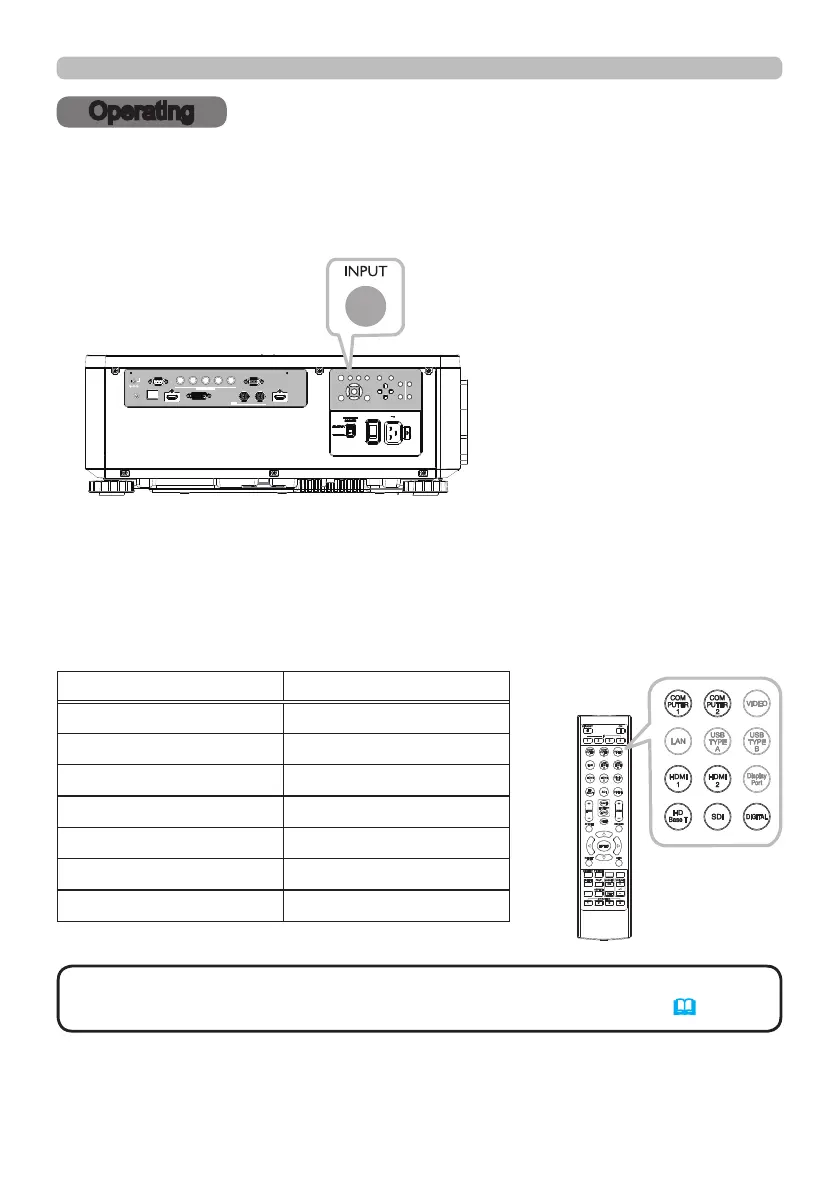
Press the INPUT button on the projector. Select a desirable input referring to the
displayed input list. Even if you press the button for an input port which is not
supported, input source list is displayed like when pressing the INPUT button.
Selecting an input signal
LAN
IN OUT
SDI
COMPUTER IN 2
REMOTE
CONTROL HDBaseT HDMI 1 DVI-D HDMI 2
CONTROL V H
B/Cb/Pb
G/Y R/Cr/Pr COMPUTER IN 1
EXITMENU
LENS
SHIFT
INPUT ASPECT BLANK
LENS
CENTERING
AUTO
FOCUS ZOOM
12V OUTPUT
(OPTION)
Press HDMI 1, HDMI 2, COMPUTER 1, COMPUTER 2, HDBaseT, SDI or
DIGITAL button on the remote control.
The port corresponding to each button is selected as below.
INFO
NETWORK
INTERACTIVE
Button Ports
HDMI 1 HDMI 1
HDMI 2 HDMI 2
COMPUTER 1 COMPUTER IN1
COMPUTER 2 COMPUTER IN2
HDBaseT HDBaseT
SDI SDI
DIGITAL DVI-D
• While ON is selected for AUTO SEARCH item in OPTION menu, the
projector will keep checking the ports until an input signal is detected (
58).
NOTE















 To Next Page