9
Installing the lens unit
See the manual of the optional lens.
Setting up
Positioning Precautions
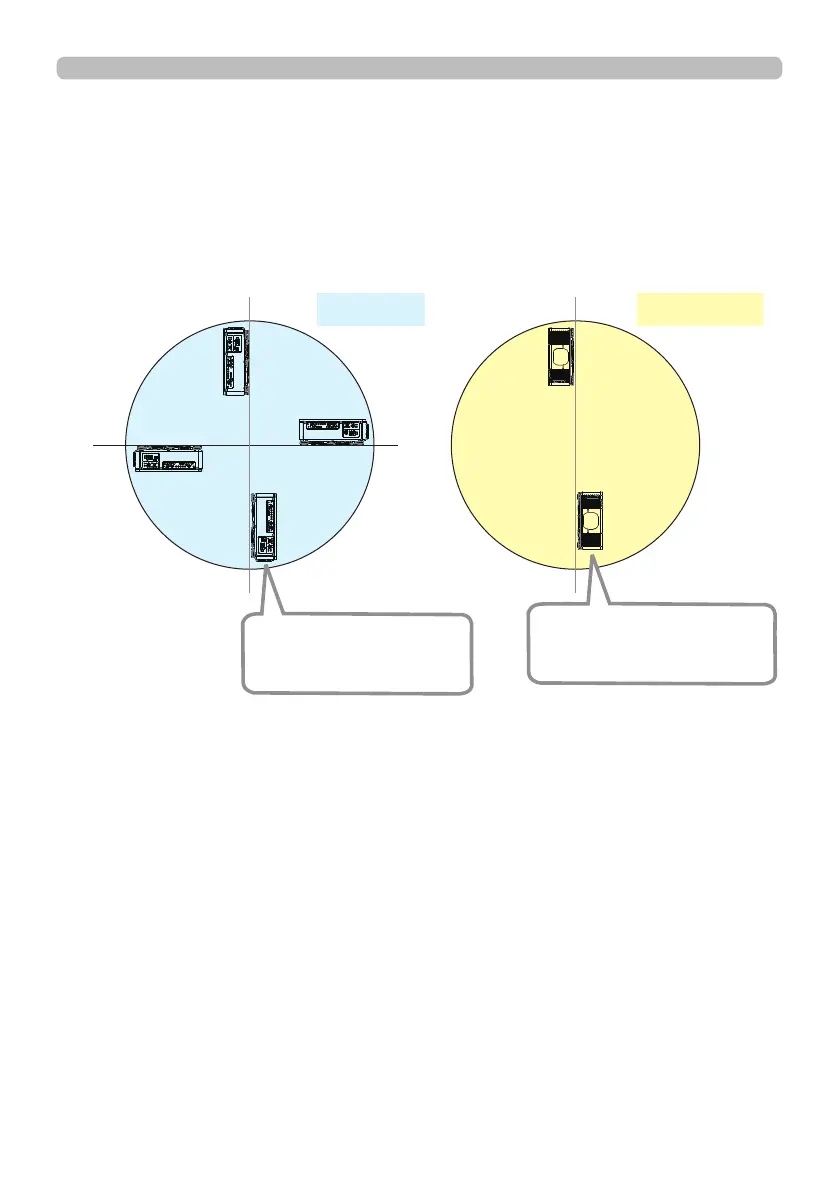
Although this projector can be installed in 360° range (including Portrait), life of
optical parts will be shorten in the following situation:
1. If the projector is installed with the lens facing downward.
2. If the projector is installed with the IO ports side facing upward at the Portrait
situation.
270°
90°
0°
180°
Tilt position
Portrait position
Installing the projector with
the lens facing downward
is not recommended.
Installing the projector with
the IO ports side facing
upward is not recommended.















 To Next Page