3.2 Startup Wizard
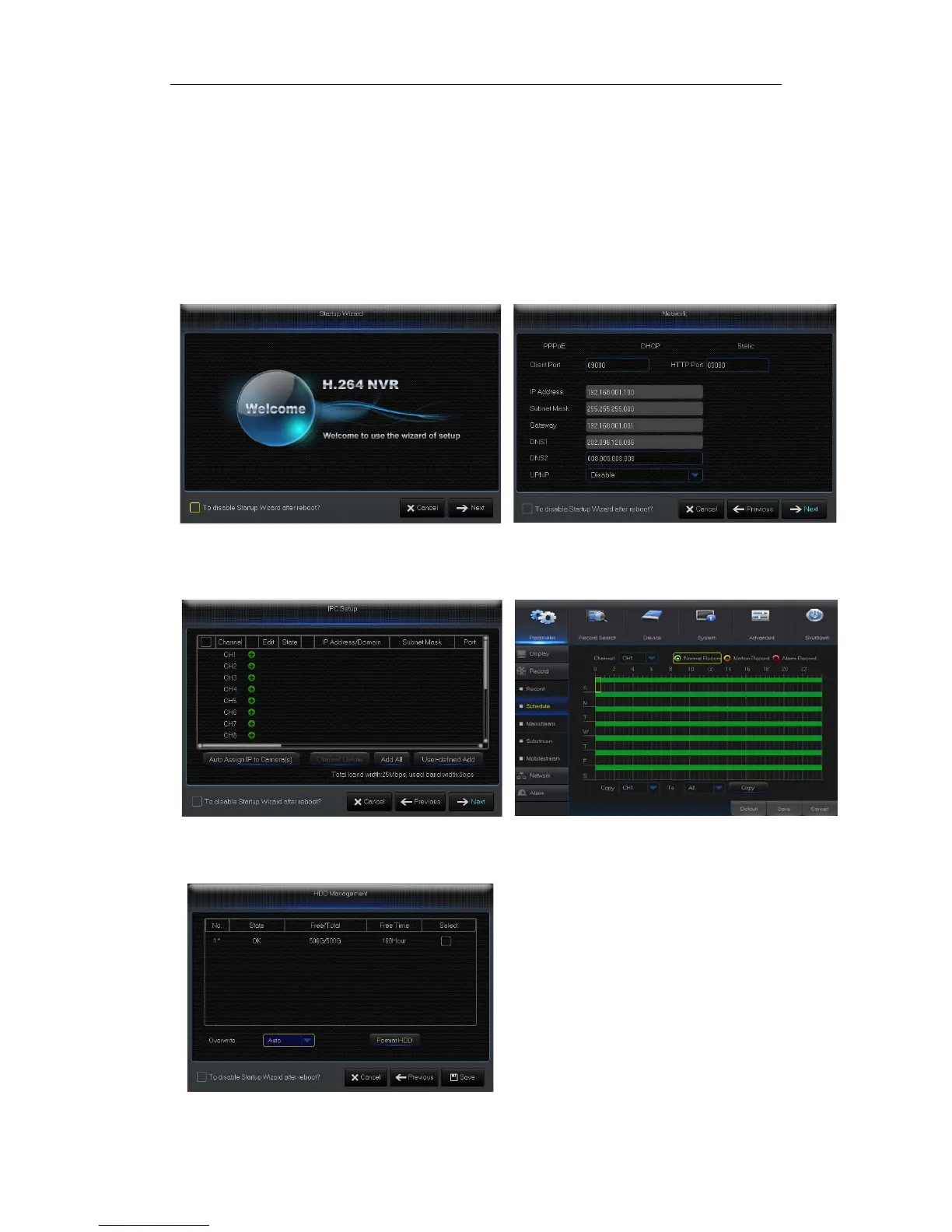
After NVR startup is completed, the startup wizard will be displayed. If you do not want to
make any setting, you may click “Don't show this window next time” to cancel, as shown in
Picture3-2.
Wizard setting menu includes:Homepage, Network setup, IPC setup, Record Schedule
and hard disk maintenance.
1
.Homepage and network setup. In network setup page, user may set the network of
NVR.
Picture3-2 Picture3-3
2.IPC Setup Picture3-4. In this page, user may add and delete IPC; Record Schedule
Picture3-4. In this page, user may set recording time and scheduled recording of NVR.
Picture3-4 Picture3-5
3. HDD Picture3-6. It supports HDD formatting and overwriting type.
Picture3-6


 To Next Page