5.3.3.1 Display
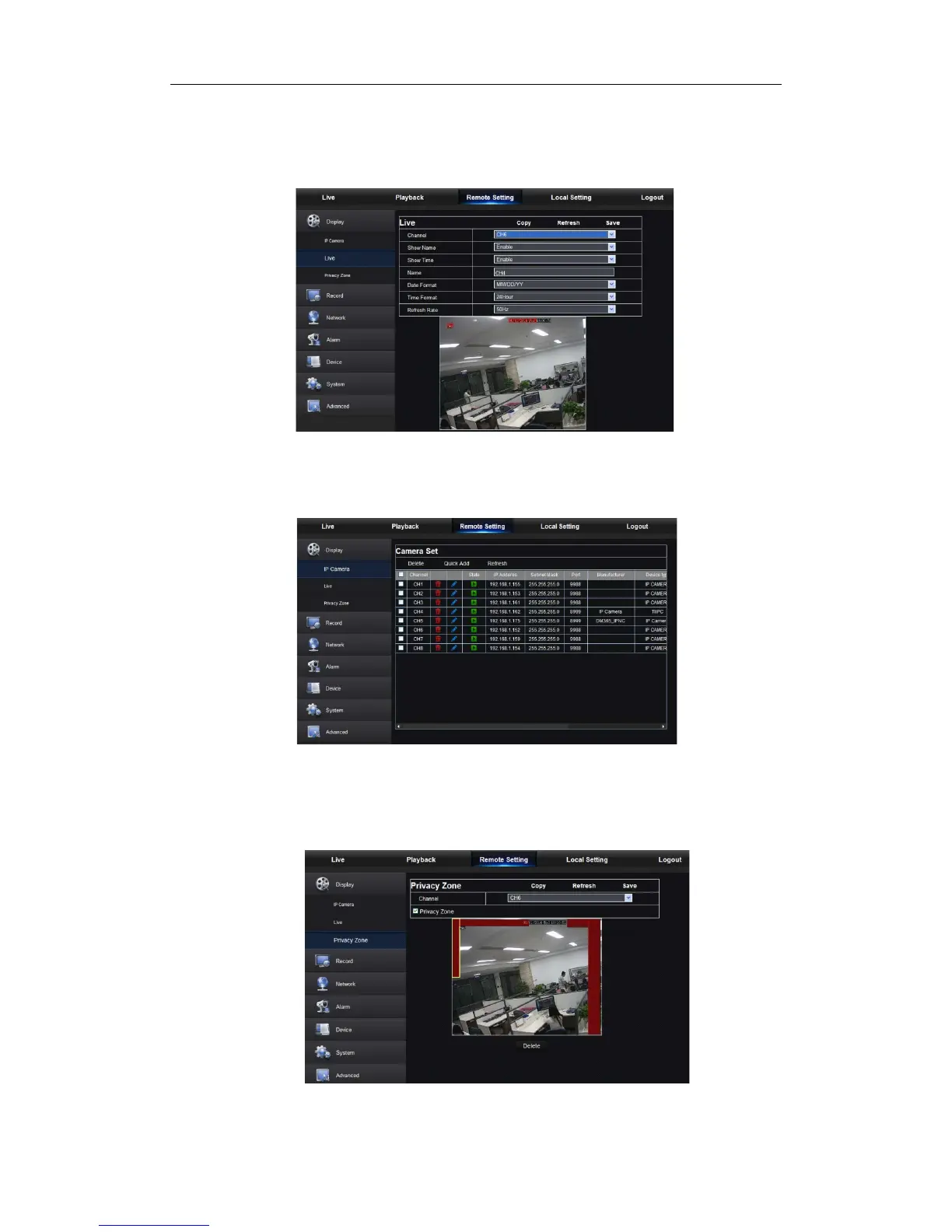
Unfold [Display] option to find its sub-options: IP Camera, Live and Privacy zone.
1. Live: You may change channel name, position, channel preview and relevant parameters.
If show time is set as <disable>, current NVR system time will not appear on the screen
on Live mode.
Picture 5-12
3.IP Camera:Display the information of added IPC. It can quickly add the on-line IPC and
delete the added IPC, as shown in Picture 5-13.
Picture 5-13
4. Privacy Zone: Each channel can set 4 privacy zones, as shown in Picture 5-14.
The relevant parameters should be consistent with NVR local setting. Select
zones to be deleted and click “Delete” and click “Save” at up-right corner.
Picture 5-14


 To Next Page