255
Controls in detail
Driving systems
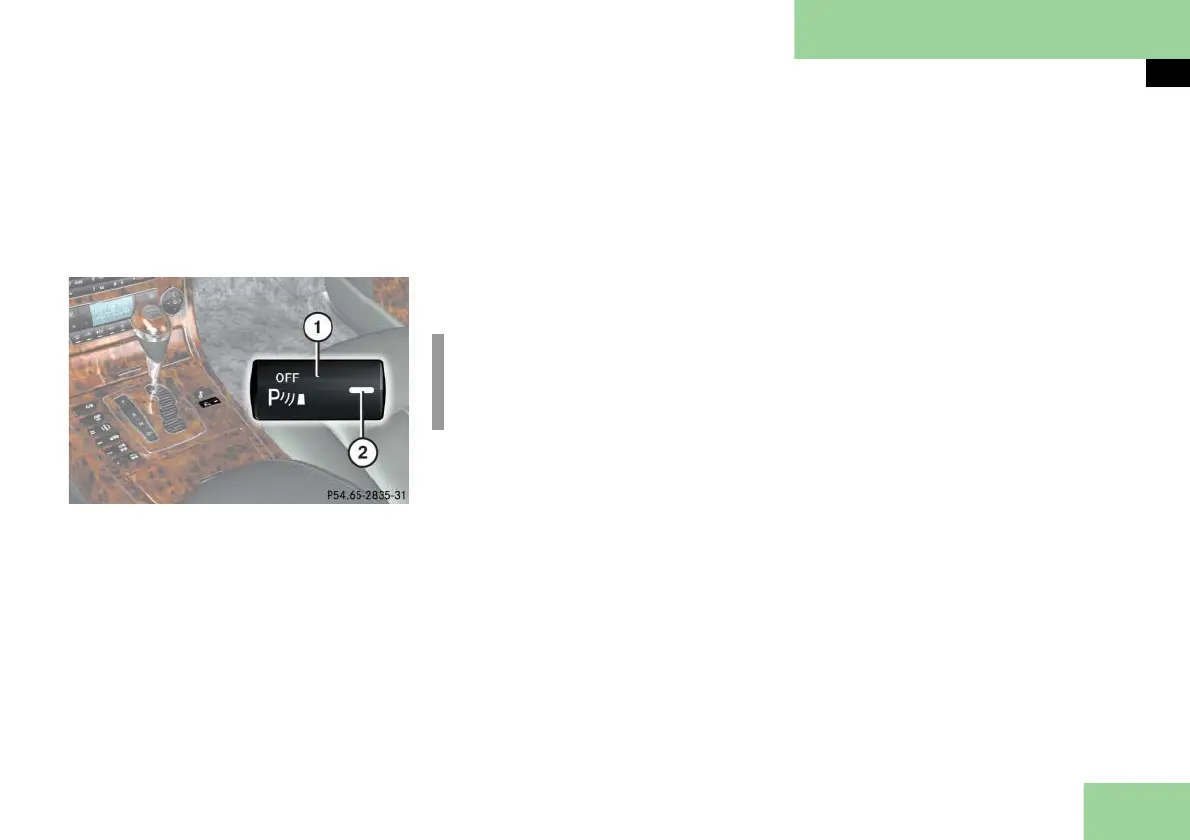
Switching the Parktronic system on/off
The Parktronic system can be switched
off manually.
The Parktronic button is located on the
lower part of the front center console.
1 Parktronic on/off
2 Indicator lamp
Switching off the Parktronic system
Press button 1.
Indicator lamp 2 comes on.
Switching on the Parktronic system
Press button 1 again.
Indicator lamp 2 goes out.
Parktronic malfunction
There is a malfunction in the Parktronic
system if the red segments of the Park-
tronic warning indicator come on and a
warning sounds. The Parktronic system
will switch itself off after 30 seconds and
the indicator lamp on the Parktronic but-
ton comes on.
Have the Parktronic system checked
by an authorized Maybach Studio as
soon as possible.
If only the red segments of the Parktron-
ic warning indicator light up and no
warning sounds, then the sensors of the
Parktronic system are dirty or malfunc-
tioning. Malfunction may also be caused
by interference from other radio or ultra-
sonic signals. The Parktronic system will
switch itself off after 20 seconds.
Clean Parktronic system sensors
(
page 378).
Switch on the ignition.
or
Check Parktronic operation at anoth-
er location to rule out interference
from outside radio or ultrasonic sig-
nals.
i
The Parktronic system is automatical-
ly switched on when the ignition is
switched on.



 To Next Page