McHale F5500 Baler
72
7.2.9 Lube counter
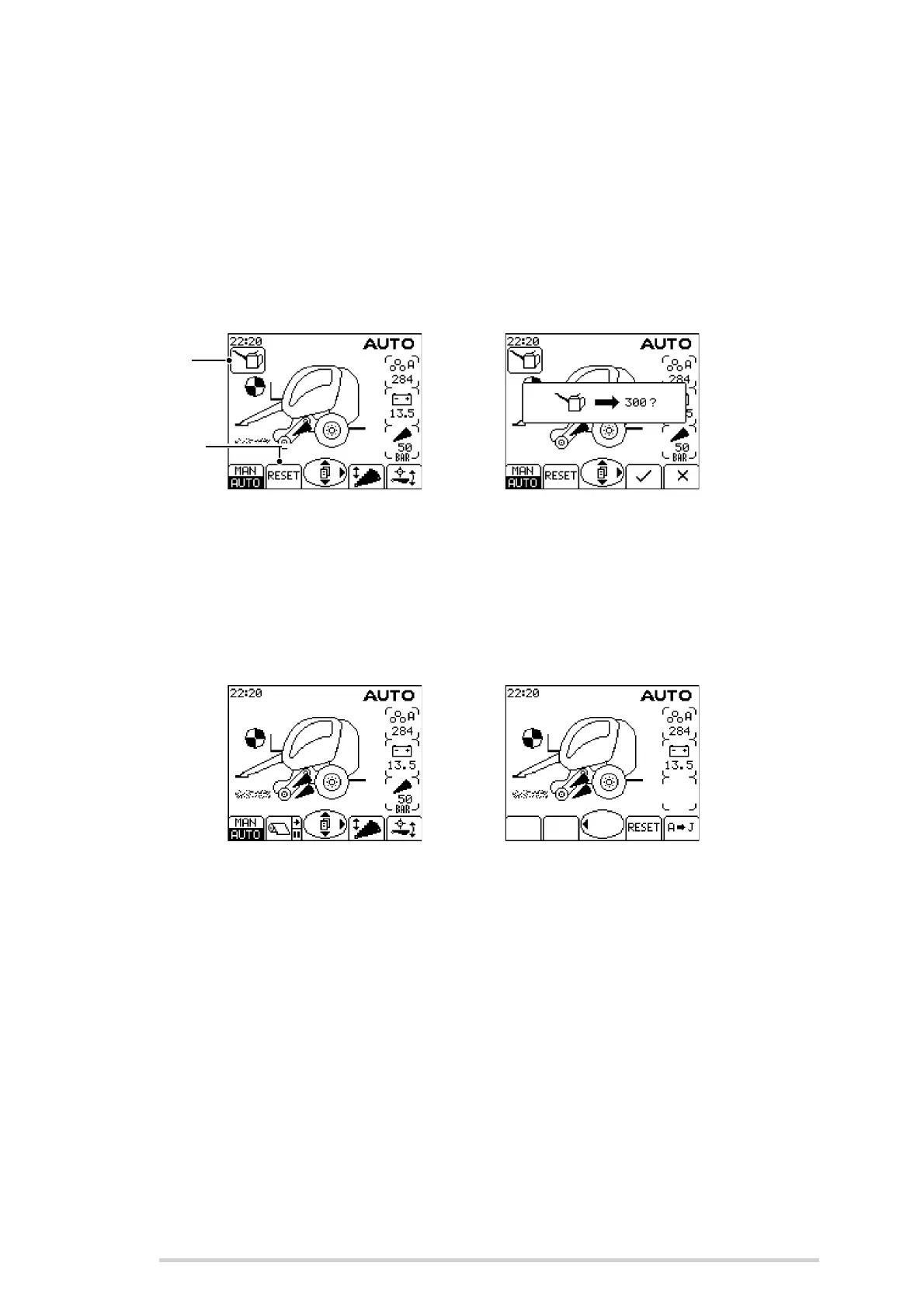
Every 300 bales, the lube alarm activates to remind the operator to replace the grease
cartridge and check the chain oil level. An ‘oil can’ symbol will appear on the top left of
the screen, and a beep will sound every 3 seconds.
The function of Button 2 will change to ‘RESET’ to allow the lube alarm counter to be
reset. Pressing this will ask the operator to confirm they want to reset the lube counter.
Pressing the tick, (Button 3) will confirm and the counter is reset to 300. The current
lube count can be viewed in the control unit menu. (See ‘Lube count’)
Lube counter
7.2.10 Bale total counters
The control unit has 10 individual job bale counters, labelled A - J.
A different counter is normally used for each customer/job. The active counter and its
current bale total are always displayed on the top right of the screen (except the menu
screens).
Bale total counters
To change the active counter, press the right menu arrow (Button 8) to access the 2nd
main screen and activate the bale total count buttons.
Pressing ‘A - J’ (Button 4) will toggle between all the different counter options.
Holding the ‘RESET’ Button will reset the current total to zero.
There is also a ‘Day’ counter function which counts every bale regardless of the
selected bale total A - J. This can also be viewed and reset at the end of every day from
within the control unit menu. (See ‘Day total’)
The machine grand total can be viewed in the control unit menu. This can never be
changed or reset. (See ‘Grand total’)
Lube alarm
symbol
Reset
Button



 To Next Page