McHale Fusion Vario Baler & Wrapper
85
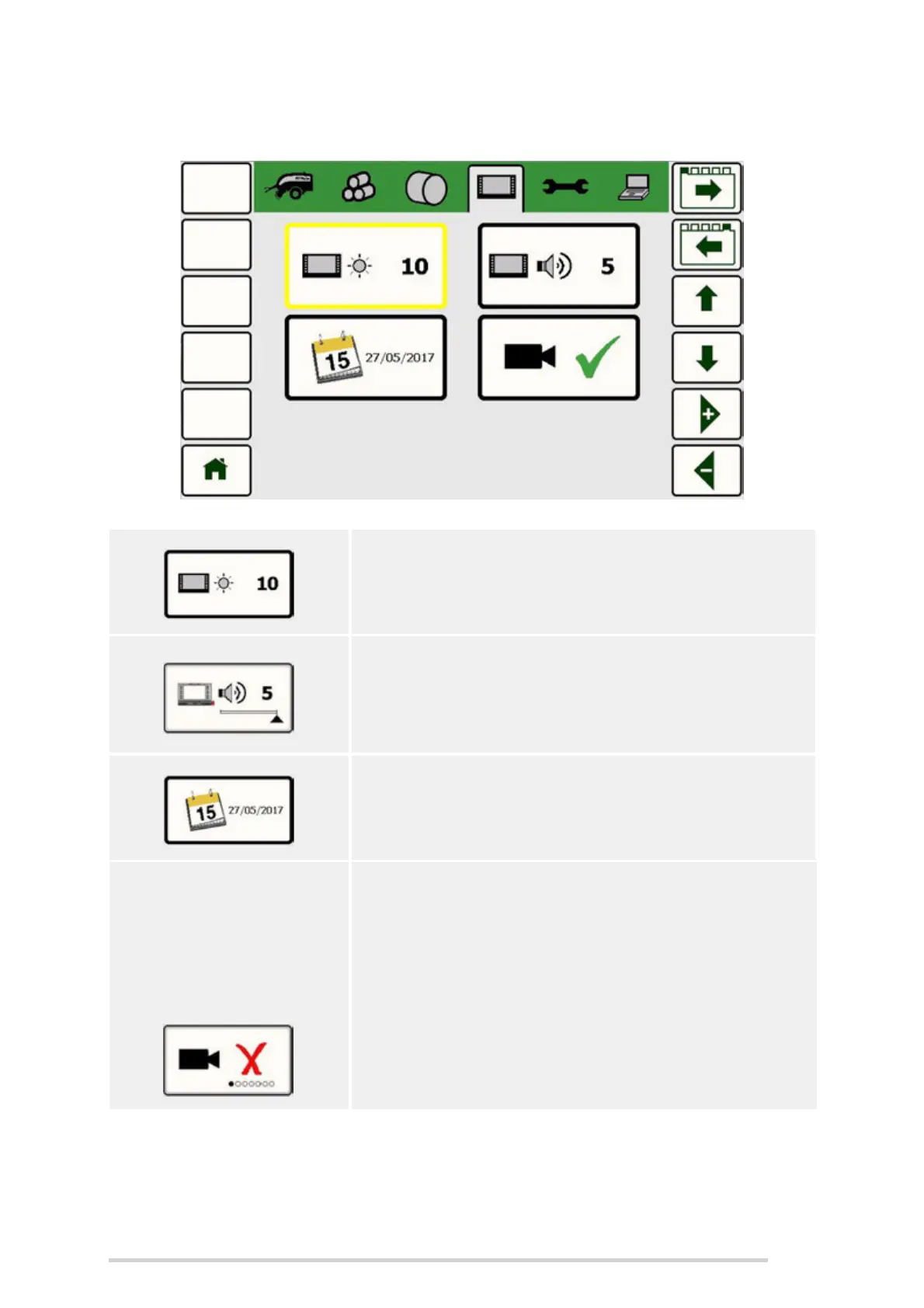
7.5.4 Display settings
Backlight
This sets the brightness of the screen from 1 to 10.
Volume
The volume of the controller can be adjusted from 1 to
5.
Clock/date adjust
Select the clock/date adjust menu item.
NOTE. The machine comes as standard with a single
camera, but operators may fit a 2nd camera, if desired.
Camera mode
There are up to 5 different camera modes, depending
on whether the machine has 1 or 2 cameras.
Off
When set to ‘Off’, the camera image cannot be
activated.



 To Next Page