UK/ N. IRELAND HELPLINE 0871 37 61 020
REP. IRELAND HELPLINE 1-800-992508
(calls are charged at 7p per min from a standard landline, calls from mobiles could be higher)
-19-
Safety
Handling
Components Aid Appendix
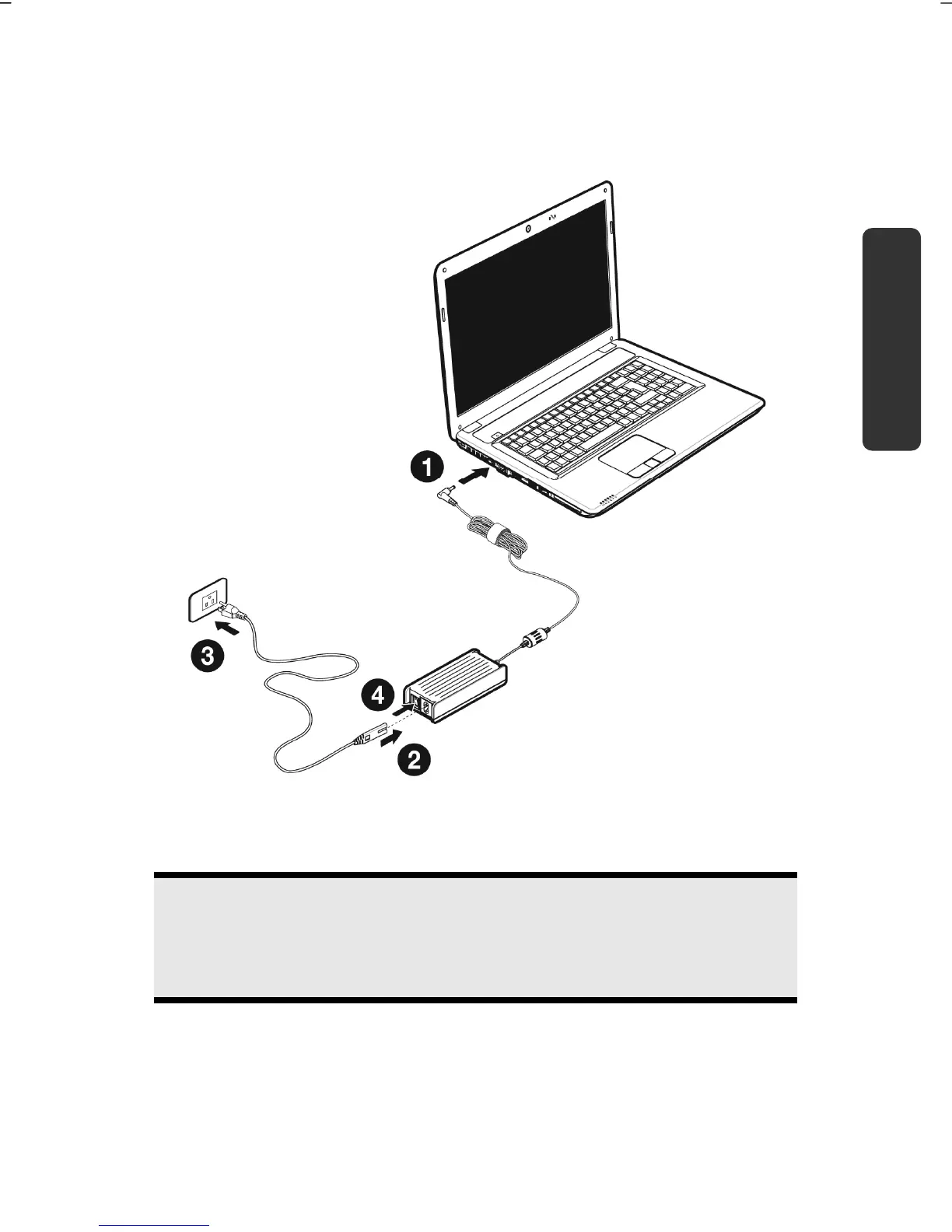
Connect the supplied power adapter to the notebook at the notebook power
socket (12). Connect the power adapter via a power cable to a free AC power
outlet. Set the switch on the power adapter to the I setting, in order to supply the
notebook with electricity and to charge the battery.
(Set the switch to 0 to interrupt the electricity supply.)
Open the display to the required position with your thumb and index fingers. To
avoid damage to the TFT Display, never open it more than 120º. Do not forcibly
open it.
Note
Please ensure that the battery is inserted and the power adapter connected
when operating the Notebook for the first time. If you fail to do this,
Windows® 7 will not be able to calculate the performance index correctly.
Switch the notebook on by operating the On/Off Switch (3). The notebook starts
and now goes through a number of phases.



 To Next Page