UK/ N. IRELAND HELPLINE 0871 37 61 020
REP. IRELAND HELPLINE 1-800-992508
(calls are charged at 7p per min from a standard landline, calls from mobiles could be higher)
-30-
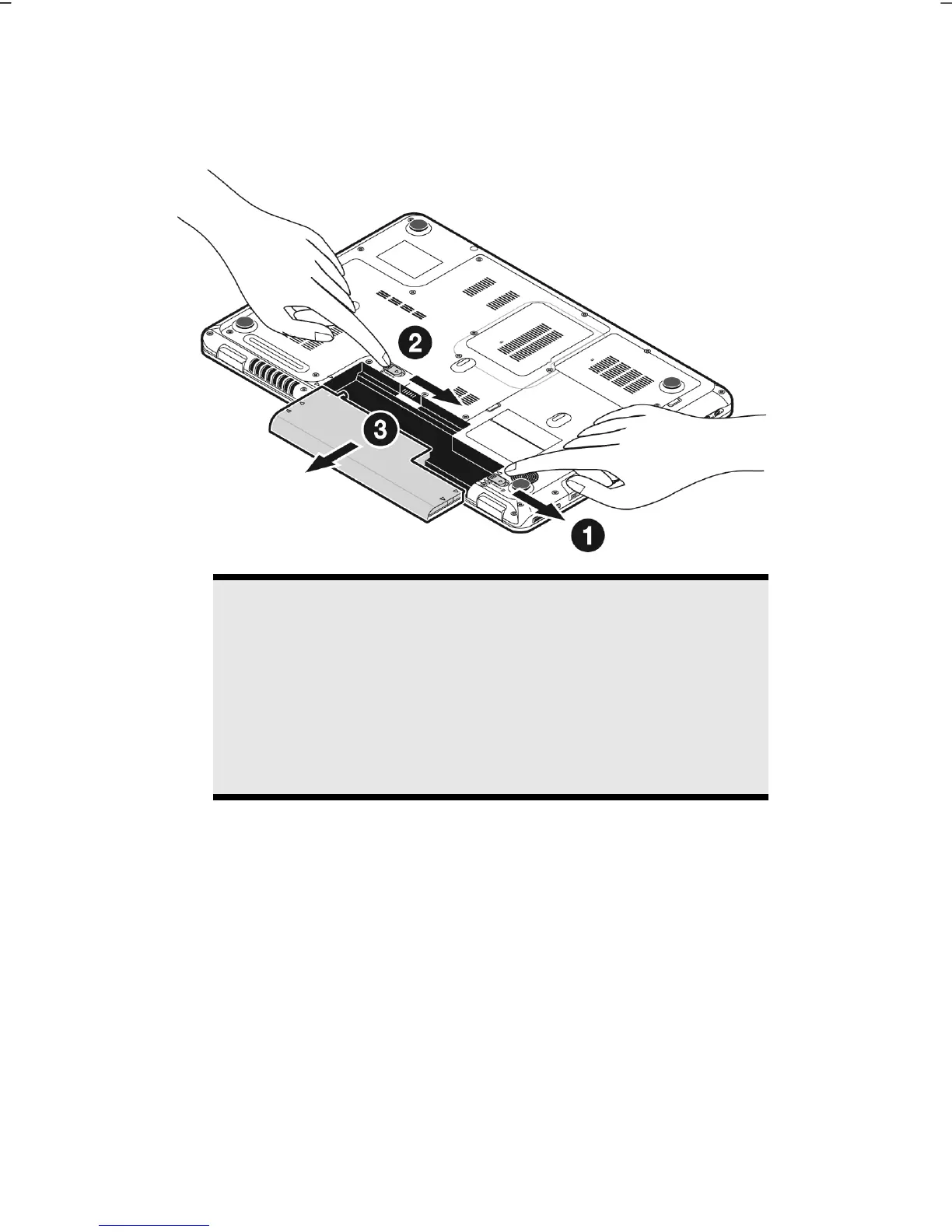
Removing the Battery
Push the Safety Lock ( and ) to the ‘Unlock’ position in order to remove the
battery pack, then slide the battery out of the compartment ().
Warning!
Do not remove the battery while the notebook is running on
battery power, this will very likely cause data loss.
Warning!
Keep the contacts on the battery and notebook clean when
storing them. Dirty contacts might lead to malfunctions.



 To Next Page