UK/ N. IRELAND HELPLINE 0871 37 61 020
REP. IRELAND HELPLINE 1-800-992508
(calls are charged at 7p per min from a standard landline, calls from mobiles could be higher)
-81-
Safety Handling
Components
Aid Appendix
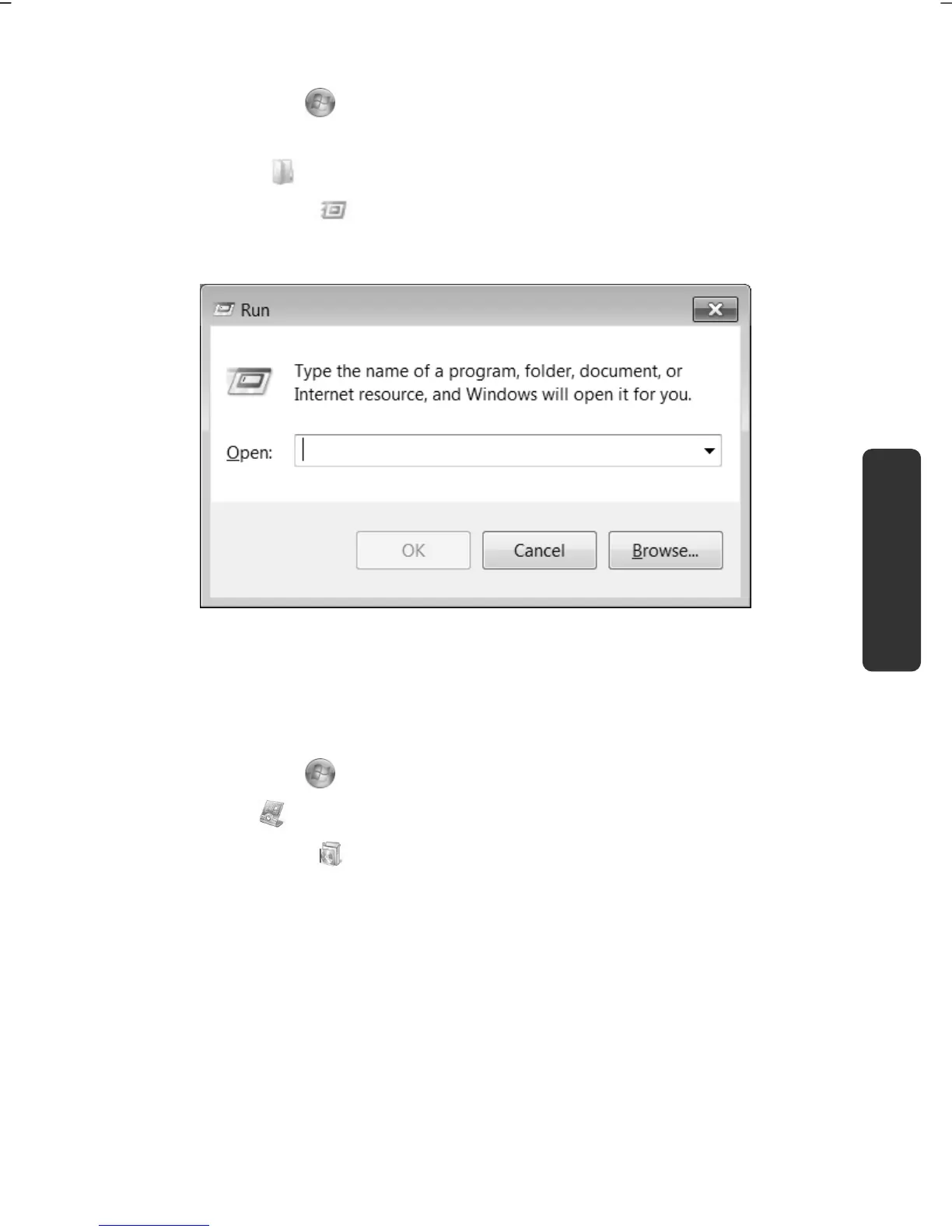
An example for the manual installation without the autorun function:
1. Click on Start .
2. Click on All Programs.
3. Open the Accessories program point.
4. Select the item
Run.
5. Now enter the letter of the CD-ROM drive followed by a colon and the
program name setup:
6. Click on “OK”.
7. Follow the instruction given by the program.
Software Uninstallation
In order to remove installed software from your notebook, follow the next steps:
1. Click on Start
.
2. Click on
Control Panel.
3. Then select the
Programs option.
4. Select the respective program, start the uninstallation and follow the
instructions on the screen.



 To Next Page