UK/ N. IRELAND HELPLINE 0871 37 61 020
REP. IRELAND HELPLINE 1-800-992508
(calls are charged at 7p per min from a standard landline, calls from mobiles could be higher)
-37-
Safety Handling
Components
Aid Appendix
The external screen will be determined after the operating system has been loaded.
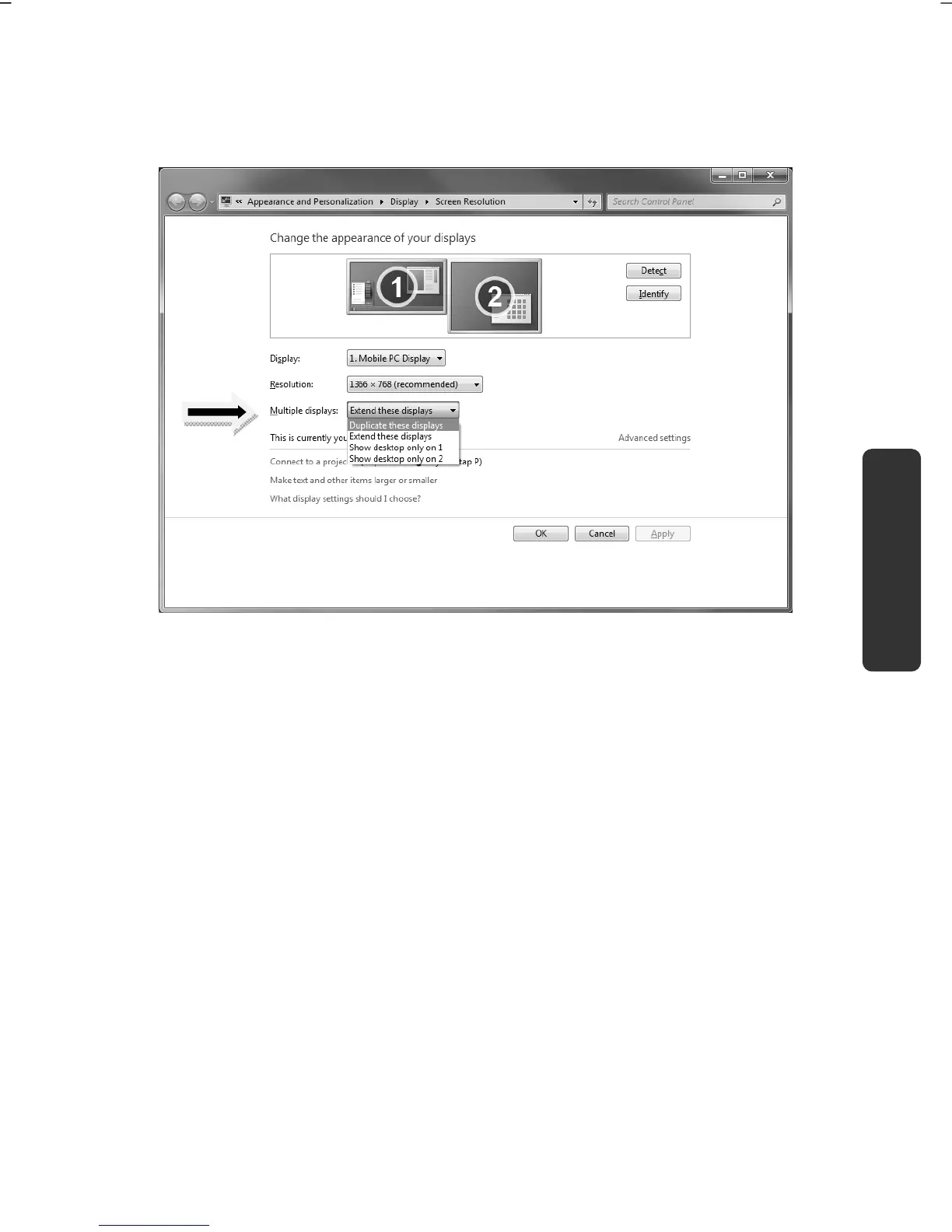
Several possibilities will be available to you. You will call them up as follows:
1. A right click on the display.
2. Select the Screen Resolution option in the selection window.
3. Select from the following options under Multiple displays:
Duplicate these displays
Extend these displays
Show desktop only on 1
Show desktop only on 2



 To Next Page