UK/ N. IRELAND HELPLINE 0871 37 61 020
REP. IRELAND HELPLINE 1-800-992508
(calls are charged at 7p per min from a standard landline, calls from mobiles could be higher)
-52-
Microphone In
(19)
For recording via an external microphone.
For sound reproduction via an external surround
system for external centre / subwoofer.
Audio Out /
Digital
Audio Out
(S/P-DIF optical)
(20)
For sound reproduction with an external surround
decoder via an optical cable (available separately at
a specialist shop).
For sound reproduction via external stereo
equipment such as loudspeakers (active) or
headphones.
Line In
(21)
For reception through an external source of sound.
For sound reproduction with a surround system
for speakers back.
By using the external connections you have the possibility to connect your
notebook with a 5.1 surround system.
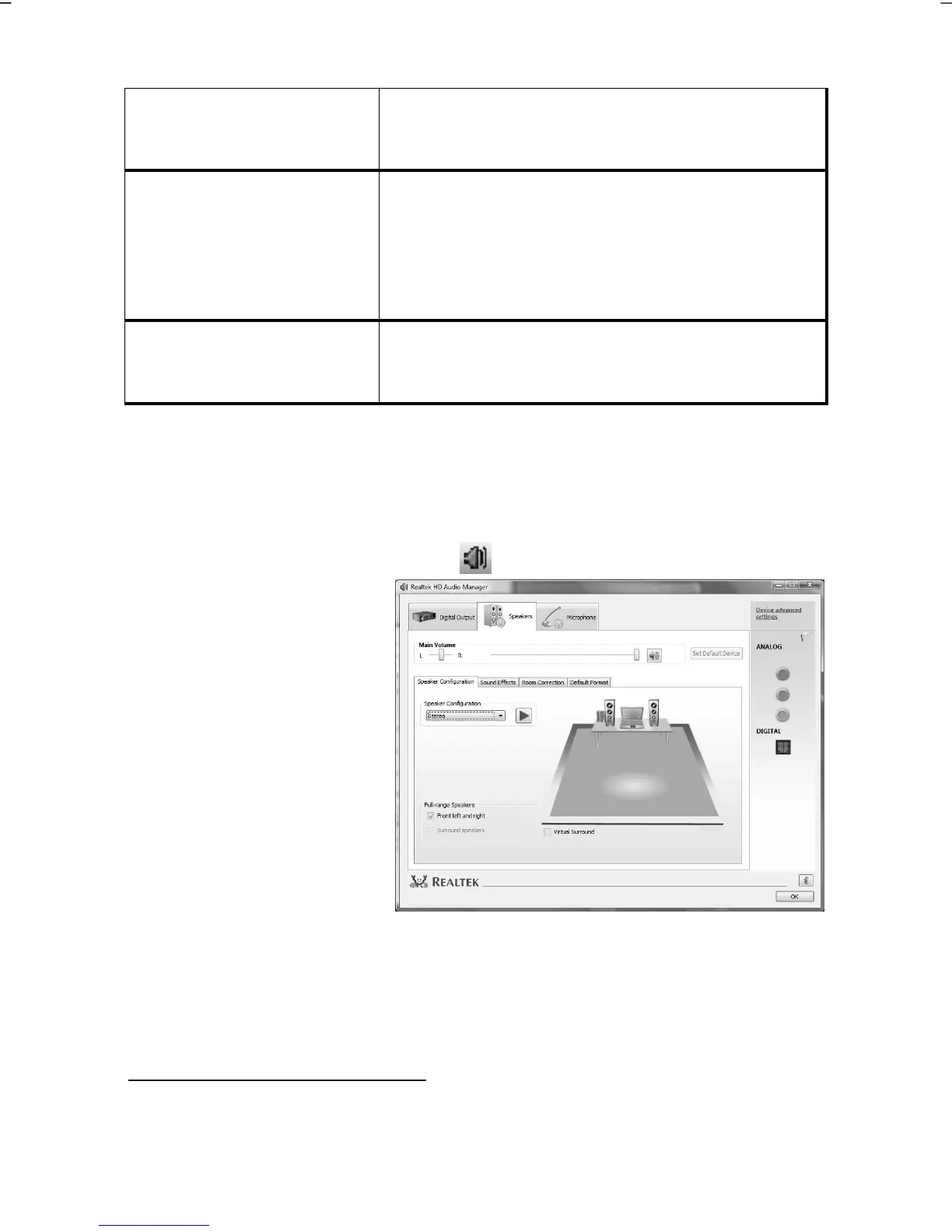
The bundled software allows you to make the necessary settings:
1. Click the following symbol in the taskbar:
The help program for the
audio configuration is now
running. A large number of
settings can be changed with
this.
It is also used to set the
loudspeaker configuration
you are going to use for the
surround sound.
You have the possibility to select between the following configuration modes:
stereo
*
5.1 loudspeaker
*
Your notebook is factory set to stereo mode.



 To Next Page