CS033663DE ZP-CS01E TORKEL 900-SERIES
17
4 MENU SYSTEM
activated. From here a discharge test simula-
tion with BVM can be performed.
5] When the TORKEL has been turned off,
the simulator mode will be disabled when
TORKEL is turned on again.
Calibration
See section "11.2 How to calibrate" on page 44.
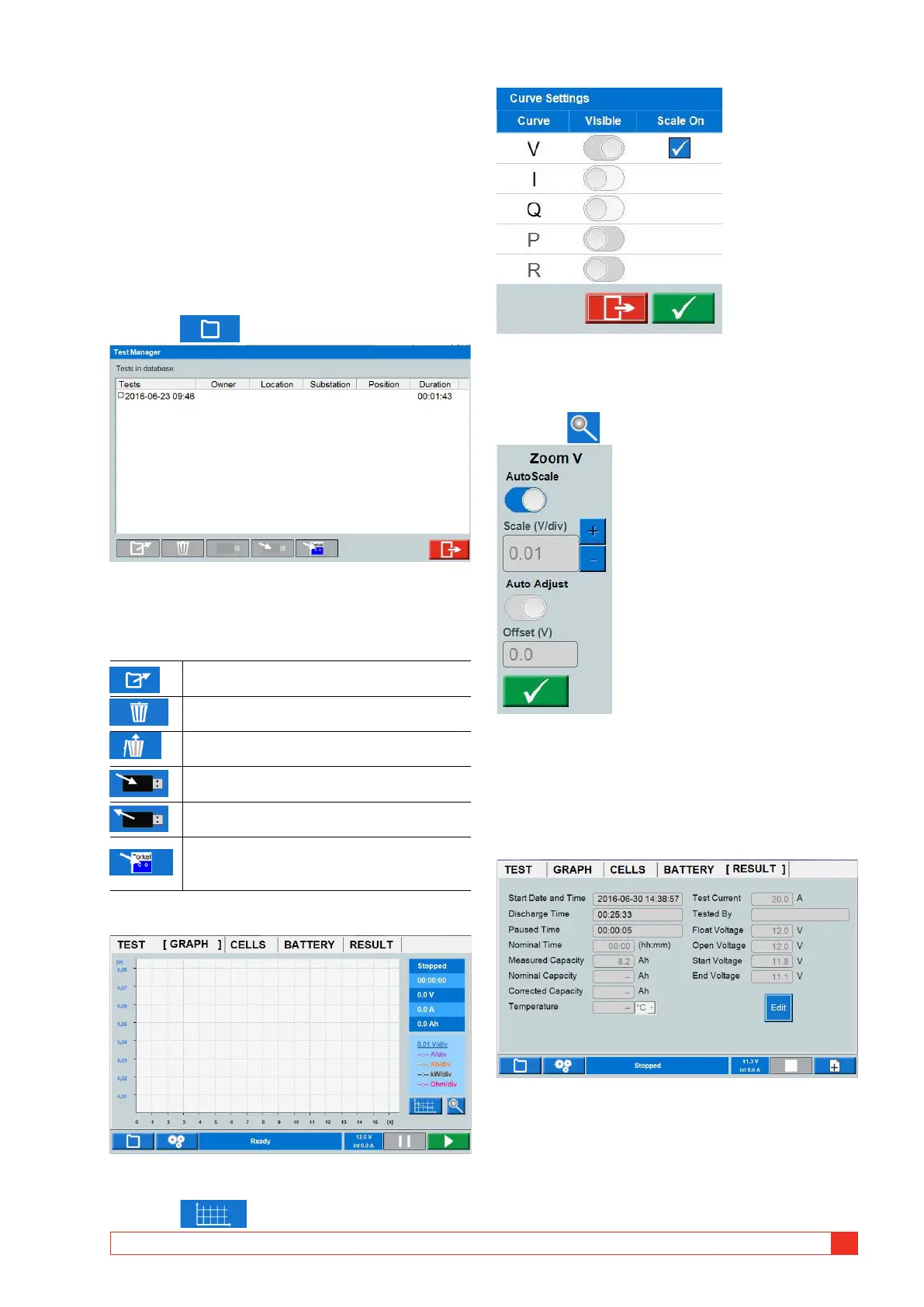
Test Manager
The database can store up to 20 tests.
1] Press
2] Select a test by marking the checkbox.
3] You can use the buttons at the bottom for
actions described below:
to open a test
to put test in the trash can
to undelete all tests
to save test on USB stick for use in PC
to import data from USB
to save a test in TORKEL Win format
wich makes it possible to open it in
TORKEL Win
GRAPH
Graph settings
1]
Press
Make settings for the axis. Above is an example of a
setting that will show the voltage curve.
Zoom
1] Press to zoom the graph
2] Set scale for y-axis and set the offset value or
select Auto scale.
RESULT
After ending a test you can go into the different tabs
to se the result.
1] In the RESULT and BATTERY tabs you can add
information by pressing the "Edit" button.



 To Next Page