Information Description
See Primary Vector
Selection Screen (5.9.2)
Primary Vector
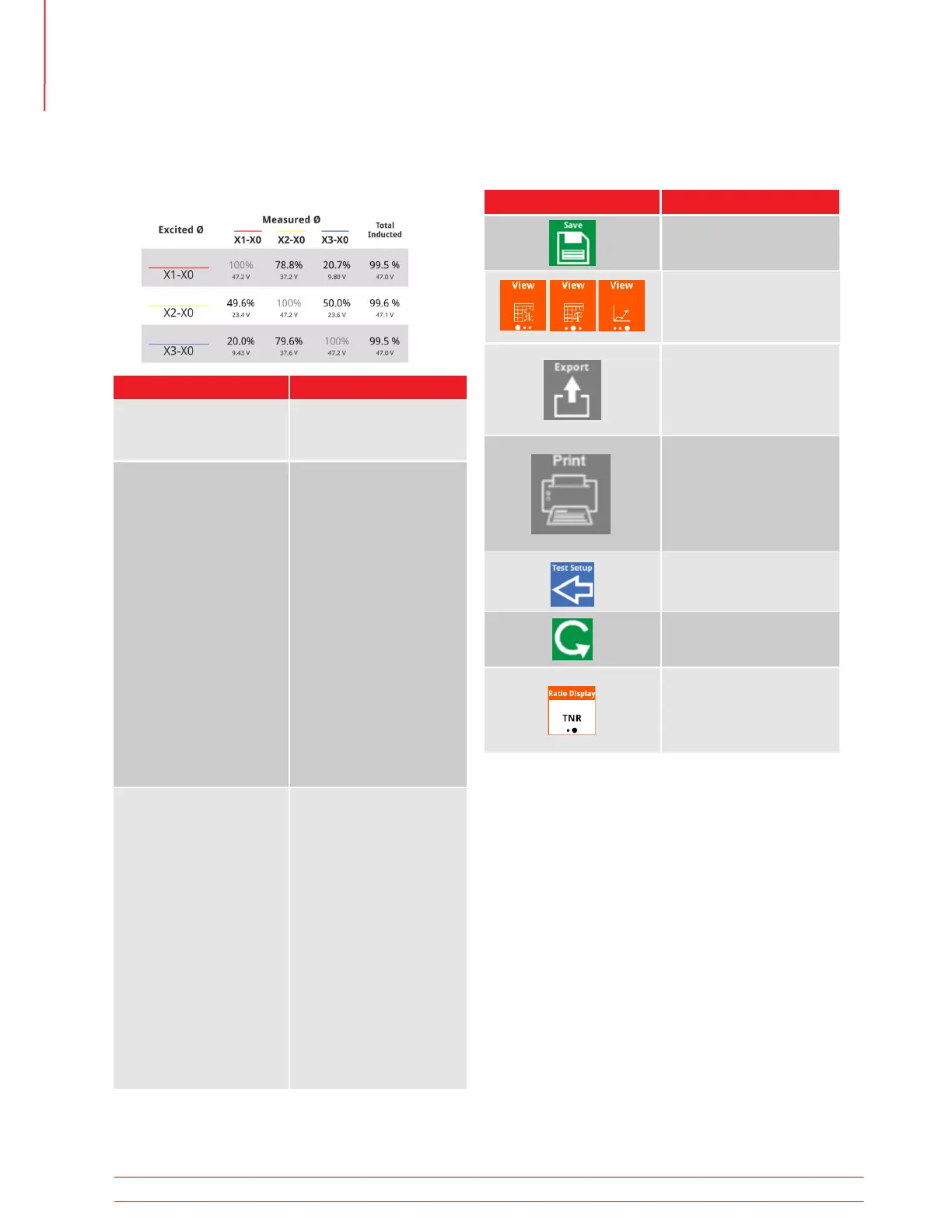
Excited Ø
Which phase was excited
Measured Ø
Which phase was meas-
ured. Voltage measured
and percent of excited
Ø voltage
Total Induced
Total voltage induced in
the two Ø’s that were not
excited. Voltage measured
and percent of excited
Ø voltage
Limit displayed based
on settings
Excited Ø
Measured Ø
Will appear grayed out if
the measured phase was
the excited phase
Total Induced
Total voltage induced in
the two Ø’s that were not
excited. Voltage measured
and percent of excited
Ø voltage
Will appear in red
if exceeds
% imbalance limit
2nd, 3rd, 4th rows
ØA, ØB, ØC Data
1st Row
Column Descriptions
Below the header is the Ø Information.
5.23.5 Magnetic Balance
Ø Information
5.23.6 Magnetic Balance
Test Success Buttons
Button Description
Test Setup
Return to setup without
saving result
Ratio Display
TNR/TTR display
Export Result
Exports to thumb drive,
saves, and returns to setup
with new Test ID
Print Result
Available if optional
printer connected.
Prints, saves, and returns
to setup with new Test ID
Save Result
Save and return to setup
with new Test ID
Retest
Retest without saving
result
View
Change View
Operation
46 TTRU3 User Manual us.megger.com



 To Next Page