6 Settings
31
Changing the FTP password attachment / TCP port
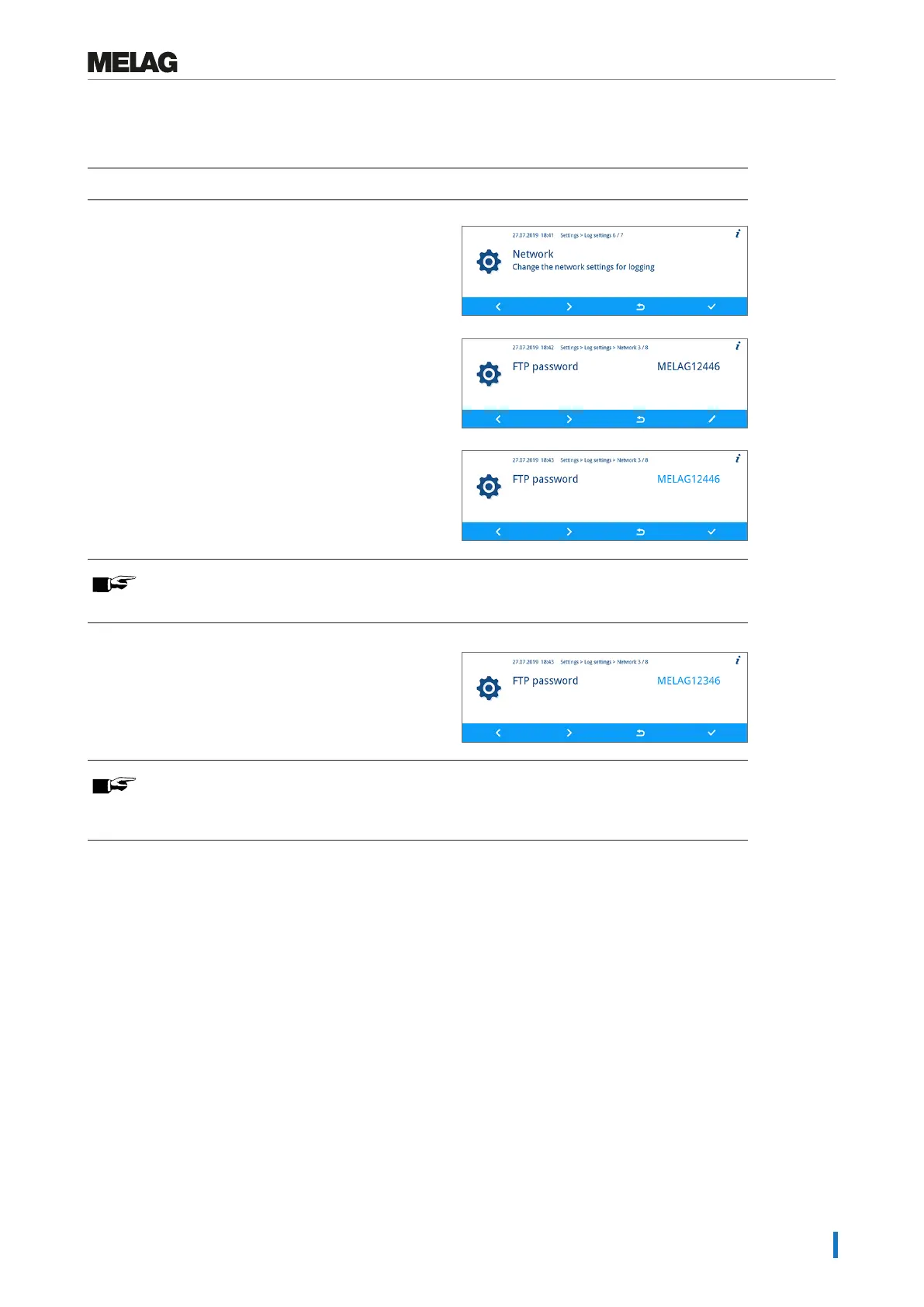
The following section describes how to set the FTP password. The TCP port is set in the same fashion.
ü
The Settings > Log settings > Network menu is displayed.
1. Press the FORWARD or BACK key until the FTP
password parameter are displayed.
2. Press the EDIT key.
3. Press the FORWARD or BACK key to change the
parameter.
PLEASE NOTE
Holding the FORWARD or BACK key pressed accelerates the increase or decrease.
4. Press the key CONFIRM to accept the change.
PLEASE NOTE
If the device is integrated in the (practice) network via a TCP connection, you will require
a suitable program, e.g. MELAview/MELAtrace.


 To Next Page